

TOC problems FM2019, poor indentation etc
As described in my previous post https://community.adobe.com/t5/framemaker-discussions/navigation-panel-problem-responsible-html5/td-p/12769011, I have created an additional "Heading 1 new html page", to add the choice to have a new html page for each such heading. This paragraph style is a copy of the old Heading 1. For the TOC I have created a copy of Heading 1TOC, called Heading 1 new html pageTOC.
This works fine when I publish as Responsible HTML5. But I also publish pdf.
The TOC looks a bit odd - in at least 3 ways.
1) The new Heading1 new html page entries have the correct font, size etc, but the page number isn't right justifed (as for the regular Heading 1.) There seems to be a missing <tab>. (If I enter it manually in the TOC, it looks fine until the next update, when the tab's are lost.)
2) The TOC indentation is messed up. All Heading 2TOC entries in a chapter having the new Heading1 new html page have been moved to the left.
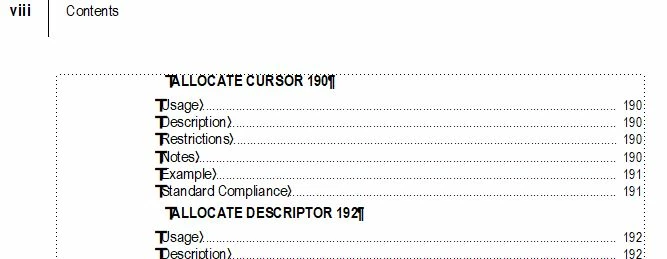
3) A chapter following a chapter having the new Heading1 new html page, will be on a new page in the TOC.
How can I make the new "Heading 1 new html pageTOC" to behave just as the original "Heading 1TOC"?


 AdChoices