Participant
January 30, 2018
Answered

TOC will not show lowercase roman numerals for page numbers.

  • January 30, 2018
  • 1 reply
  • 877 views

I have set the page numbers for the first couple chapters in a book to show as lowercase roman numerals. However, they show as uppercase roman numerals.

In the reference page, I have it set to show chapter number, paratext page number. The font was set to all caps, but I adjusted the page number to lowercase with the character designer. This did not solve the issue.

(Framemaker 2017)

Thoughts?

This topic has been closed for replies.
Correct answer Barb Binder

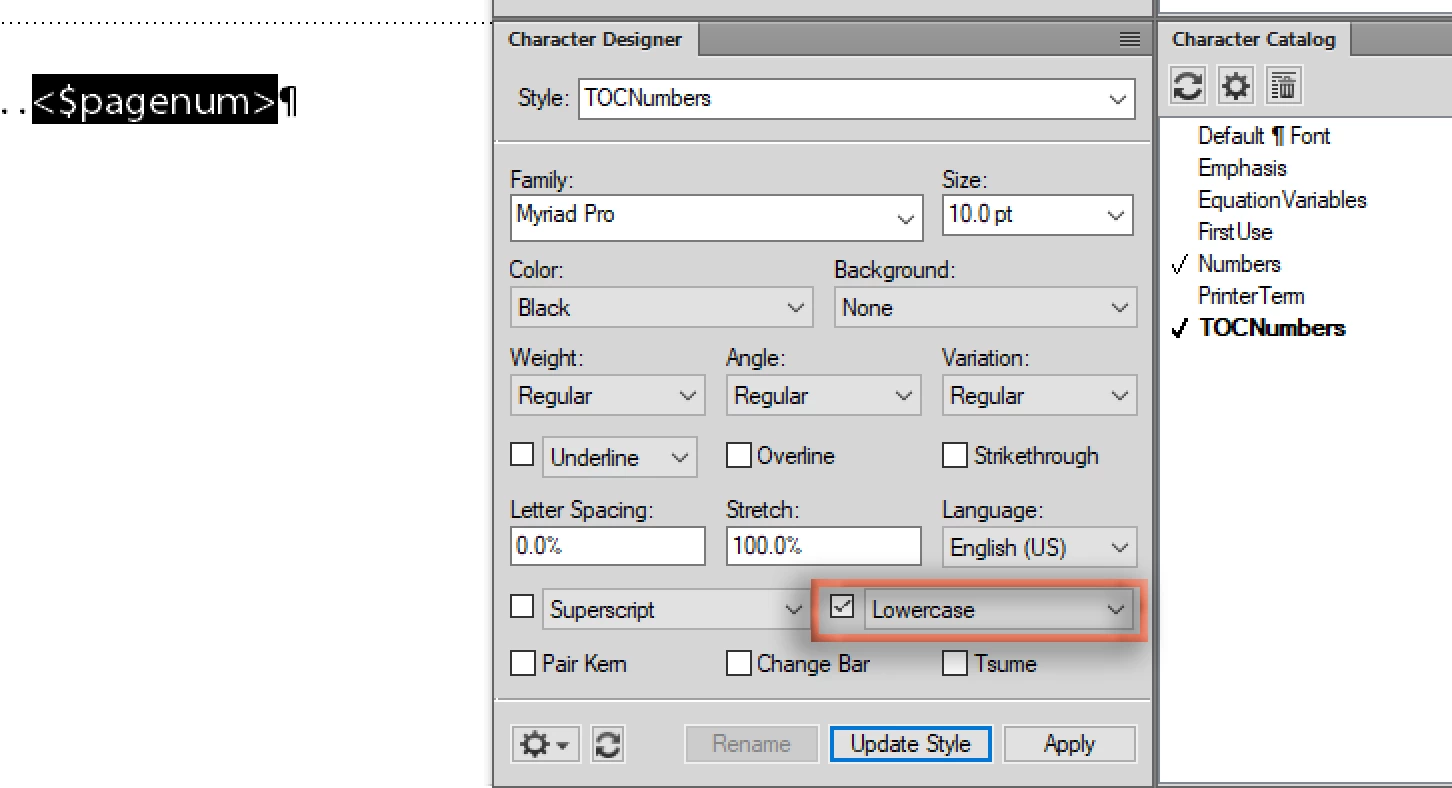
You will need to create a character tag in the character designer, then go to the TOC reference page and assign it to <$pagenum>. Then update the book.

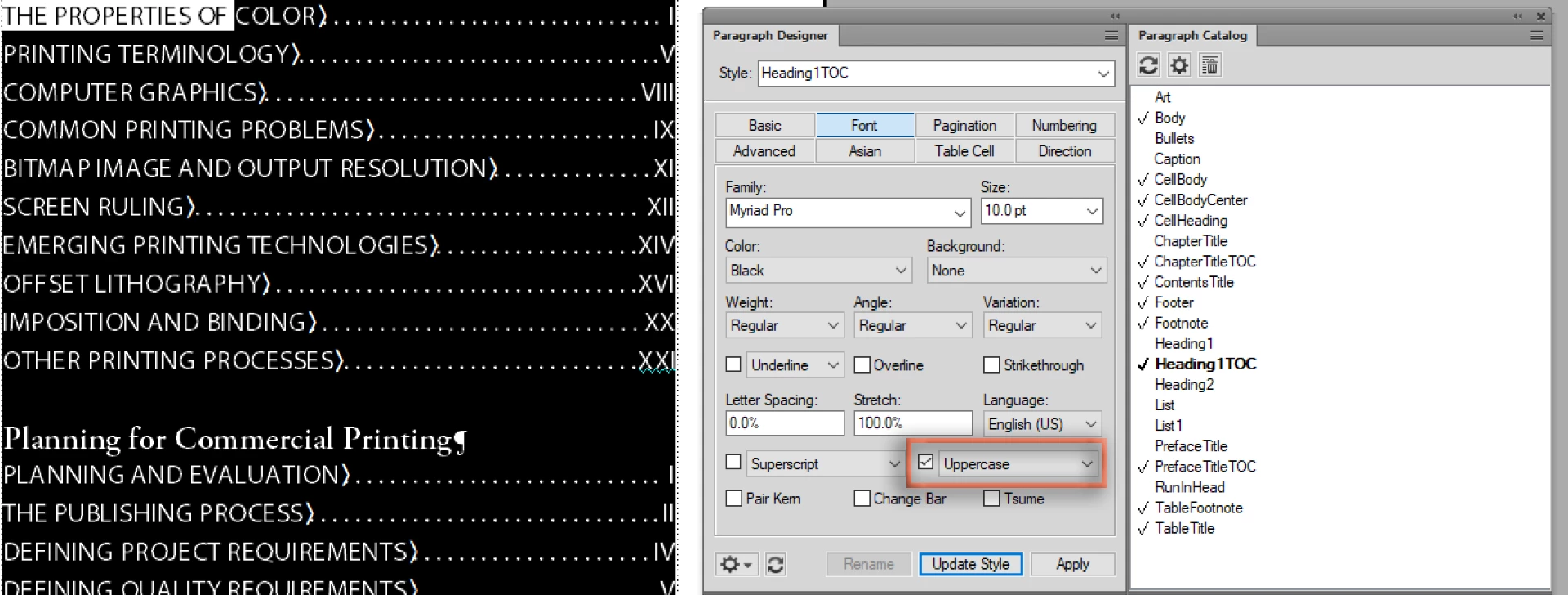
Before:

On the TOC reference page:

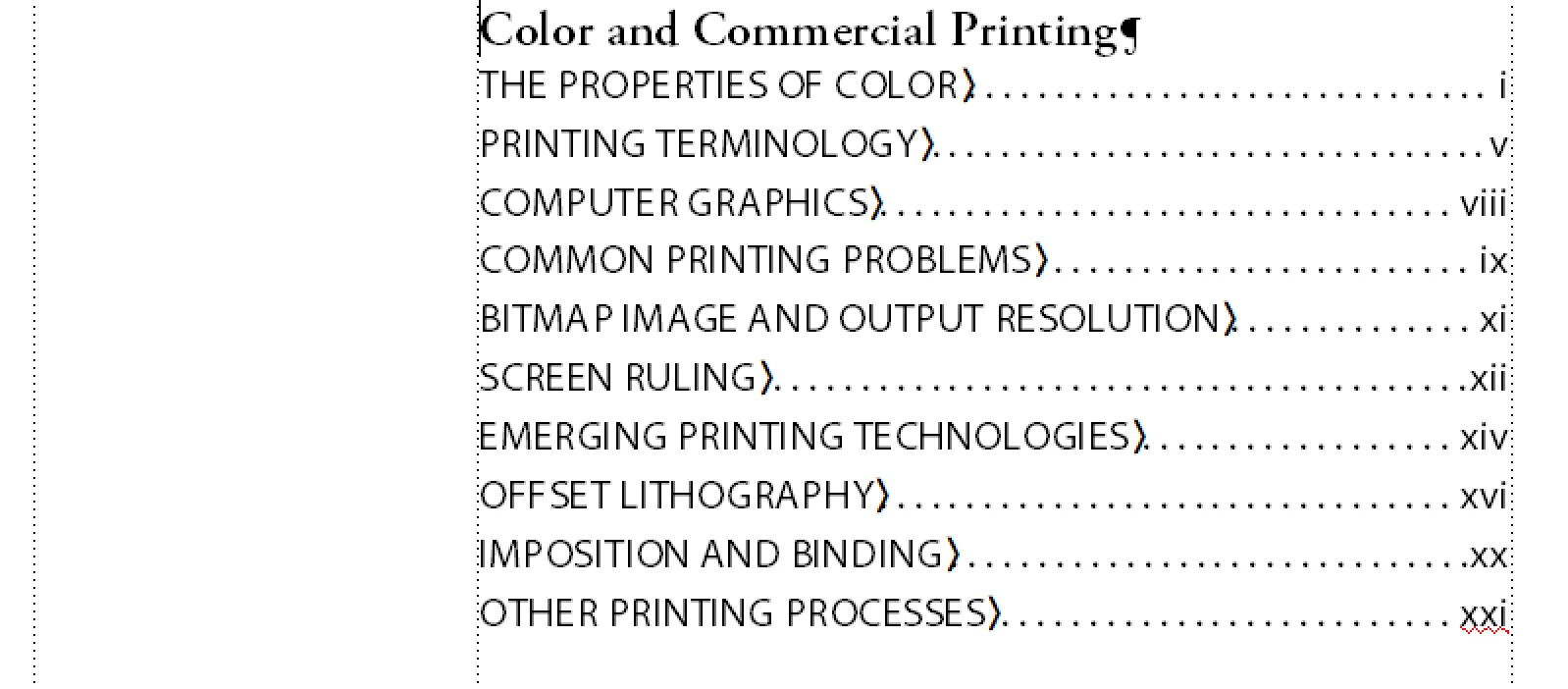
After updating your book:

~Barb

1 reply

Barb Binder
Community Expert
Barb BinderCommunity ExpertCorrect answer
Community Expert
January 30, 2018

You will need to create a character tag in the character designer, then go to the TOC reference page and assign it to <$pagenum>. Then update the book.

Before:

On the TOC reference page:

After updating your book:

~Barb

~Barb at Rocky Mountain Training
Participant
January 30, 2018

That worked perfectly! Thank you very much!!

Barb Binder
Community Expert
Community Expert
January 30, 2018

Always happy to help!

~Barb

~Barb at Rocky Mountain Training