
Participating Frequently
July 28, 2022
Question

Unable to Insert Text in between two linked text

  • July 28, 2022
  • 4 replies
  • 242 views

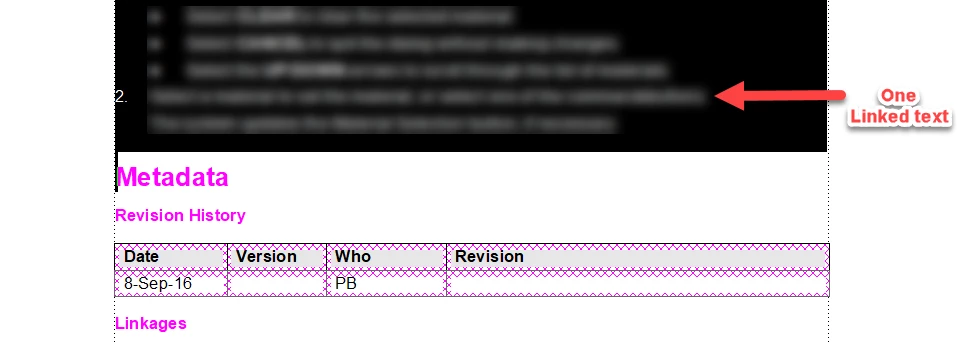
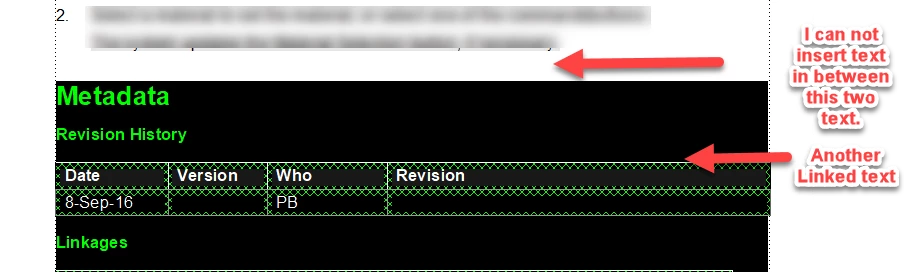
In a FrameMaker topic, I cannot insert text between two sections that were already inserted (linked with the source topic). Whenever I try to add a page marker before an inserted topic, the topic gets deleted.
    This topic has been closed for replies.

    4 replies

    Matt-Tech Comm Tools
    Community Expert
    Community Expert
    July 29, 2022

    When referenced info stacks against referenced info, it's virtually impossible to place your cursor between the two "things" so you need to navigate with the arrow keys instead. Click before or after your "stack" and use left/right keys as needed to position between the two pieces of content.


    *It's quite common to see this with Running H/F variables in the headers on your master pages


    -Matt

    -Matt Sullivan, FrameMaker Course Creator, Author, Trainer, Consultant
    Bob_Niland
    Community Expert
    Community Expert
    July 28, 2022

    Text Insets get tagged with PgfLocked=Yes (which is only apparent when examining the MIF).

    If by "page marker", what is meant is:

    Insert » Page Break
    It  doesn't do what most people assume. It's not adding a new element to the flow, it's trying to set an override to the /Pagination\ in the selected paragraph. This seems to have somewhat unpredictable results on two abutting Text Insets.

    K.Daube
    Community Expert
    Community Expert
    July 28, 2022

    I'm not familiar with structured FM, hence the term Page Marker is nebulous for me

    Generally for text insets ("linked texts) jou want to have a thin paragraph for each. In the simulation here the T is the Text anchor and u is a nonbreaking space you insert by CTRL+Space.

    Tu

    Tu

    The nonbreaking space avoids a nasty formatting problem. See https://www.daube.ch/docu/files/compendium.pdf#page=334

    Jeff_Coatsworth
    Community Expert
    Community Expert
    July 28, 2022

    First I would turn on your Text Symbols to see what's going in there. Are you using Text Insets there?