
fredg_techwrite
Known Participant
February 18, 2021
Answered

Unable to to change font size in book

  • February 18, 2021
  • 4 replies
  • 478 views

Hello,

Silly question about font size in book file.

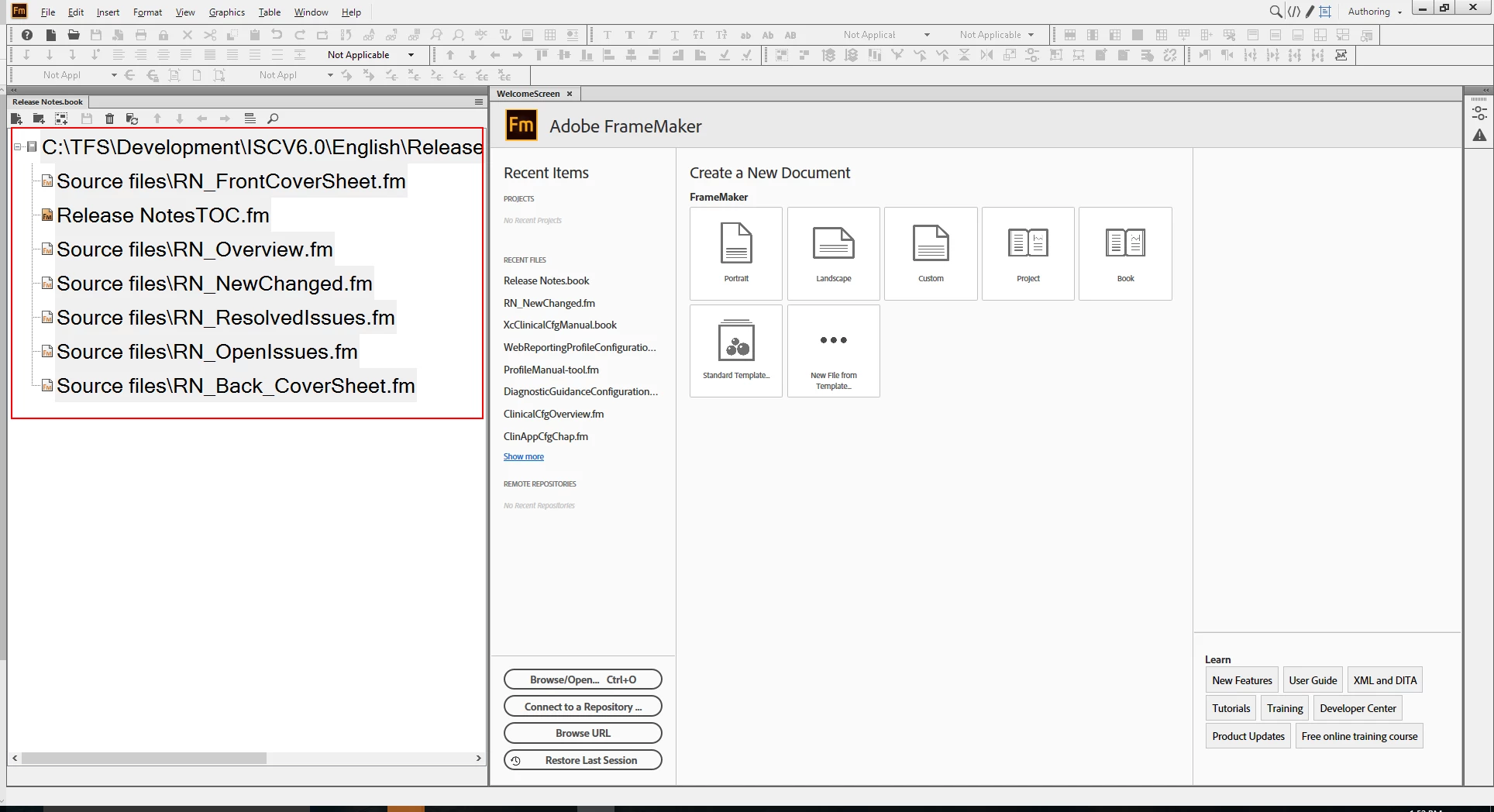
Can someone point me to the command that will allow me to decrease the size of the font of the names of my book files, as illustrated in the image below?


Kind regards,

Fred Gerke
 

    This topic has been closed for replies.
    Correct answer Winfried Reng

    Select the book file and then click on the minus sign in the lower left corner of the FrameMaker window.

    4 replies

    Participant
    February 19, 2021

    Thanks to everyone who answered. 

    Problem solved. 

    What a great forum. 


    LinSims
    Community Expert
    Community Expert
    February 18, 2021

    Put your cursor on the title of the book, then click View > Zoom  > Smaller.

    Winfried RengCommunity ExpertCorrect answer
    Community Expert
    February 18, 2021

    Select the book file and then click on the minus sign in the lower left corner of the FrameMaker window.

    Jeff_Coatsworth
    Community Expert
    Community Expert
    February 18, 2021

    That's kind of weird - what version are you running & is it all patched up? Has it always looked like this or is it something new?

    Participant
    February 19, 2021

    It was something new, and unintentional. Don't ask me how I did it, but it's resolved.