Inspiring
October 19, 2016
Question

Unexpected white space between paragraph background and frame below

  • October 19, 2016
  • 2 replies
  • 1175 views

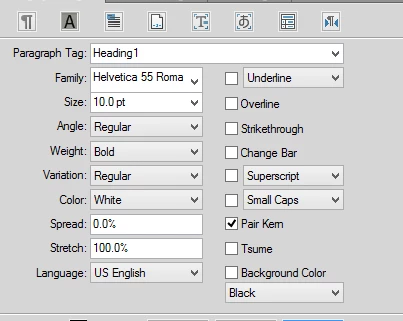
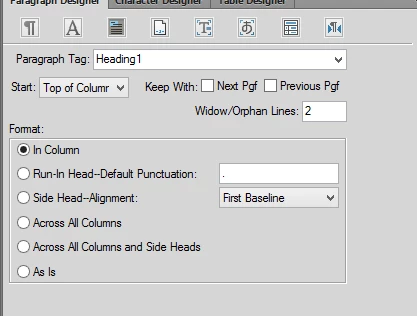
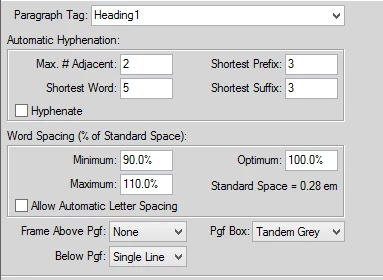
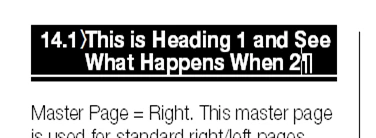
Can anyone tell me why I am getting the white space between my Heading 1 paragraph box and the line below? I've tried everything I can think of (including removing the fixed paragraph line height of 10.5 pt) and cannot get the two to meet.
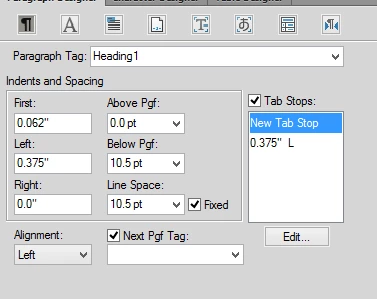
    This topic has been closed for replies.

    2 replies

    Timothyc55
    Known Participant
    October 23, 2016

    I suspect the white space is either part of the font family you are using or the thickness of the border around the frame on the references pages.

    I suspect that what you are actually trying to achieve is to completely enclose the white text inside the black background rather than have the descenders appear to poke out the bottom.

    I have noticed that some fonts have different amounts of space below the descenders. If you choose one that has a bit of extra space there text would be completely enclosed in black. No line below needed.

    Timothyc55
    Known Participant
    October 23, 2016

    I just had success with the Virinda font family. It puts a fair amount of space below the descenders and magically adding a line below has no whitespace.

    Barb Binder
    Community Expert
    Community Expert
    October 20, 2016

    Good morning! To clarify the question, you want to remove the space between "What Happens When" and the rule below (not the next line of text)?

    Can anyone tell me why I am getting the white space between my Heading 1 paragraph box and the line below?

    The rule is sitting in a frame on the 1st (usually) reference page. You can go check to make sure that it is sitting at the very top of the frame, but you can't shift it up anymore than that.

    ~Barb at Rocky Mountain Training
    Inspiring
    October 20, 2016

    Hi Barb - there is no open space in the reference page frame. I even tried moving the line further up in the frame (the line is 3pt wide) but this only made the line thinner under the paragraph (since some of the line was now hidden behind the frame), and did not impact the white space at all.

    I also tried shortening the line to the exact width of the column, which also did not impact the amount of white space.

    I'm using FrameMaker 2015 on Windows 10 if that matters. Any other ideas?

    Barb Binder
    Community Expert
    Community Expert
    October 20, 2016

    I played with it a bit this morning. As far as I can tell, you have the minimum amount of space possible.

    An underline would sit where you want the rule to be, but in FrameMaker underlines only appear below the actual letters so would fall short on both the left and right sides, and will not be an acceptable solution.

    You can always put in a feature request: https://bugbase.adobe.com/index.cfm?event=newFeature

    ~Barb at Rocky Mountain Training