Inspiring
December 12, 2019
解決済み

Unintentional and undetectable blank space

  • December 12, 2019
  • 返信数 2.
  • 561 ビュー

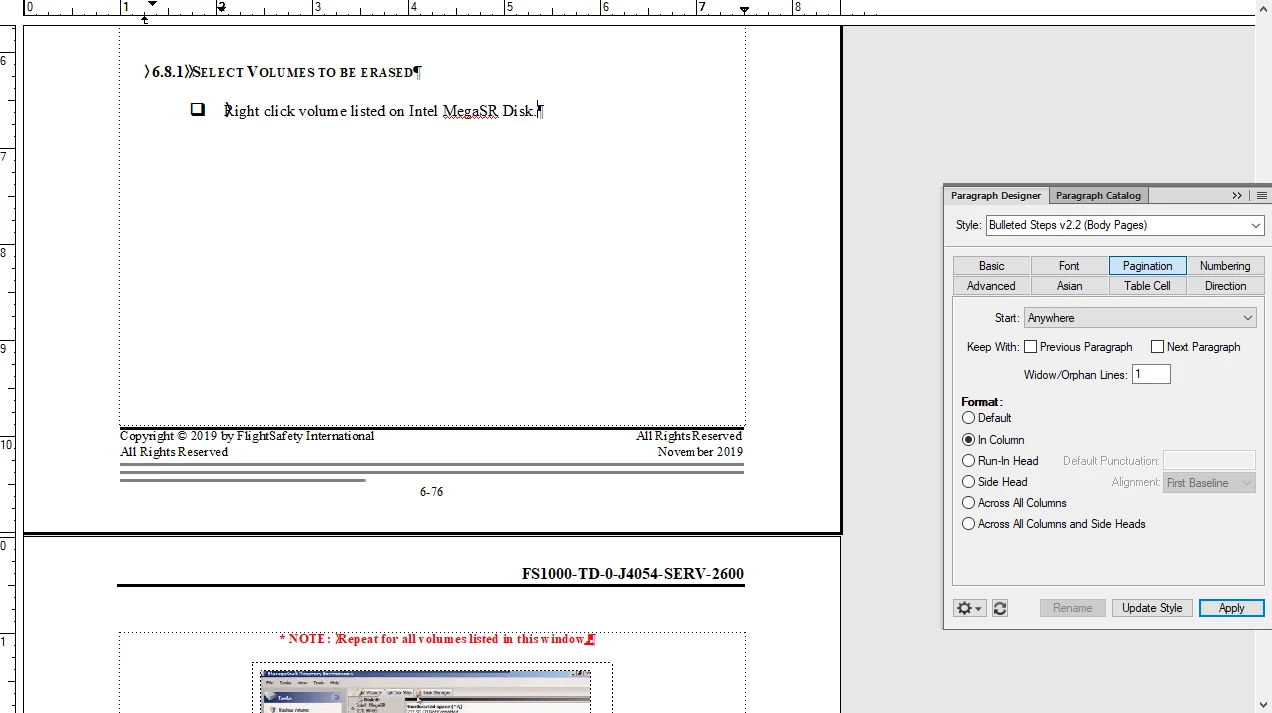
There are several places in my document that I have blank space that shouldn't be there I cant find any page breaks or any reason why the Note:Repeat steps for ..... should fit on the previous page niether paaragraph style is attached to the previous or next paragraphs. I turned on text symbols to see if I could find any rouge carriage returns or any other reasons that there would be so much blank space. Any suggestions would be awesome. Thank you. 


このトピックへの返信は締め切られました。
解決に役立った回答 Barb Binder

Hi Dustin:


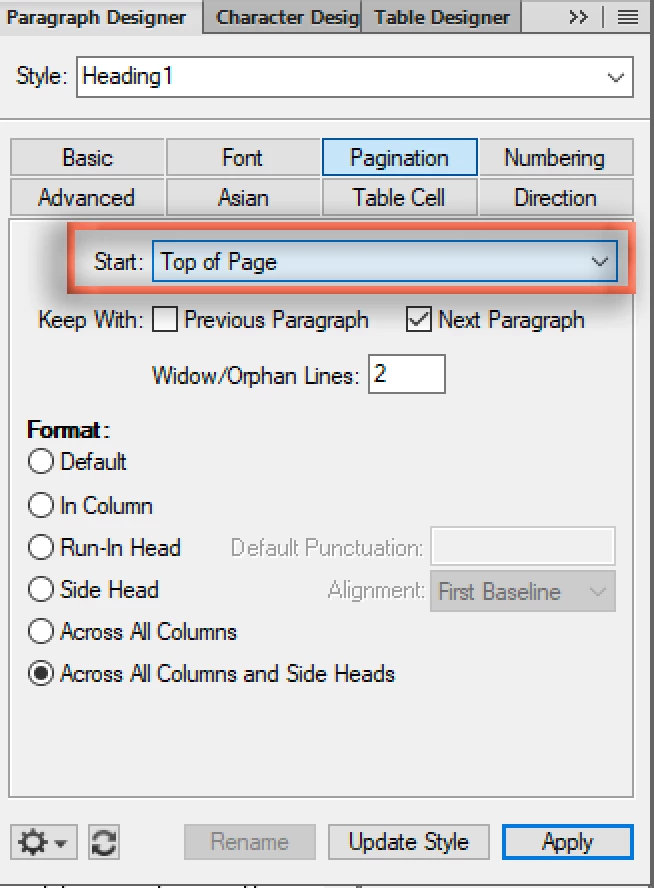
In the second screen shot, it looks like the section heads have a top of page attribute assigned to them. Click on the one at the top of the right page and check out the Start setting in Pagination properties. What does it show? Try changing it to Anywhere and Update Style.


~Barb

返信数 2

Barb Binder
Community Expert
Barb BinderCommunity Expert解決!
Community Expert
December 12, 2019

Hi Dustin:


In the second screen shot, it looks like the section heads have a top of page attribute assigned to them. Click on the one at the top of the right page and check out the Start setting in Pagination properties. What does it show? Try changing it to Anywhere and Update Style.


~Barb

~Barb at Rocky Mountain Training
frameexpert
Community Expert
Community Expert
December 12, 2019

It looks like your red paragraph contains and anchored frame. If the anchored frame is too tall to fit on the previous page, that is what is causing the gap. Two solutions: set the anchored frame to Float or put anchored frames into their own paragraph without any text content (my preferred solution).

www.frameexpert.com
Inspiring
December 12, 2019


After looking over the whole document again I think I have several instances of this happening but I can not seem to locate tn anchored frames causing this behavior.I have the text symbols on and I placed all the graphics in tables to ensure that noe of the text accdentally ended up in one of those anchored frames. I still can not track down where they are anchored and remove them so they have the normal spacing as the rest of the document. How would I locate these frames and remove them. I tried copying and pasting to a new document and git the same result. I figure there has to be a better solution than retyping the whole thing from scratch. Thank you for any additional direction on this it's been a really big time suck trying to track down the offending formatting.