


April 8, 2015
Answered

Unknown space after text inset

  • April 8, 2015
  • 1 reply
  • 526 views

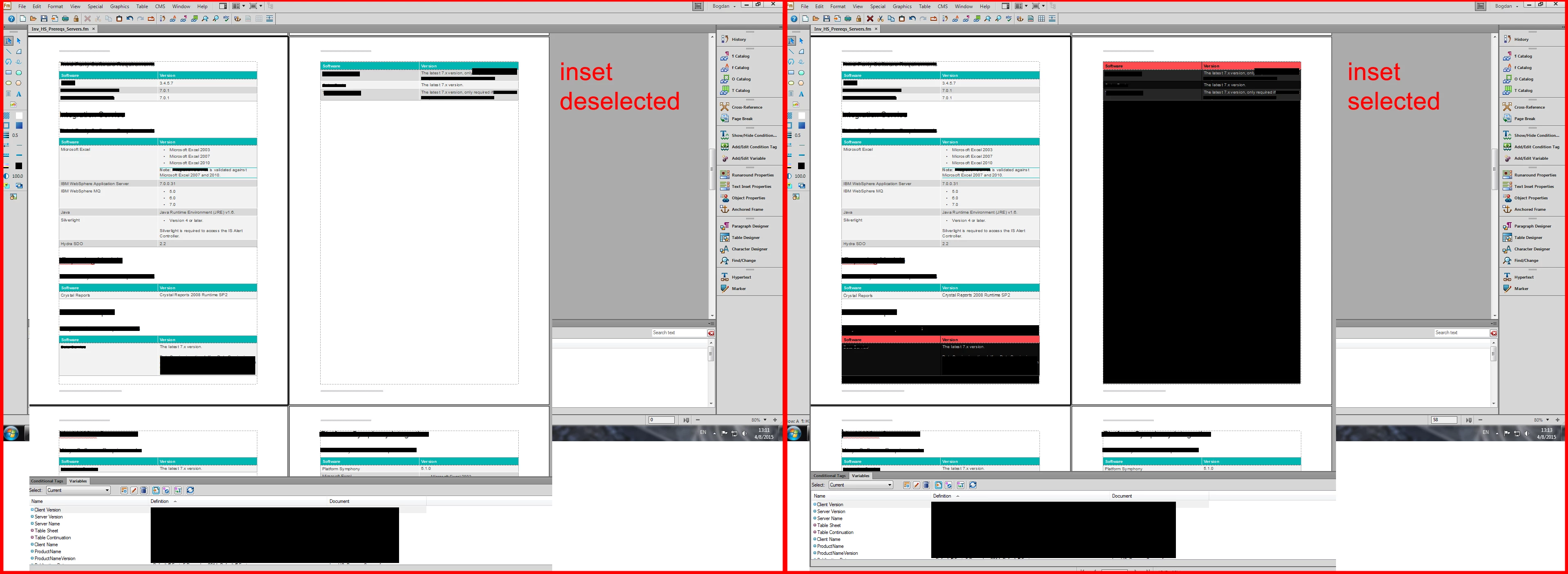
As seen in the picture below (also added link for larger picture, will be available 24 h ExtraZoom High Definition image #32005. Zoom in or zoom out high resolution photo.),

there is a huge space between the inset (table broken across 2 pages) and the following paragraph.

All insets are written in the same way, but only this one happens to look so weird. I've checked the inset and there is no huge space at the end of it.
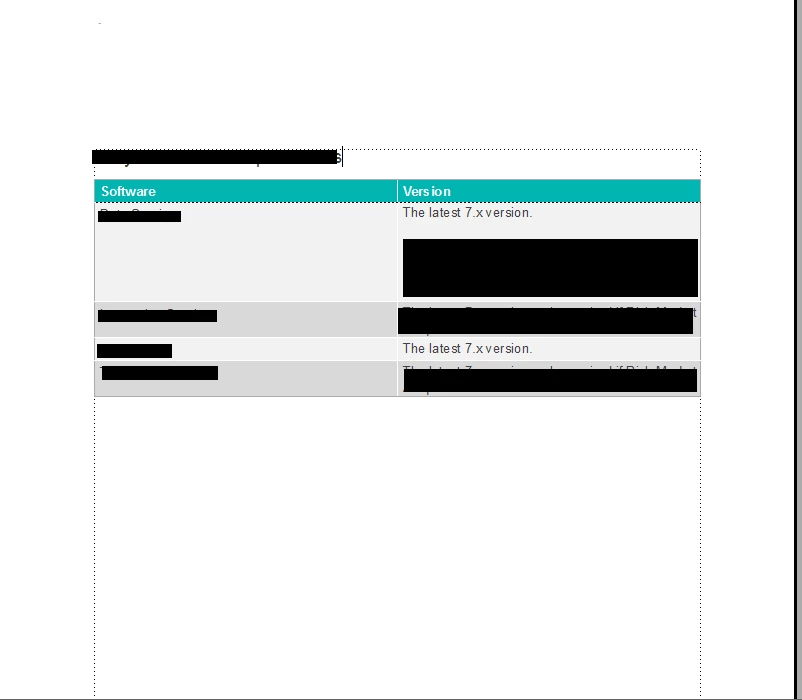
As you can see in the picture below, the end of the page is right at the end of the table's anchor (text cursor can be seen)
Any ideas as to what I could possibly do to resolve this?

Thank you!

This topic has been closed for replies.
Correct answer Arnis Gubins

In the samples that you provided, the Text Insets all fall inside of the H2 paratag and all of these paratags are set to Keep With: Next. So you are asking FM to keep everything together, i.e. content can't wrap to the next page when it's logical. So FM is trying to do what you asked of it. If you turn this off, you will see that things reflow more as you would expect.

In order to keep the H2 with the inset, you should define an anchoring paratag to hold the inset and have the Keep With turned off for this anchor paratag. Then you can turn back on the Keep with setting for the H2 to allow the inset to stay with the heading. You'll have to play a bit with the spacing above/below for the anchor and H2 to get a seamless flow of content. I would also recommend changing the colour for the anchor tag so that it stands out on the page [and do not put any content other than the inset into it!].

1 reply

Arnis Gubins
Inspiring
April 8, 2015

What are the attributes (spacings, keep with, widow/orphan settings, etc.) of the paratag that the inset is inserted into? What are your table properties on the inset (widow/orphan rows, keep with on rows, etc.)?

Is the inst in its own anchoring paratag or does the paragraph have other content [I can't tell due to the redacting]?

April 14, 2015

Hello!

In regards to your response, I've uploaded the fm files (main file + insets) and scrubbed the confidential information out of them. The issue is still reproducible, as seen in the Data.fm document.

Thank you for replying on such short notice!

Dropbox - fm files.zip

Arnis Gubins
Arnis GubinsCorrect answer
Inspiring
April 14, 2015

In the samples that you provided, the Text Insets all fall inside of the H2 paratag and all of these paratags are set to Keep With: Next. So you are asking FM to keep everything together, i.e. content can't wrap to the next page when it's logical. So FM is trying to do what you asked of it. If you turn this off, you will see that things reflow more as you would expect.

In order to keep the H2 with the inset, you should define an anchoring paratag to hold the inset and have the Keep With turned off for this anchor paratag. Then you can turn back on the Keep with setting for the H2 to allow the inset to stay with the heading. You'll have to play a bit with the spacing above/below for the anchor and H2 to get a seamless flow of content. I would also recommend changing the colour for the anchor tag so that it stands out on the page [and do not put any content other than the inset into it!].