


Known Participant
July 16, 2010
Answered

Unremovable added paragraph entry in text frame

  • July 16, 2010
  • 2 replies
  • 3194 views

Hi all,

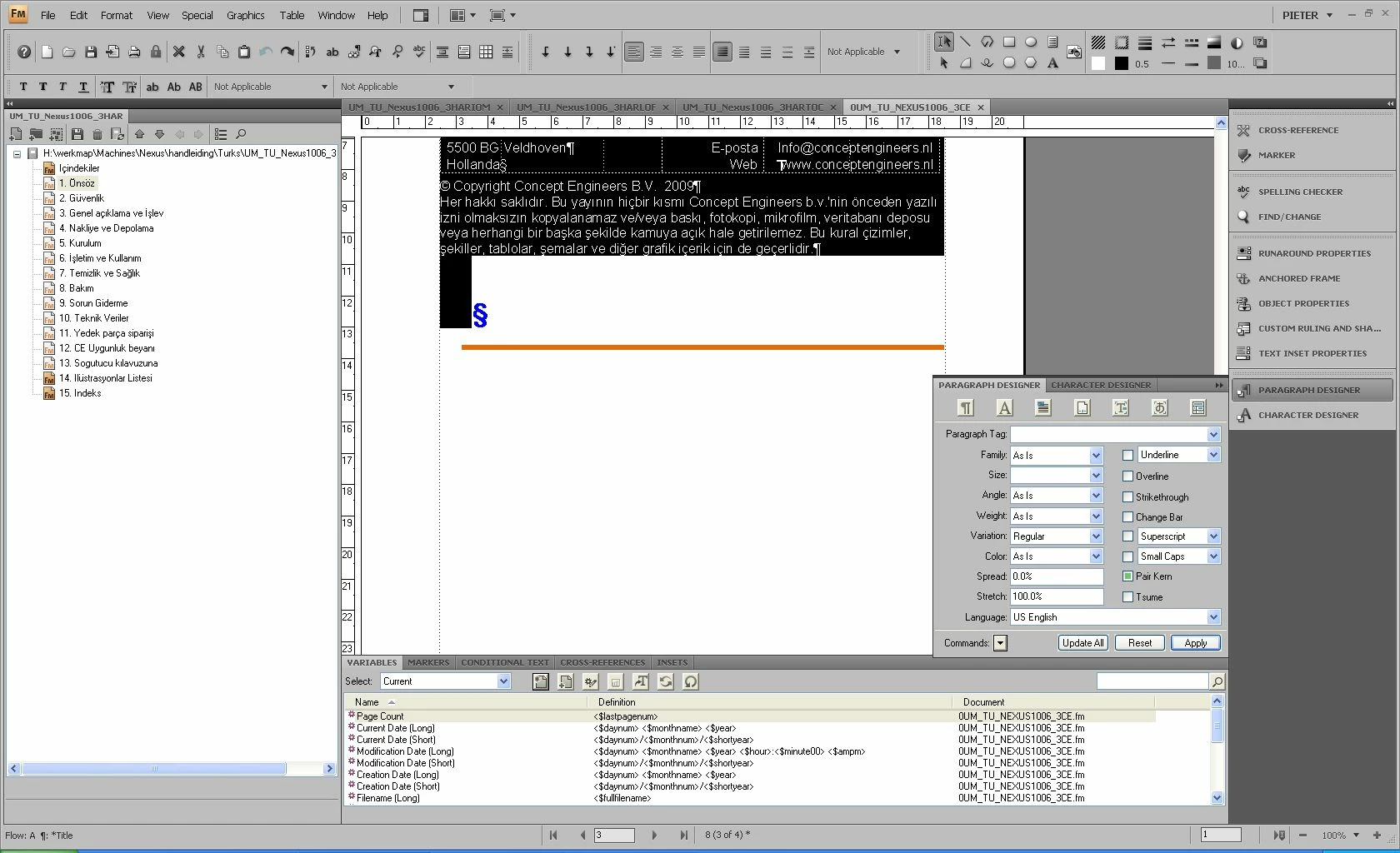
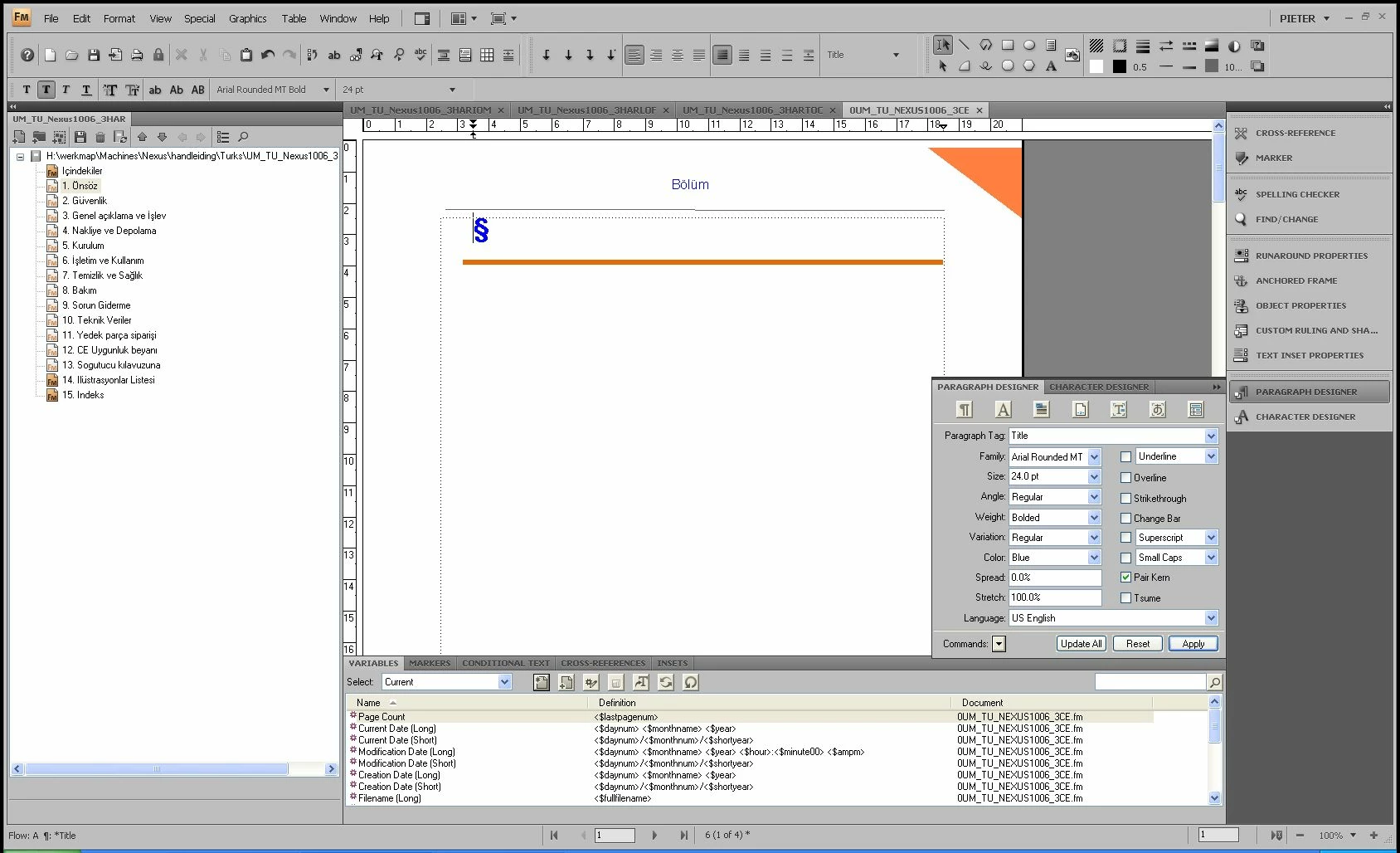
In my book, I have an introductory document which is the same for all books. Sort of a foreword. So I import this into an empty document which I then save and rename etc. In other words, the foreword is a regular text inset. For some reason, Framemaker adds the paragrap tag for title after/before the inset, while leaves me with a numbered blank entry in my toc and an ugly orange bar below my inset, which I usually use as part of the title layout. Not only the TOC entry is a nuisance, but also the fact that even after deleting the inset I cannot change or delete the paragraph tag. How can I fix/prevent this?

Thanks

Pieter

Added screenshots show the document with the inset selected and the title paragraph underneath, and without the inset showing the unremovable and unchangeable paragraph tag. (the blue curly sign and orange bar)
    This topic has been closed for replies.
    Correct answer Mike Wickham

    I have read up on the 'non breaking space' but how do I insert this in Frame? I have tried the character pallete and hex input both to no avail.

    Thanks


    Use Ctrl+Space or Esc space h to insert a hard (non-breaking) space.

    2 replies

    Bob_Niland
    Community Expert
    Community Expert
    November 23, 2012

    > .. even after deleting the inset I cannot change or delete the paragraph tag.

    Just to wrap up this topic, the above is a reasonably common side effect of text insets, and there are no standard menus or dialogs for clearing it.

    To unlock the tag:

    • put some unique text nearby, say "xyzzy"
    • save the [importing] file as MIF
    • using a plaintext editor, find the paragraph using the unique string
    • look for a <PgfLocked Yes>
    • change the Yes to No
    • save, re-open in FM, save as .fm

    See <PgfLocked Yes> after text inset for further info.

    Legend
    November 26, 2012

    Very interesting information! thanks.

    Michael_Müller-Hillebrand
    Legend
    July 16, 2010

    Pieter,

    It looks like your text inset closes with an empty paragraph with the heading format.

    First remove any unnecessary paragraph format from the text inset document.

    Also: Make sure that you add a (non-breaking) space into the paragraph that receives the text inset and insert the external document before this space:

    <text inset><non-breaking space>

    I have seen teams using an even stricter approach: They defined a special 2pt line-height paragraph format that is used as first and last pgfs inside each text inset as well as being the pgf format used for the receiving paragraph. But this might be a bit over the top.

    To reset your receiving paragraph format you might need to set the pgf fmt, then triple-click the pgf and reset any character formatting (select "Default ¶ Format" from the list of character formats) and then apply the pgf fmt again.

    - Michael

    Known Participant
    July 16, 2010

    Hi Michael,

    Thank you for your advice.

    I do not understand what a non-breaking space is. Also, the inset ends with the regular 'body' paragraph format. I have opened a new document, did nothing to it, inserted the inset and imported the formats from another (correct) document. This works but only for a short time. After a while, the title format re-appears.

    Known Participant
    July 19, 2010

    I have read up on the 'non breaking space' but how do I insert this in Frame? I have tried the character pallete and hex input both to no avail.

    Thanks