


Answered

Barb BinderCorrect answer
Community Expert
Jul 5, 2023 1:06 AM UTC
Hi Amit:
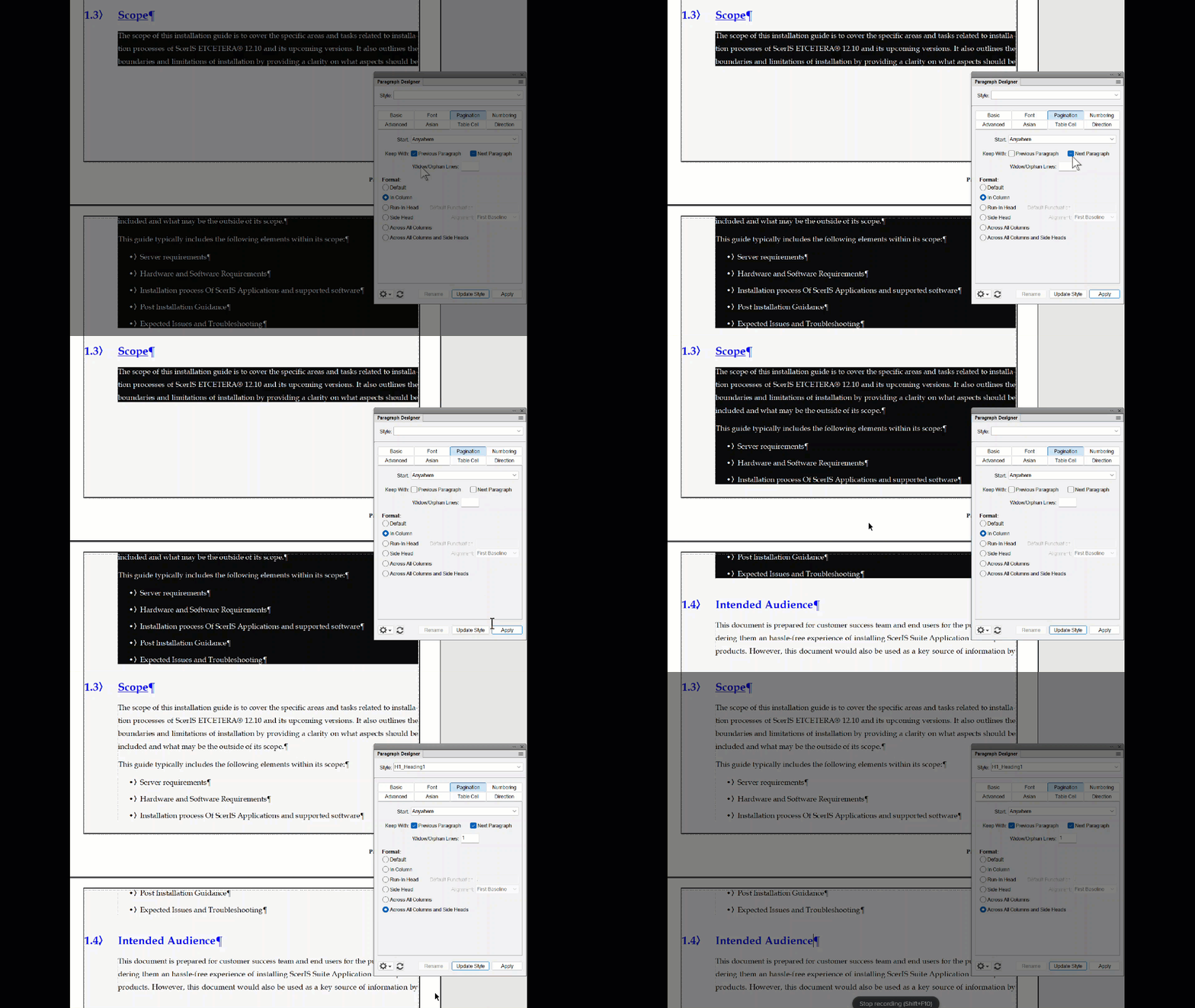
The issue is overuse of the Keep with settings in Paragraph Designer > Pagination. Most of your paragraphs are set to either keep with the previous paragraph or keep with the next paragraph or both, and that's giving very unusual breaks. Typically we enable Keep with: Next on our headings, so that they don't break from the paragraphs that they modify, but not for our body paragraphs or for our lists. You also have random empty paragraphs (¶) and those have them too.
There are exceptions to every rule, but I would recommend turning off all Keep withs (expect on the headings) and then review the document. You can always either add manual a page breaks, or overrides after the final round of edits if you feel it is necessary.
~Barb
~Barb at Rocky Mountain Training
 AdChoices