
Participant
June 19, 2018
Question

Upgrading Framemaker 2015 to 2017

  • June 19, 2018
  • 1 reply
  • 318 views

I am trying to upgrade framemaker 2015 to 2017 and hitting an issue, after downloading and extracting the product AdobeFramemaker_14_0_1_upd and running it i get the instant message as shown below:
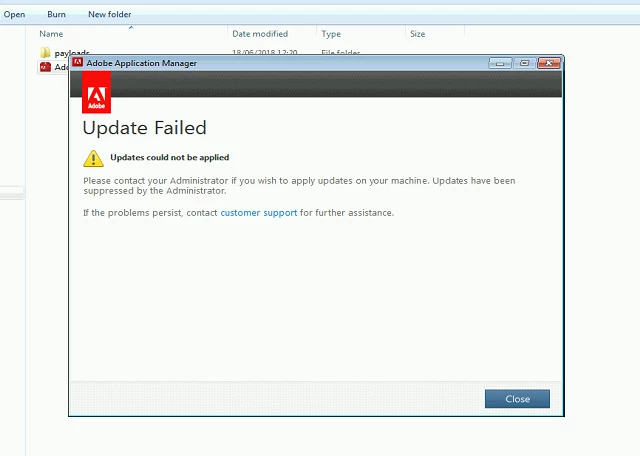
Not sure why it is saying this and I have checked our Web proxy and firewall and it doesn't even seem to be getting that far, anu ideas suggestions would be gratefully recieved

   Steve

    This topic has been closed for replies.

    1 reply

    Ian Proudfoot
    Legend
    June 19, 2018

    Hi Steve,

    It's not clear from your message, but I get the impression that you are trying to apply FrameMaker 2017 update 1 to an existing FrameMaker 2015 installation. That won't work because FrameMaker installations are stand-alone and there is no update process that switches you from FM 2015 to FM 2017 - that's a good thing and means it is possible to have several FM versions co-existing on the same computer.

    Please download the FrameMaker 2017 installer from here FrameMaker 2017 download then apply the latest update which will get you directly to FrameMaker 2017 update 4.

    If I misunderstood and you have already downloaded FrameMaker 2017 you can check for updates from the help menu. No need to apply each update in turn.

    Ian