Known Participant
July 9, 2015
Question

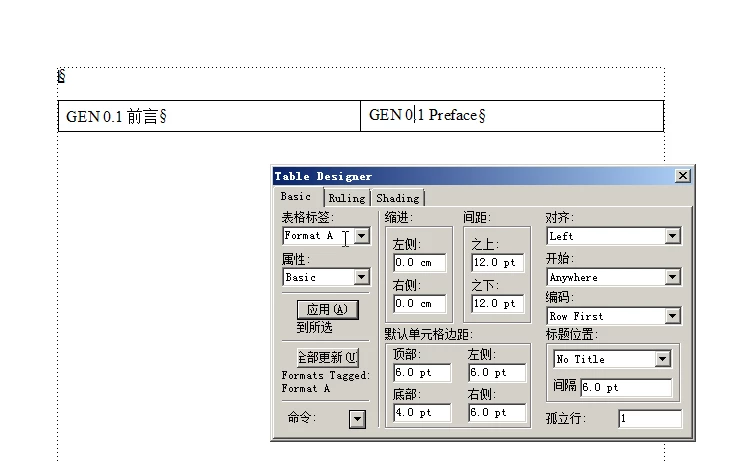
We want to control the table format by the attribute.but the table format is not right,why?

  • July 9, 2015
  • 1 reply
  • 349 views

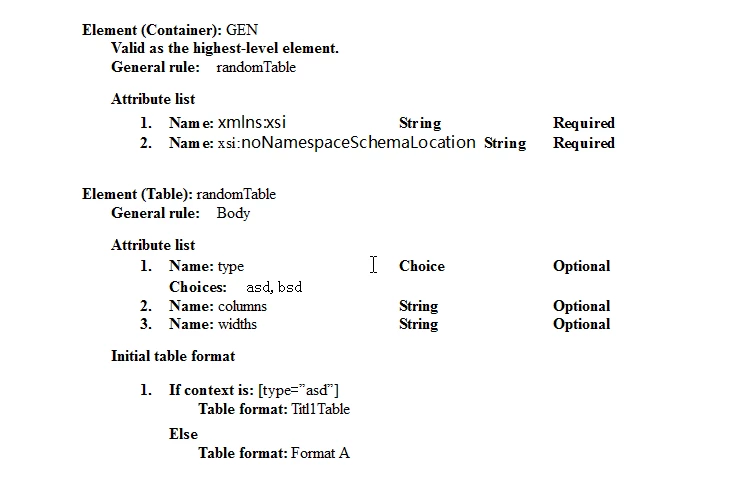
Our EDD:

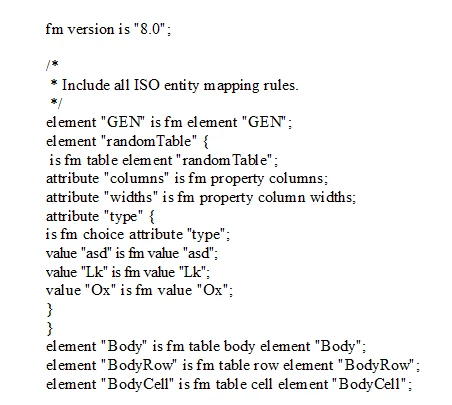
our rw:

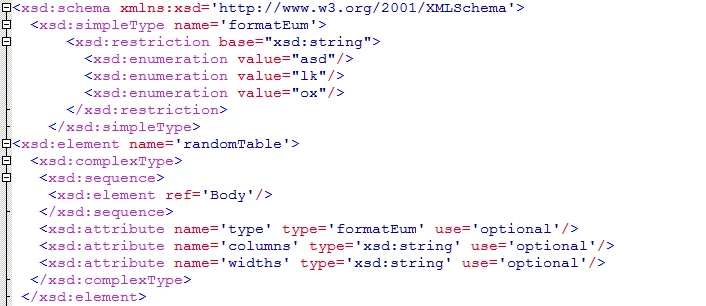
our xsd:


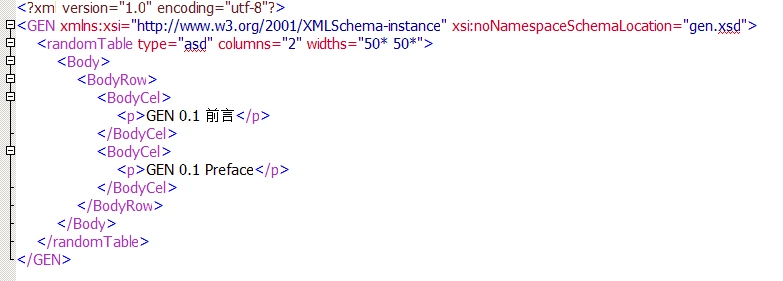
our xml:

when we open the xml file in FM8, It can display,but the format is not right.
This topic has been closed for replies.

1 reply

ScottPrentice
Inspiring
July 9, 2015

I always use the same value for the "type" attribute as is the format name .. I think that's key since one of the rules I'll show maps the type attribute to the table format. Also, your rules seem mostly unnecessary. You don't need to say that an element "ZZZ" is an fm element "ZZZ" .. I think that's assumed. Here's the rules I'd try ..

element "randomTable"
{
  is fm table element;
  attribute "columns" is fm property columns;
  attribute "widths" is fm property column widths;
  attribute "type"
  {
    is fm attribute "type";
    is fm property table format;
  }
}

I don't think you need anything else in your rules file.

In your EDD, change the table format to "asd" and rename it in your template as well. Or change the attribute value to "Titl1Table". Just make sure they are the same values.

That might work .. give it a try!

...scott

zhaopengAuthor
Known Participant
July 10, 2015

According to the method you say it solves our problem.Thank you very much.