
Inspiring
October 19, 2022
Answered

What the heck is going on with my tables?

  • October 19, 2022
  • 2 replies
  • 362 views

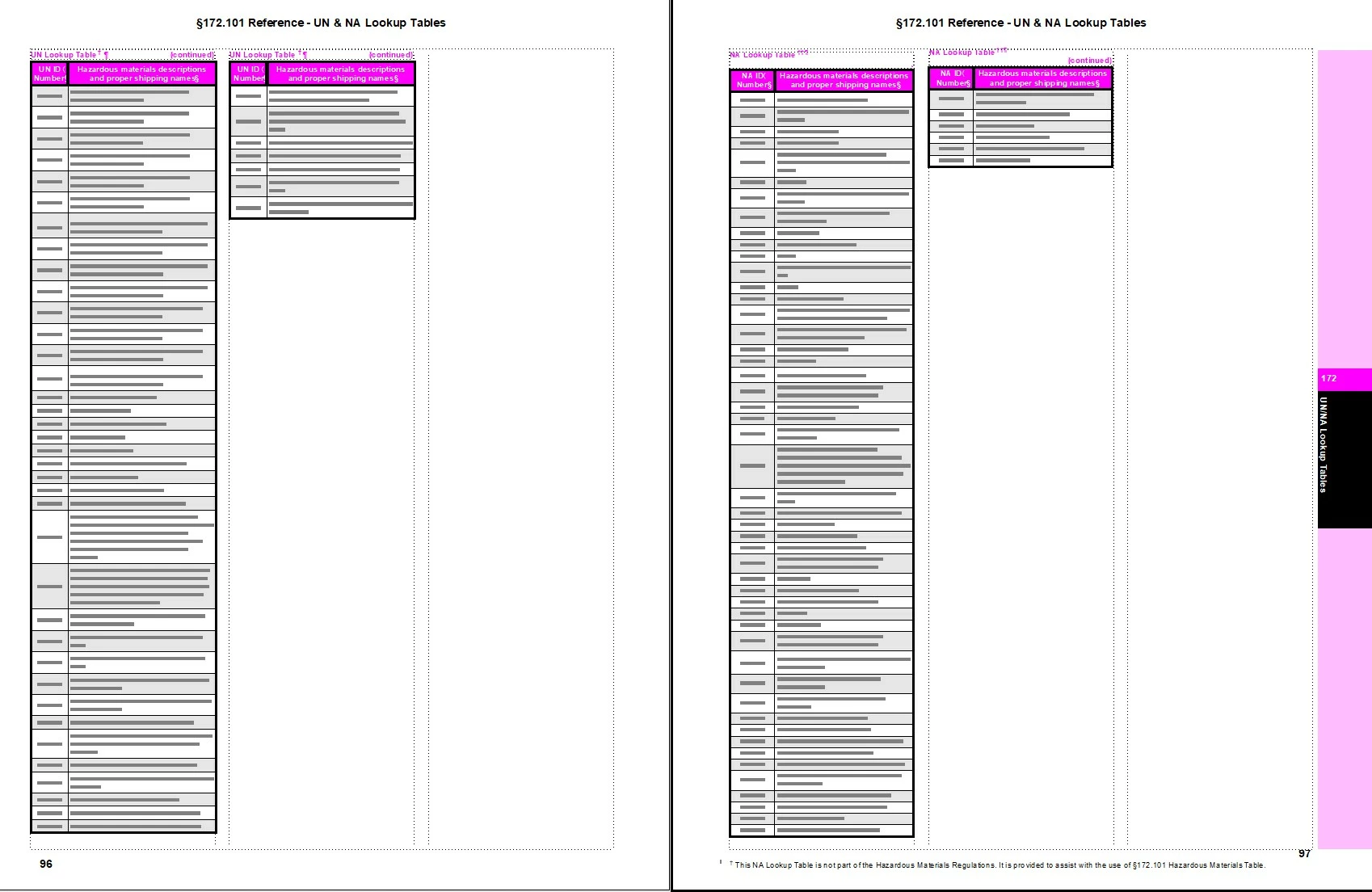
I've got one very long continuous table broken up into three columns per page and a lot of pages of that... everything seems to flow well right up until the end, when this weird break happens; I tried fixing it by: selecting all then setting Page Break to "Place at its default location", changing Format > Column Layout so "Balance Columns" was unchecked, trying variations of "Keep With" options... nothing seems to fix it. Any ideas?
    This topic has been closed for replies.
    Correct answer TeamMancomm

    Figured it out. The person who created the original file had for whatever reason (which is beyond me) to create a separate new table for the stuff on the last page. Ugh.

    2 replies

    Barb Binder
    Community Expert
    Community Expert
    October 20, 2022

    Glad you are back on track. 


    ~Barb

    ~Barb at Rocky Mountain Training
    Barb Binder
    Community Expert
    Community Expert
    October 20, 2022

    Hi @TeamMancomm:


    What's the goal here? Are you trying to balance the content across the final three columns?


    You can accomplish this with Table > Format > Row Format. You can manually tell a row to start at the top of a page (count the rows/divide by 3 to figure out which ones) or use Keep with Next Row/Previous row. I'm guessing that you are using the Keep Options in Paragraph Designer and not in Row Format.


    ~Barb


    ~Barb at Rocky Mountain Training
    TeamMancommAuthorCorrect answer
    Inspiring
    October 20, 2022

    Figured it out. The person who created the original file had for whatever reason (which is beyond me) to create a separate new table for the stuff on the last page. Ugh.

    Bob_Niland
    Community Expert
    Community Expert
    October 20, 2022

    re: … separate new table for the stuff on the last page.

    Perhaps the usual reason for that is an incomplete understanding of FM table controls, but there is one legit reason to do it. FM's AMP feature (Apply Master Pages) ignores ¶formats within tables. So if a given table needs a specific Master Page, it has to be triggered by non-table content on the page, such as the anchoring para. Sometimes you can work around it with the "Until changed" range indicator, sometimes not.