Participant
December 11, 2018
Answered

When creating external URL links only the marker becomes active, not the highlighted text

  • December 11, 2018
  • 2 replies
  • 952 views

When creating external URL links, only the marker shows as active, not the entire selected text.

For example, if I write "For more information see, the Adobe Web site"

Despite the fact that I selected "Adobe Web site," applied the hyperlink character format, and then select Insert>Hypertext and copy the URL after the "message URL" text in the Hypertext box, when I run the PDF, the entire Adobe Web site text isn't clickable. Only what's really the marker that's inserted in front of the A in Adobe is. How can I ensure the entire text of that link is clickable for end users?

Thanks!
    This topic has been closed for replies.
    Correct answer Barb Binder

    Thanks Barb,

    So it really sounds like I need to create the Hypertext URL part first, which creates the marker. THEN I should perform the character formatting including that marker?


    Hi Linda:

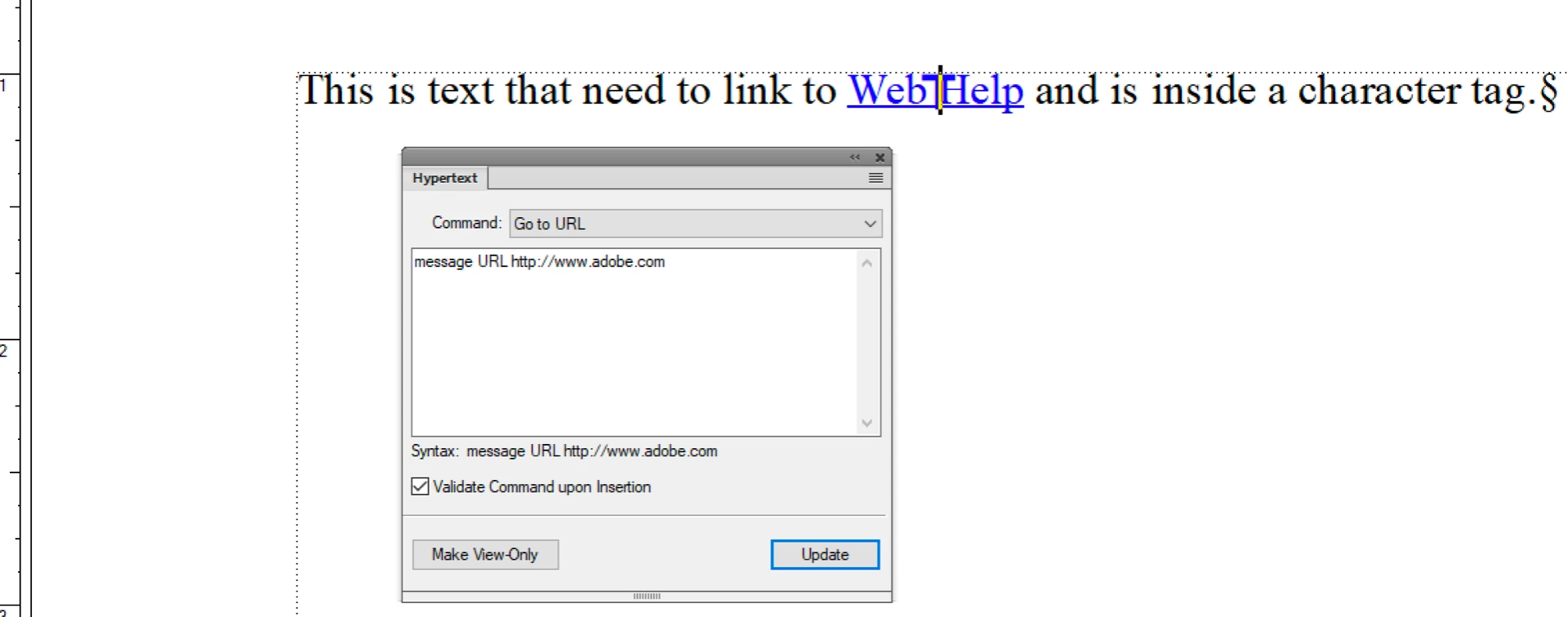
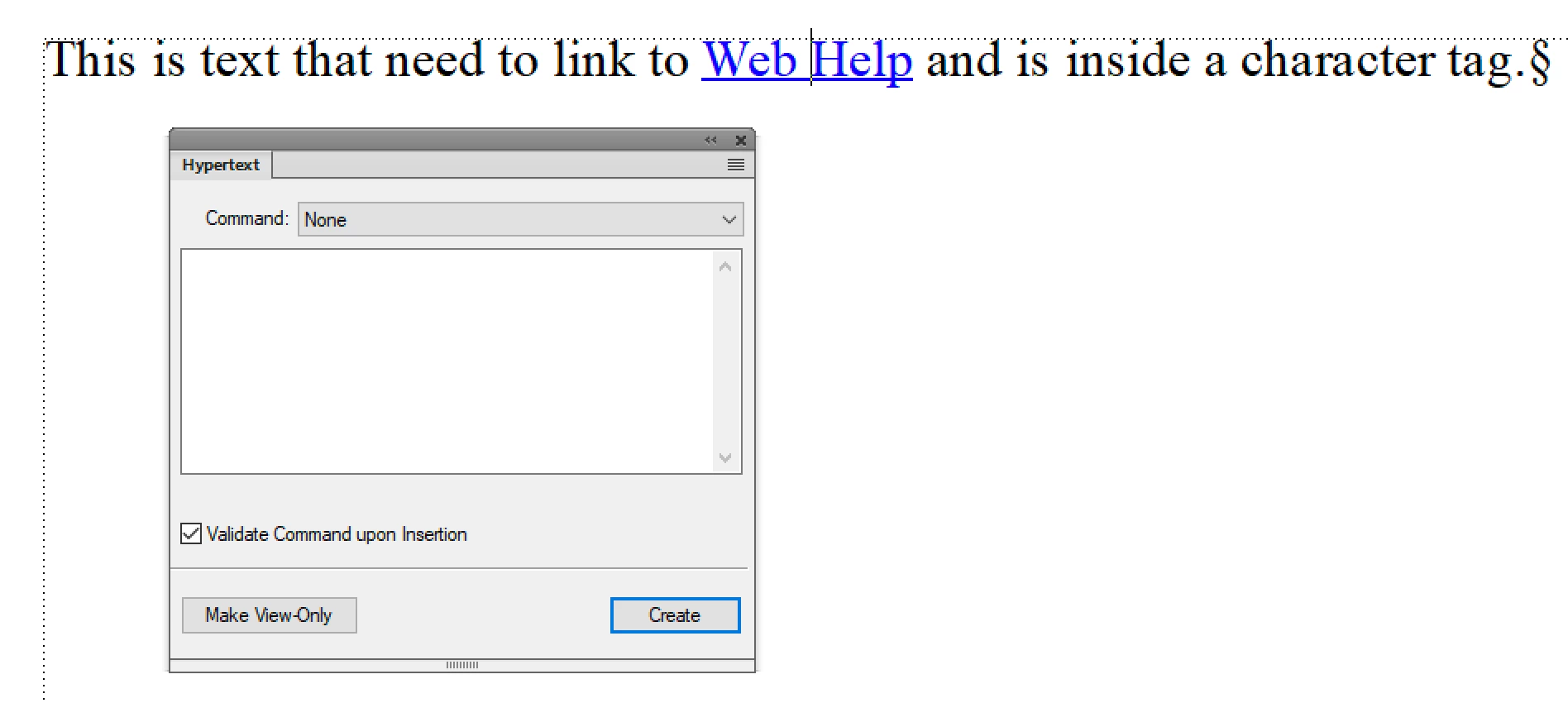
    You can add the marker before or after you assign the character tag—but when you add it, click inside the character format, or drag the marker into the character format.

    So for example:

    Highlighting the string prior to adding any marker does direct Fm to add the marker to the beginning of the string. Either click before adding, or drag to move the marker to the new location.

    ~Barb

    2 replies

    Barb Binder
    Community Expert
    Community Expert
    December 11, 2018

    Hi Linda:

    Where exactly is the marker in that paragraph? To make a text string a hot spot, put the marker inside of text formatted with a character tag. (I teach my students to add in front of the second word, for example.)

    If you aren't sure, please share a screen shot of the Fm window (showing the status bar) with your cursor in the the underlined text and text symbols showing.

    ~Barb

    ~Barb at Rocky Mountain Training
    Participant
    December 11, 2018

    Hi Barb. Every time I select the text, the marker gets placed at the front of that text string no matter what I do. I suppose I can manually cut and paste it, but that seems strange.

    Legend
    December 11, 2018

    You do not need to mark up the words first. Just place the insertion mark in front the first character of the string that you want to make a hyperlink. Insert the marker. Then select market + text and assign a dedicated character format to both.

    Legend
    December 11, 2018

    Sounds like you did everything right.

    Which FrameMaker veresion are you using, is the document classic or structured/XML and how do you create the PDF?

    Participant
    December 11, 2018

    FrameMaker 2019.

    We use Adobe Acrobat Distiller to generate. I use the File>Save as PDF option.

    One thing I've noticed is that the first time I add the marker, the marker remains black. If I go back a second time and select the entire text again AND the marker, if I redo the hypertext steps, the marker turns blue and the generated PDF URL link will usually work. But it requires that second attempt to create...and that seems wonky.

    I've been using FrameMaker since 1998, and haven't run into this before.....

    Barb Binder
    Community Expert
    Community Expert
    December 11, 2018

    So Linda, a marker in front of the text could be inside the character tag or outside of the tag. Based on:

    if I redo the hypertext steps, the marker turns blue and the generated PDF URL link will usually work.

    that sounds like it is initially outside of the character tag and when you re-tag, you are including it within the tag.

    ~Barb

    ~Barb at Rocky Mountain Training