


Participant
October 23, 2013
Answered

Where are the presettings stored exactly?

  • October 23, 2013
  • 2 replies
  • 676 views

Hi everyone

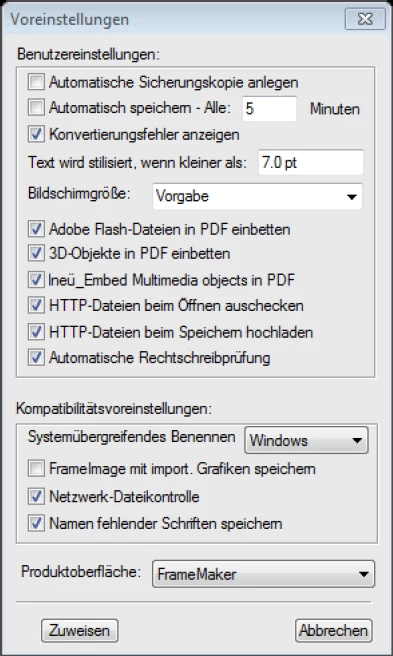
Where are the presettings stored exactly? They must be safed in some kind of *.ini-File, in the system's registry or at another point.
We need this information to automate the setup on every working station. Domain solutions as an alternative are unfortunately not possible yet.

FrameMaker Version is 10.0.2.419

Thank you.
    This topic has been closed for replies.
    Correct answer Mike Wickham

    Preferences are stored in two places. FrameMaker first loads default

    settings for all users from here:

    C:\Program Files (x86)\Adobe\AdobeFrameMaker10\maker.ini

    Then it loads the current user's settings from here:

    C:\Users\\AppData\Roaming\Adobe\FrameMaker\10\maker.ini

    Any settings in this file replace previously loaded default settings to

    customize for the current user.

    2 replies

    Mike WickhamCorrect answer
    Inspiring
    October 23, 2013

    Preferences are stored in two places. FrameMaker first loads default

    settings for all users from here:

    C:\Program Files (x86)\Adobe\AdobeFrameMaker10\maker.ini

    Then it loads the current user's settings from here:

    C:\Users\\AppData\Roaming\Adobe\FrameMaker\10\maker.ini

    Any settings in this file replace previously loaded default settings to

    customize for the current user.

    Participant
    October 23, 2013

    Hi Mike

    You're right. All keys, existing in maker.ini of the current user overwrite the standard ones.
    I have found every INI-Key I need for the automation.

    Thank you very much for your help!

    Great job!

    Jeff_Coatsworth
    Community Expert
    Community Expert
    October 23, 2013

    These are the Preferences (not really presettings – I would consider the maker.ini’s to be “presettings”) – I think that they get stored in the hidden user Application Data\Roaming\ folder; but what file specifically, I can’t say.