
September 5, 2012
Question

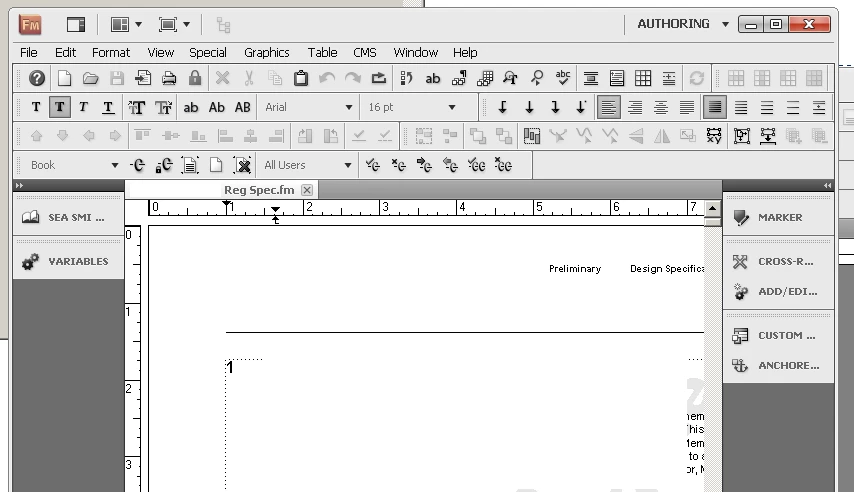
where is the zoom window ?
  • September 5, 2012
  • 2 replies
  • 874 views

Hi,

I need to zoom into the doc I'm working on, so I can read it. (I want to maintain the current font size.)

Where does the zoom window hide? The view pull down does not show it.
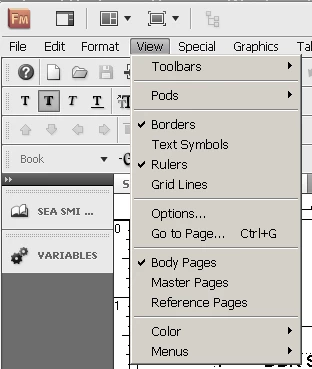
But the help window does!!

I found this type of probem throughout most of Adobe documentation,

seems to be systemic.

    This topic has been closed for replies.

    2 replies

    Arnis Gubins
    Inspiring
    September 6, 2012

    The Help panel that you're referring to applies to a Book file only and permits the zooming of the included files when opened from the Book. For individual document zoom controls, look at the lower-right corner of your Status Bar for the zoom contrrols.

    See the following Help page: http://help.adobe.com/en_US/FrameMaker/10.0/Using/WS77BBA521-94BB-4980-A086-835994532B81.html

    Shortcuts for zooming in & out are:

    In one zoom setting

    Esc z i

    Out one zoom setting

    Esc z o

    To fit page in window

    Esc z p

    To fit window to page

    Esc z w

    To fit window to text frame

    Esc z f

    To 100 percent

    Esc z z

    Inspiring
    September 5, 2012

    On the right bottom corner in Framemaker,click on the '+" button to zoom or type the number manually to zoom.

    Harpreet