July 29, 2009
Answered

Why does my table heading butt up against the top border of the table?

  • July 29, 2009
  • 1 reply
  • 677 views

I've created a one-cell table that is acting as a section heading in a quick reference guide.

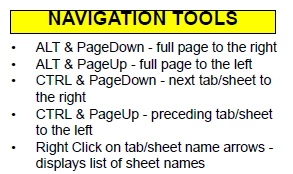
The problem is that the heading text butts up agains the top border of the table, as shown below.

I've tried changing the cell margins in the table designer, and changing the spacing options in the paragraph designer.

Or is there a better way than a table to accomplish this heading?

How do I fix this?

Cindy
    This topic has been closed for replies.
    Correct answer Arnis Gubins

    Cindy,

    Check the Paragraph designer to see what cell location (Top, middle or bottom) is specified for the paratag used for the heading in the table. Also, check to see if there are any positional overrides for the margins specified in the paratag. These will trump whatever settings you specify via the Table designer.

    1 reply

    Arnis Gubins
    Arnis GubinsCorrect answer
    Inspiring
    July 29, 2009

    Cindy,

    Check the Paragraph designer to see what cell location (Top, middle or bottom) is specified for the paratag used for the heading in the table. Also, check to see if there are any positional overrides for the margins specified in the paratag. These will trump whatever settings you specify via the Table designer.