


Participant
March 28, 2016
Question

Why does Windows 7 Professional NOT allow FM 7.2 installation?

  • March 28, 2016
  • 4 replies
  • 615 views

Hello Folks,

I am trying to install Frame Maker 7.2 version on Windows 7 Professional Edition. It shows error that the Application is not supported by my OS. However, I also tried with FM 11 and that's working fine. But I have few corrupted files that are in FM 7.2 version which I need to access. With FM 11 that's not happening, don't know the reason. Screenshot added for explanation.
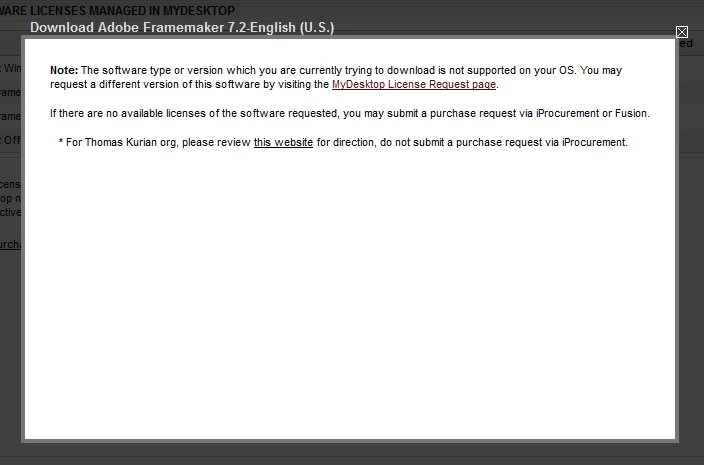
I have the licensed copy for both the versions of FM. But only FM 7.2 is not getting installed on my Windows 7 Pro.

Someone please help me to resolve this situation or please recommend if I have to make some changes in Windows Settings.

Regards,

Vishal

    This topic has been closed for replies.

    4 replies

    Participating Frequently
    April 19, 2016

    Have you tried using FrameMaker 11 to open the FrameMaker 7 files? It might just work.

    If FrameMaker 7 fails to open them, you can also try a "heroic open":

    https://forums.adobe.com/search.jspa?q=heroic%20open

    K.Daube
    Community Expert
    Community Expert
    April 18, 2016

    vptworacle,

    I have no problem running FM-7.2.0.0 on my W7-x64 (professional) system. I have even FM-6.0p405 running:

    However, the installion my be tricky: Setting up my new laptop last year I started with installing FM-6, then 7 ... So finally dobuleclicking on a file opens FM-13. But starting FM-7.2 and then opening files is no problem.

    Regarding the setting of compatibility in the FM-7.2 FrameMaker.exe file: I have not set any of the options (also not at FM-6).

    Klaus Daube

    Bob_Niland
    Community Expert
    Community Expert
    March 28, 2016

    My bet is that Win7 dropped some crucial APIs that FM7 relies on. I'll bet that even if you use the Compatibility Mode dodge to get FM7.2 to install, the Acrobat components won't work. Also, if your Win7 is in 64-bit mode, that alone would break things, as FM7 reportedly didn't run in XP/64.

    What you probably can do is install XP Mode, and then install FM7.2 in that. This is how I run FM7.0 on Win7Pro64. For details see: Re: FrameMaker Error

    Adobe Employee
    March 28, 2016

    Hi,

    Please reach out to TCS Support (TechComm Support) and they'll be able to help.

    Chat Support - https://helpx.adobe.com/contact.html?step=ATST_how-tos-troubleshooting_stillNeedHelp

    Phone Support (IVR Option – 2 > 4 > 5) – Support Phone Number available at https://helpx.adobe.com/tech-comm-suite/customer-support.html

    ~Abhishek