


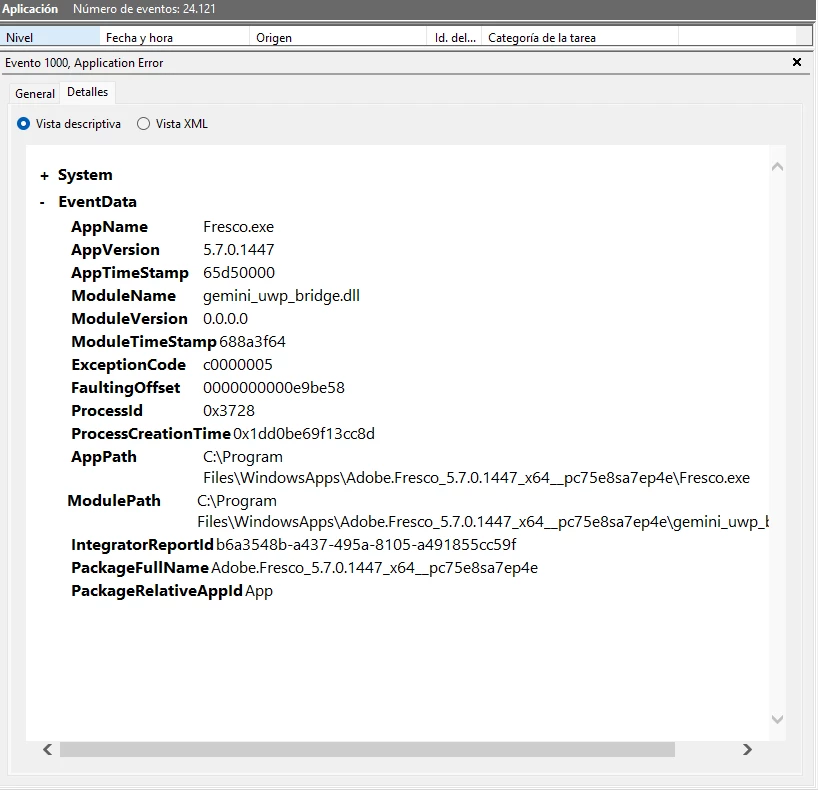
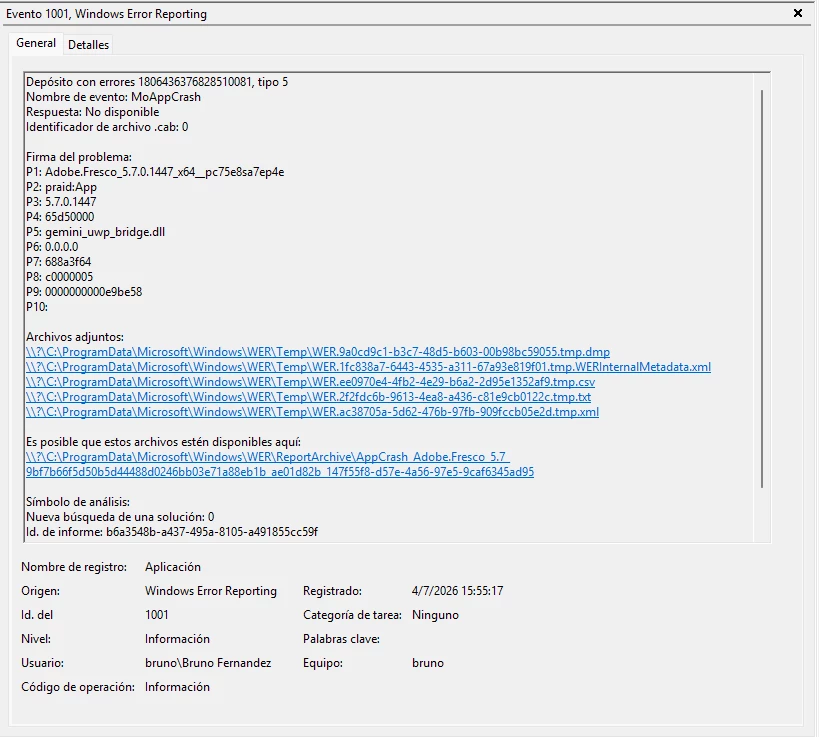
Adobe Fresco crashes on startup — consistent crash in gemini_uwp_bridge.dll (v5.7.0.1447)
Hi, I'm experiencing a 100% reproducible crash in Adobe Fresco when starting the app. It closes before I can interact with the interface at all (I can't even open Preferences or send the crash report from within the app itself).
Fresco version: 5.7.0.1447 (also reproduced on previous versions)
OS: Windows 10.0.26200.8655
Troubleshooting already performed (no success):
- Clean reinstall of Fresco, tried on 3 different versions.
- Adobe Creative Cloud Cleaner Tool ("CC Apps" option).
sfc /scannow— found and repaired corrupted system files.DISM /Online /Cleanup-Image /RestoreHealth— completed successfully.- Verified .NET Runtime (CoreCLR 6.0.28) — already up to date.
- Fully uninstalled Wacom tablet driver, confirmed removed in Device Manager and Windows Services. The crash persists identically, even with the tablet unplugged for months and no third-party pen/touch drivers installed.
The crash doesn't seem related to RAM/VRAM, GPU, system corruption, leftover install files, or pen/tablet input devices. Everything points to something specific in the gemini_uwp_bridge.dll module in this build.
Has anyone else run into this exact issue? Any help appreciated, or if an Adobe moderator could escalate this, that would be great. I have the full .dmp crash file available if needed.
 AdChoices