


Adobe Fresco files won’t open after the latest updat
Hi,
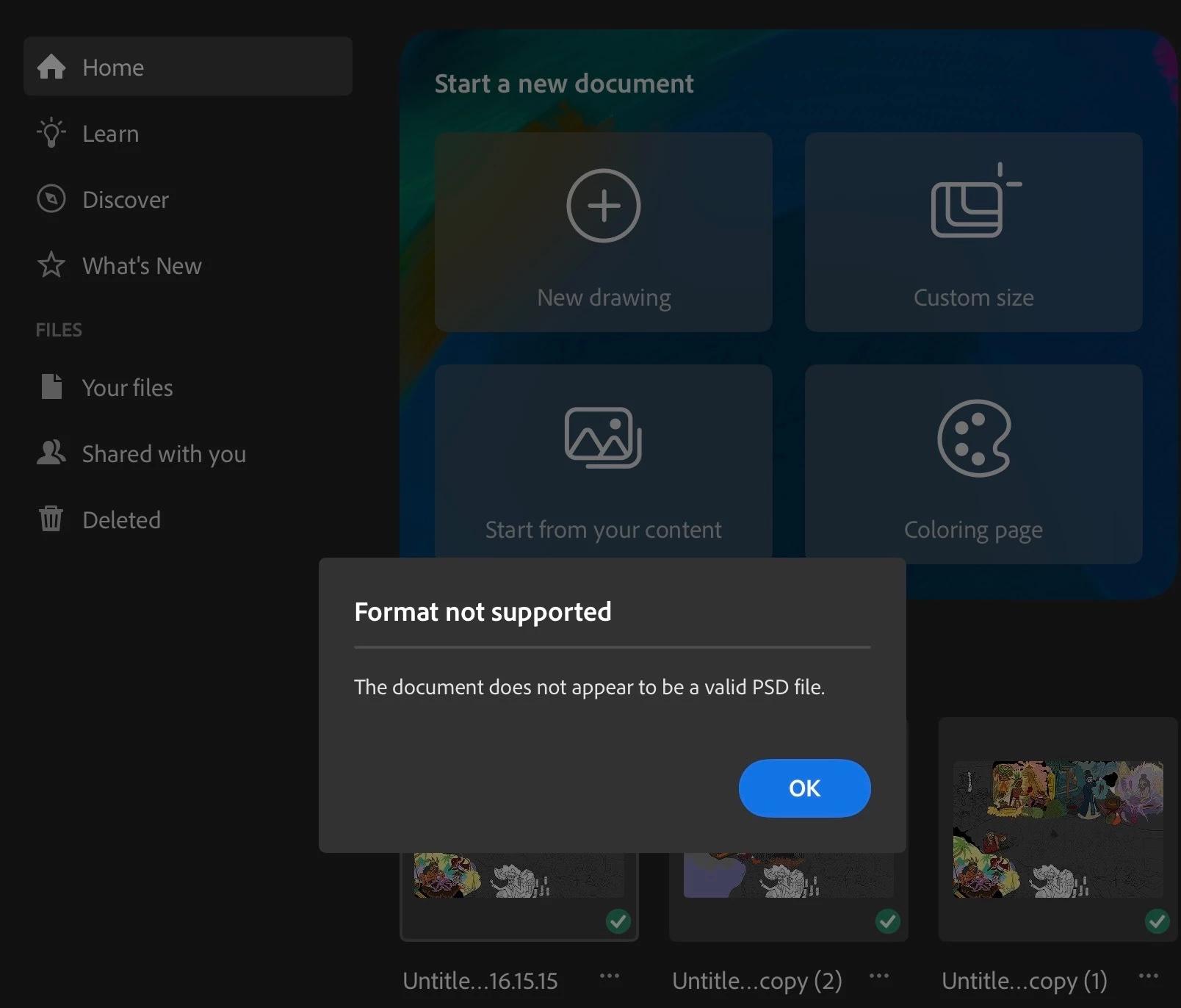
For the past three days, I’ve been experiencing a serious issue with Adobe Fresco. Some of my existing Fresco documents suddenly stop opening and I get the following error:
“Format not supported. The document does not appear to be a valid PSD file.”
The files were created and edited in Fresco and worked normally before.
I have found a temporary workaround, but I have to repeat it every time. I duplicate the affected document, make the copy available only in cloud storage, then download it again and open it. After doing this, the document opens normally and I can continue working in it.
However, once I close the document and try to open it again later, the same error appears. I then have to repeat the entire process again — duplicate the document, make it cloud-only, download it again, and reopen it.
This has been happening repeatedly for the past three days and is seriously disrupting my work.
I also want to mention a separate issue with the recent Fresco update. My workflow for transferring vector artwork has become much less convenient. Previously, I could easily send/export my work as a PDF and continue working with the vector file. After the recent changes, this workflow is no longer available in the same convenient way, which has made working with vector files considerably more difficult.
Could you please help me resolve the document-opening issue? Is the “not a valid PSD file” error a known Fresco bug?
Thank you!
 AdChoices