


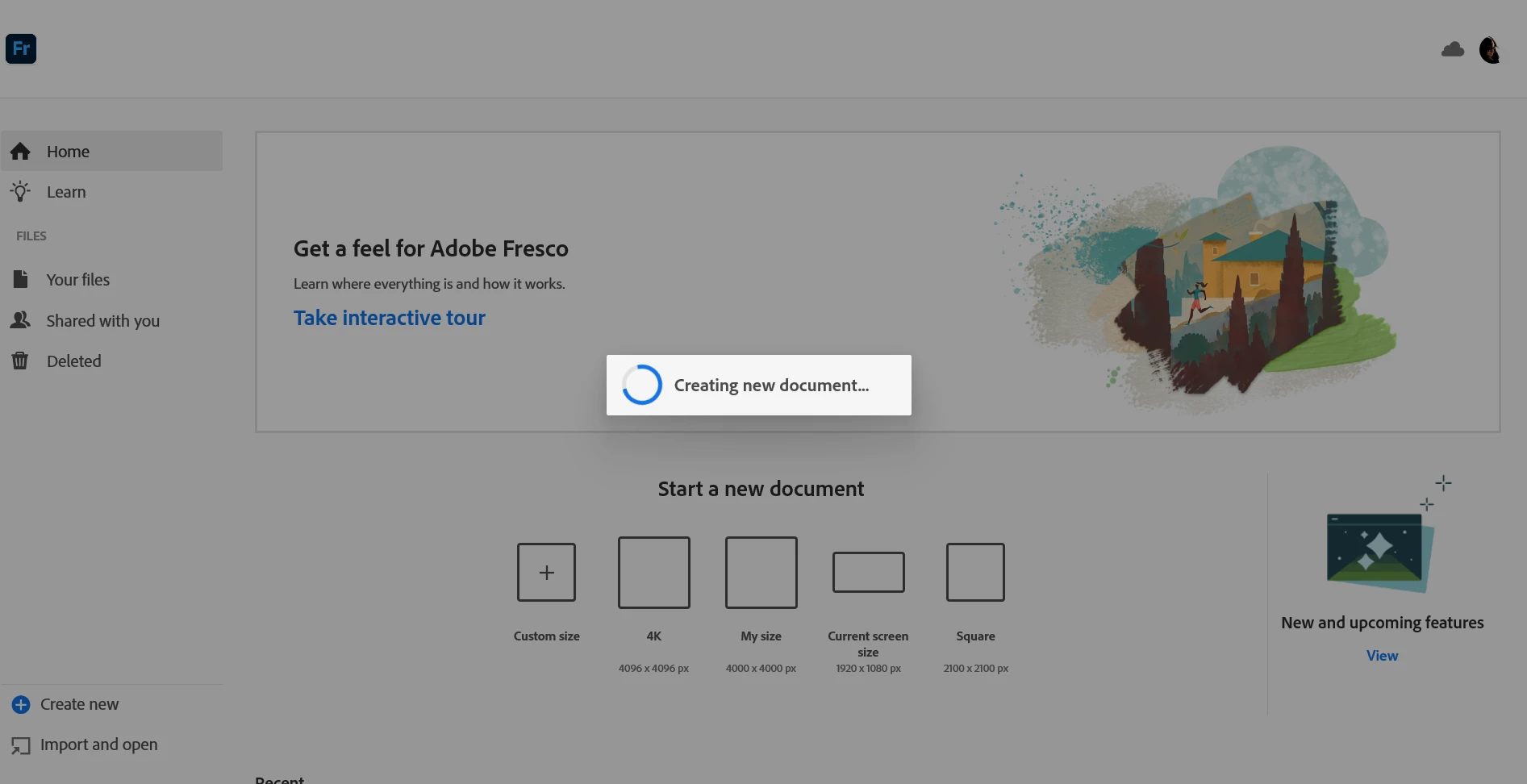
Adobe Fresco freezes on "Creating new document..." / "Import and open" on Windows 11 (25H2)
I'm having a persistent issue where Adobe Fresco completely freezes at the "Creating new document..." loading screen. It also freezes when I try to use the "Import and open" option. I am unable to enter the canvas at all.
My PC specs are well above the minimum requirements, and other Adobe apps (Photoshop, Illustrator) are working perfectly fine.
What I have tried so far (none of these worked):
1. Updated Adobe Fresco to the latest version (v 5.7.0).
2. Reinstalled older versions of Fresco, but the same issue occurred.
3. Performed a clean uninstallation and reinstallation of the Wacom tablet drivers.
4. Disconnected the Wacom tablet and tried opening/creating a document using only a standard mouse.
5. Verified that Hyper-V and Windows Hypervisor Platform are completely turned off in Windows Features.
6. Deleted the Fresco preferences folder inside %localappdata%\Packages\Adobe.AdobeFresco... to reset the app.
7. Temporarily changed the Windows Region settings to the United States.
8. Checked Windows Security to ensure Controlled Folder Access isn't blocking the app.
Since I have exhausted all standard troubleshooting steps and my hardware is fully capable, I still have a problem.
Has anyone encountered this or found a workaround? Any help from the Adobe team would be greatly appreciated.
Thank you!

 AdChoices