


Participant
July 7, 2026
Question

Adobe Fresco keeps crashing / Unable to open documents – GPU device instance has been suspended

  • July 7, 2026
  • 2 replies
  • 4 views

Hi everyone,

I'm experiencing a persistent issue with Adobe Fresco on Windows and I'm hoping someone from Adobe or the community can help.

System behavior

There are two different errors depending on what I do:

1. Opening an existing document

When I try to open any recent Fresco document, I receive this message:

Problem opening document
Fresco is unable to open this document. Please contact support.

(Screenshot 1 attached.)

2. Creating a new document

If I create a new file instead, Fresco shows this error:

PSD opening error
(ErrorCode -2005270523 "HRESULT error: The GPU device instance has been suspended. Use GetDeviceRemovedReason to determine the appropriate action.")

(Screenshot 2 attached.)

Strange behavior

The issue is not 100% consistent.

  • If I completely close Fresco and reopen it several times, there is a chance that it starts working normally.
  • However, after using it for a few minutes, the exact same errors return.
  • At that point I can no longer open existing files or create new ones until I restart the application again.
  • The cycle repeats every time.

What I've tried

  • Restarted Fresco multiple times.
  • Restarted Windows.
  • The issue still occurs intermittently.

Questions

  • Has anyone experienced this GPU suspension error in Fresco?
  • Is this related to a GPU driver issue, hardware acceleration, or a recent Fresco update?
  • Are there any logs or diagnostic files that Adobe Support would like me to provide?

Any suggestions would be greatly appreciated.

Thank you!
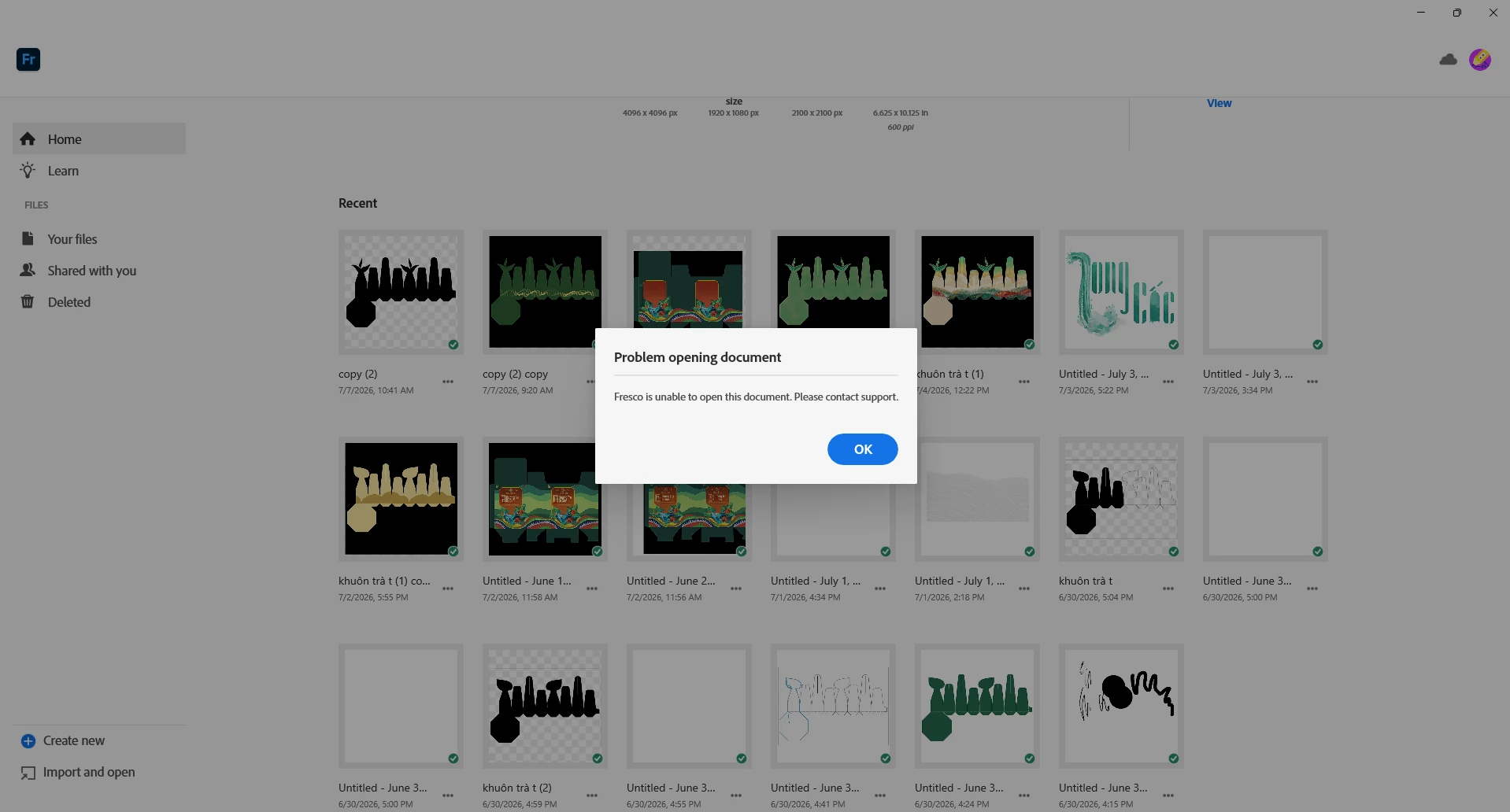
When opening a project
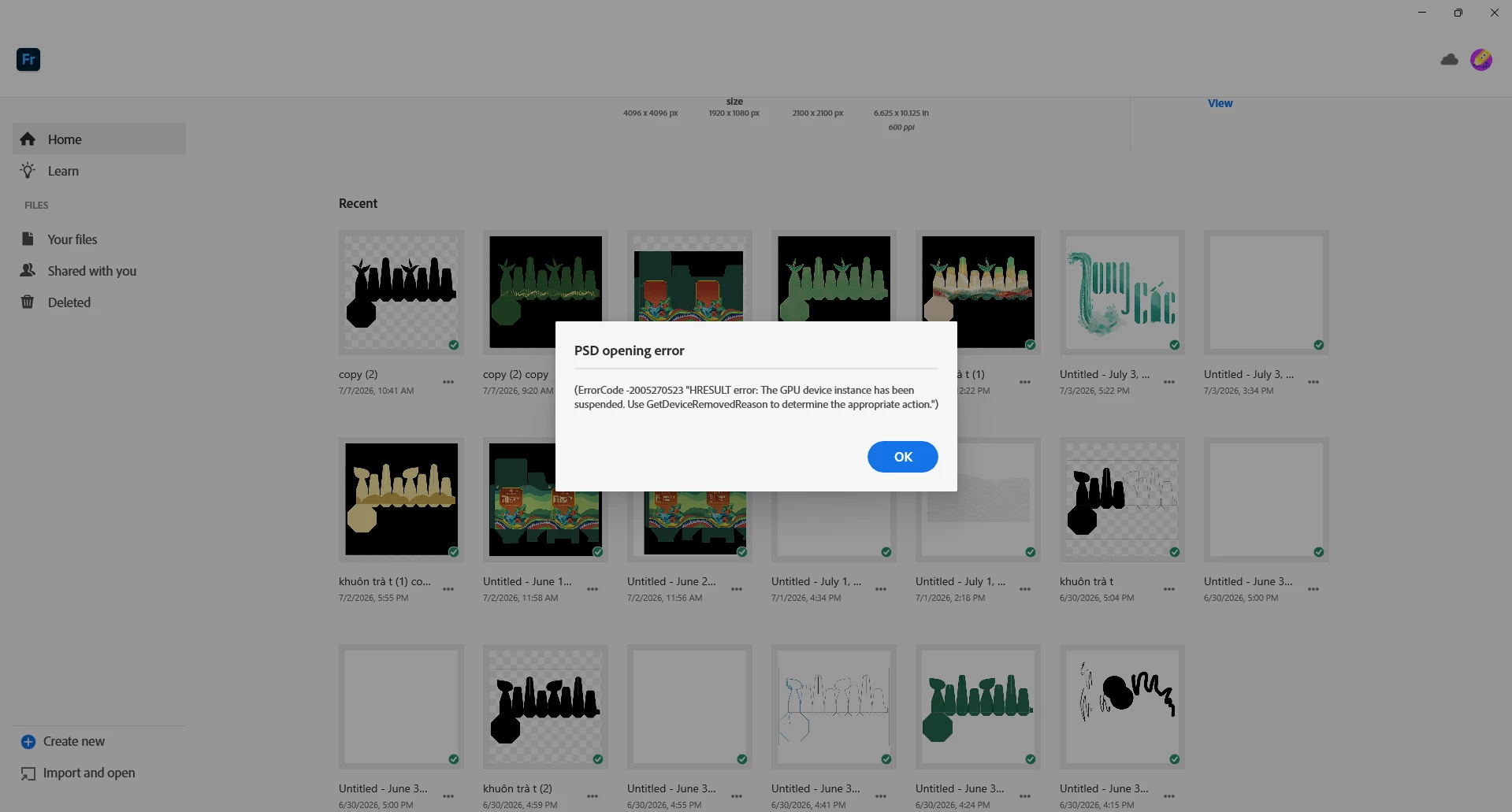
 

When creating a new project

    2 replies

    Abhishek Rao
    Community Manager
    Community Manager
    July 7, 2026

    Hi ​@Cchagnb,


    Sorry to hear you're running into this issue. Could you please confirm your exact Fresco version, Windows version, GPU model, GPU driver version, and whether this happens with all Fresco documents or only specific ones?

    In the meantime, please try performing a clean reinstall of your GPU drivers (Intel/NVIDIA/AMD), set Graphics Preference to High Performance for Fresco, reset the Creative Cloud Desktop app by pressing Ctrl + Alt + R, and test again. Also, please check that all of your work is synced at https://assets.adobe.com/cloud-documents. If it is, try resetting the Fresco app and let us know whether the behavior changes. 
    If the issue persists, kindly share the logs by following the steps shared in this help article (https://helpx.adobe.com/creative-cloud/kb/cc-log-collector.html) so we can check it with the team.


    Let me know how it goes after trying these steps to proceed further. 

    Abhishek

    CchagnbAuthor
    Participant
    July 7, 2026

    Hi everyone,

    I'm experiencing a persistent issue with Adobe Fresco on Windows and I'm hoping someone from Adobe or the community can help.

    System behavior

    There are two different errors depending on what I do:

    1. Opening an existing document

    When I try to open any recent Fresco document, I receive this message:

    Problem opening document
    Fresco is unable to open this document. Please contact support.

    (Screenshot 1 attached.)

    2. Creating a new document

    If I create a new file instead, Fresco shows this error:

    PSD opening error
    (ErrorCode -2005270523 "HRESULT error: The GPU device instance has been suspended. Use GetDeviceRemovedReason to determine the appropriate action.")

    (Screenshot 2 attached.)

    Strange behavior

    The issue is not 100% consistent.

    • If I completely close Fresco and reopen it several times, there is a chance that it starts working normally.
    • However, after using it for a few minutes, the exact same errors return.
    • At that point I can no longer open existing files or create new ones until I restart the application again.
    • The cycle repeats every time.

    What I've tried

    • Restarted Fresco multiple times.
    • Restarted Windows.
    • The issue still occurs intermittently.

    Questions

    • Has anyone experienced this GPU suspension error in Fresco?
    • Is this related to a GPU driver issue, hardware acceleration, or a recent Fresco update?
    • Are there any logs or diagnostic files that Adobe Support would like me to provide?

    Any suggestions would be greatly appreciated.

    Thank you!