
Participant
November 25, 2024
Question

Adobe Fresco not drawing brush strokes correctly

  • November 25, 2024
  • 2 replies
  • 740 views

I'm using Windows 11 with Adobe Fresco and a Wacom Intuos tablet (everything is fully updated, including drivers; yes I've tried restarting + reinstalling).


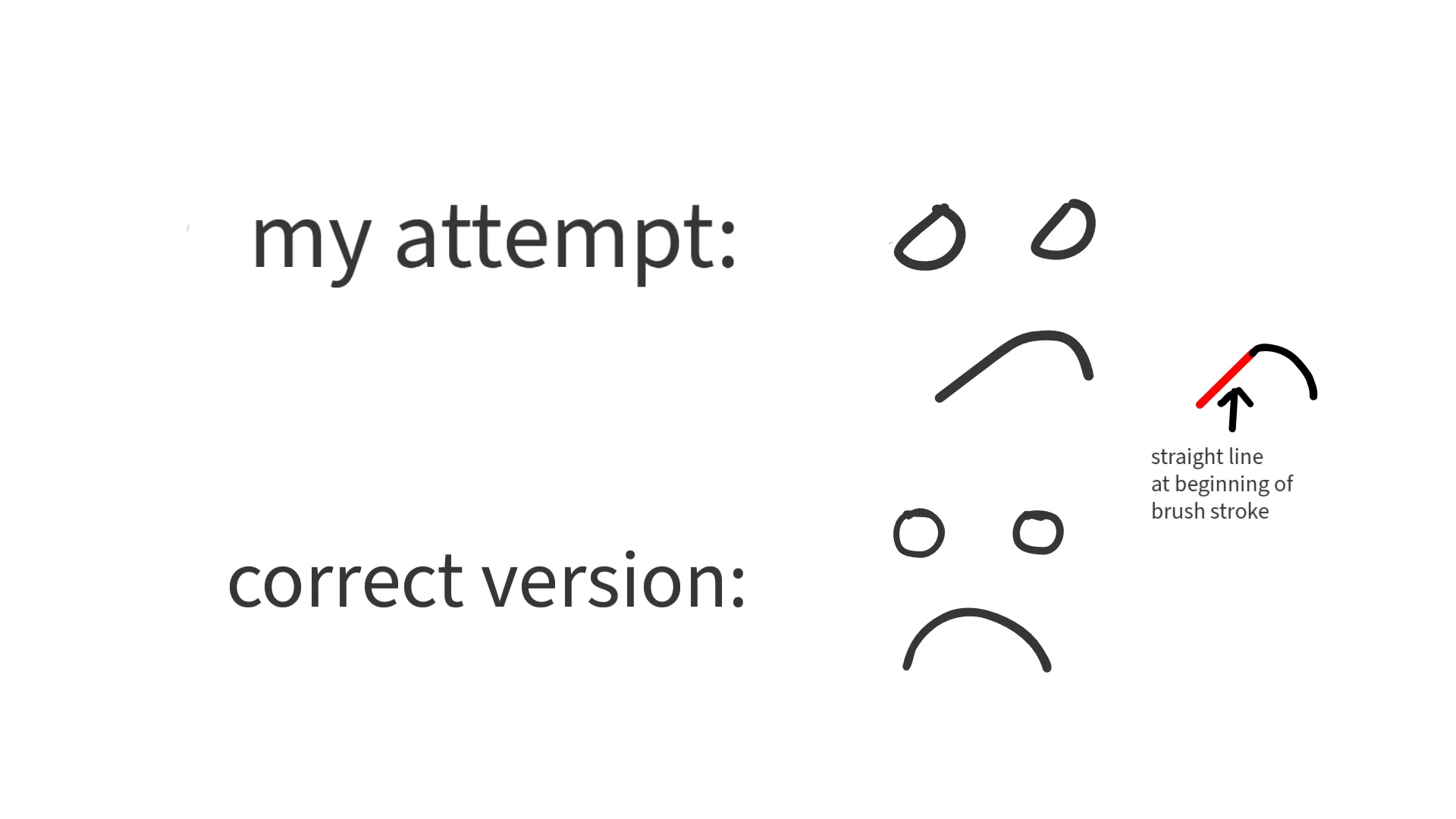
When I try to draw a stroke with any of the three brush tools, it keeps starting each brush stroke with a straight line. This isn't an issue with my tablet, as it works fine on other software (e.g., Photoshop). Anyone have any solutions? Thanks in advance!
2 replies

Participant
April 18, 2025

So I have a Wacom Cintiq and it has the same issue. When I turn off 'Use Windows Ink' the problem of the lag is gone however no pen pressure so its basically a mouse now... Still not really useful


Anubhav M
Community Manager
Community Manager
November 25, 2024

Hello @vivacious_phoenix0440,

I'm sorry to hear you're having trouble with drawing strokes in Fresco. Would you mind confirming the exact version of the OS/Fresco installed along with a screen recording of your workflow and the problem, so I can better assist you?

Looking forward to hearing from you.


Anubhav

Participant
November 25, 2024

I'm running Windows 11 version 24H2 with Adobe Fresco version 5.5.5.


I have attached a video of me attempting to draw a smiley face with two circles for the eyes and an arc for the mouth. First, I draw this smiley face in Photoshop CS6, and as you can see, my tablet works just fine. However, when I draw the same thing in Fresco, it starts off each brush stroke with a straight line when I clearly move my pen in a curved fashion.

bridget_3975
Known Participant
November 26, 2024

That could be how ur drawing