

Kiet3630886217up
Participating Frequently
March 13, 2026
Question

Animation layers automatically flattened and converted to PSD format

  • March 13, 2026
  • 1 reply
  • 58 views

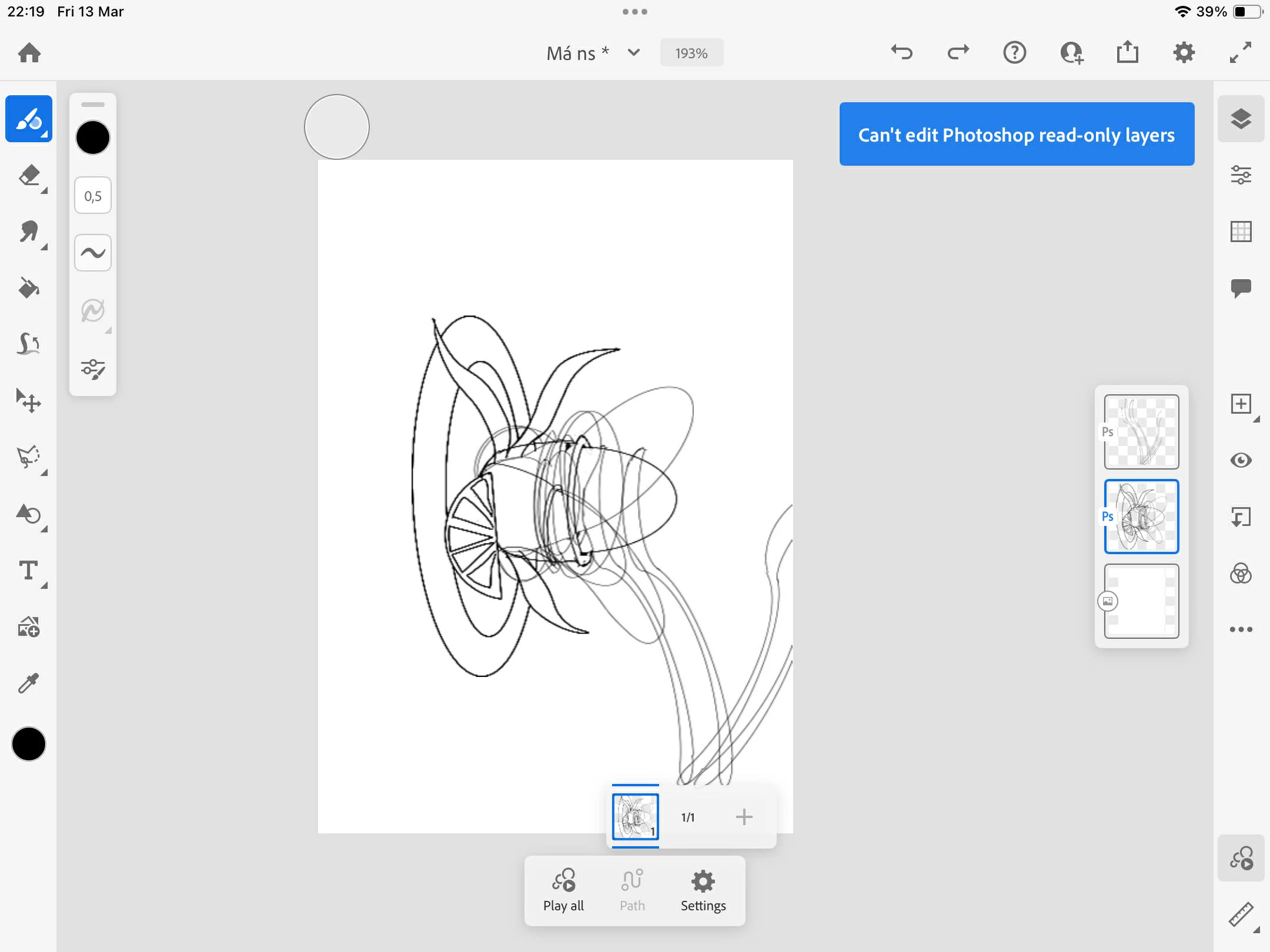
Hello, I am experiencing a critical bug where my Fresco animation files are being automatically converted into PSD format and all animation layers/frames are flattened into a single non-editable layer.  Could you please investigate if there is any way to restore a previous version from the server-side that still retains the original Fresco animation structure? I have already checked the Version History on my device, but the error seems to have synced across all versions."
 

    1 reply

    Community Expert
    March 13, 2026

    Based on your description, it appears the Fresco animation file may have been converted to PSD, which can flatten animation frames and layers into a single non-editable layer once synced. If the change has already propagated through Version History, the original structure may no longer be available locally.

    From what I can see, most of the original layers still appear to be present within the flattened image. As a workaround, you could create a new timeline layer in Fresco hit that motion button and manually trace over each layer/element to recreate the animation sequence frame by frame.

    While this won’t restore the original animation structure automatically, it may allow you to reconstruct the timing and motion using the visible elements in the flattened file.

    Kiet3630886217up
    Participating Frequently
    March 14, 2026

    Do you have any tips on how to avoid this from happening again? I used a vector pen to draw two files and all of them had this error when I reopened.

    Community Expert
    March 14, 2026

    Your file usually shouldn’t flatten on its own in Adobe Fresco. One situation where that can happen is if the file is opened in Adobe Photoshop and then brought back into Fresco, depending on how it was saved.

    It’s also important to know that Photoshop’s animation timeline and Fresco’s motion timeline do not transfer or work together. If a file contains a Photoshop timeline animation, Fresco won’t read that animation timeline and it may flatten or ignore that structure when the file is opened.

    If Photoshop was used, the best approach is to make sure each frame or element is on its own layer in Photoshop and save the file as a layered PSD. The artwork should still come into Fresco as separate layers.

    From there, you’ll need to rebuild the animation in the motion timeline in Fresco, since Photoshop timeline animations don’t carry over.