Sheena Kaul
Community Manager
Community Manager
September 19, 2019
Answered

Bring your art from Sketch & Draw to Fresco easily

  • September 19, 2019
  • 17 replies
  • 31747 views

Fresco is the best of Sketch & Draw plus more features. We’ll guide you to get your Sketch or Draw artwork in Fresco easily and set you to unleash the magic of drawing and painting digitally. 

Migrate all your documents to Fresco in 3 easy steps: 

  1. Make sure you’ve synced all your Sketch and Draw files to CC libraries. You can check the files synced under Mobile Creations 
  2. Launch Fresco app on your device. If you are an existing Adobe Sketch or Adobe Draw app user, your files are automatically migrated when you first launch the Fresco. 
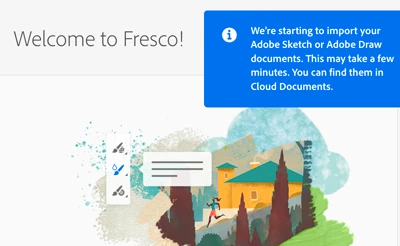
    NOTE: Make sure that you’re signing in with the same Adobe ID. 

  3. Wait for the pop-up message that indicates the import is complete. Tap View. 
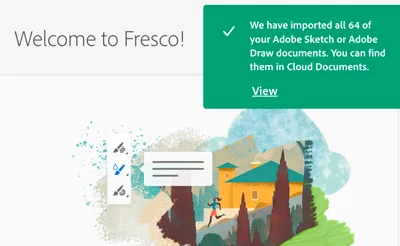
    Woah! Now you can access your Sketch & Draw files in Fresco and explore the powerful tools available. 

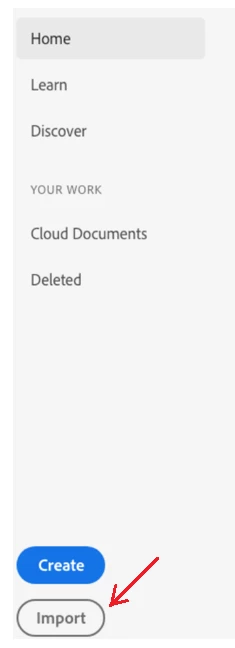
    Additionally, you can grab any work done in Sketch and Draw from the ‘Import option’ on your Home screen. This function is valid to bring in any file into Fresco. 


    For detailed workflow, please see this Migration help document. 

    Still have troubles migrating your art work?Let us know by posting here.  

     

    This topic has been closed for replies.
    Correct answer Anshul_Saini

    Hi @David22639028dsit @e4art @Megha22636603x6ht @Elizabeth22623920znmt @SandraMKoehler @UnboxDisneyPinCo @Destiny Knot @EmutheEmu,


    I've sent a DM to all of you. Please Check!

    For new commenters/ users:

    Please try the following steps:

    1. Go to this website https://adobe.ly/3eoSI3p) and log in with a business/ personal Adobe account to locate your files.
    If you locate your files here, then I would suggest you check out this video (https://bit.ly/3qfAz0Q). In this video, there are four methods to save your artwork, the first method will not work now, but you may try the rest three methods.

    2. Manually import Sketch/ Draw files by clicking the import button in Fresco.

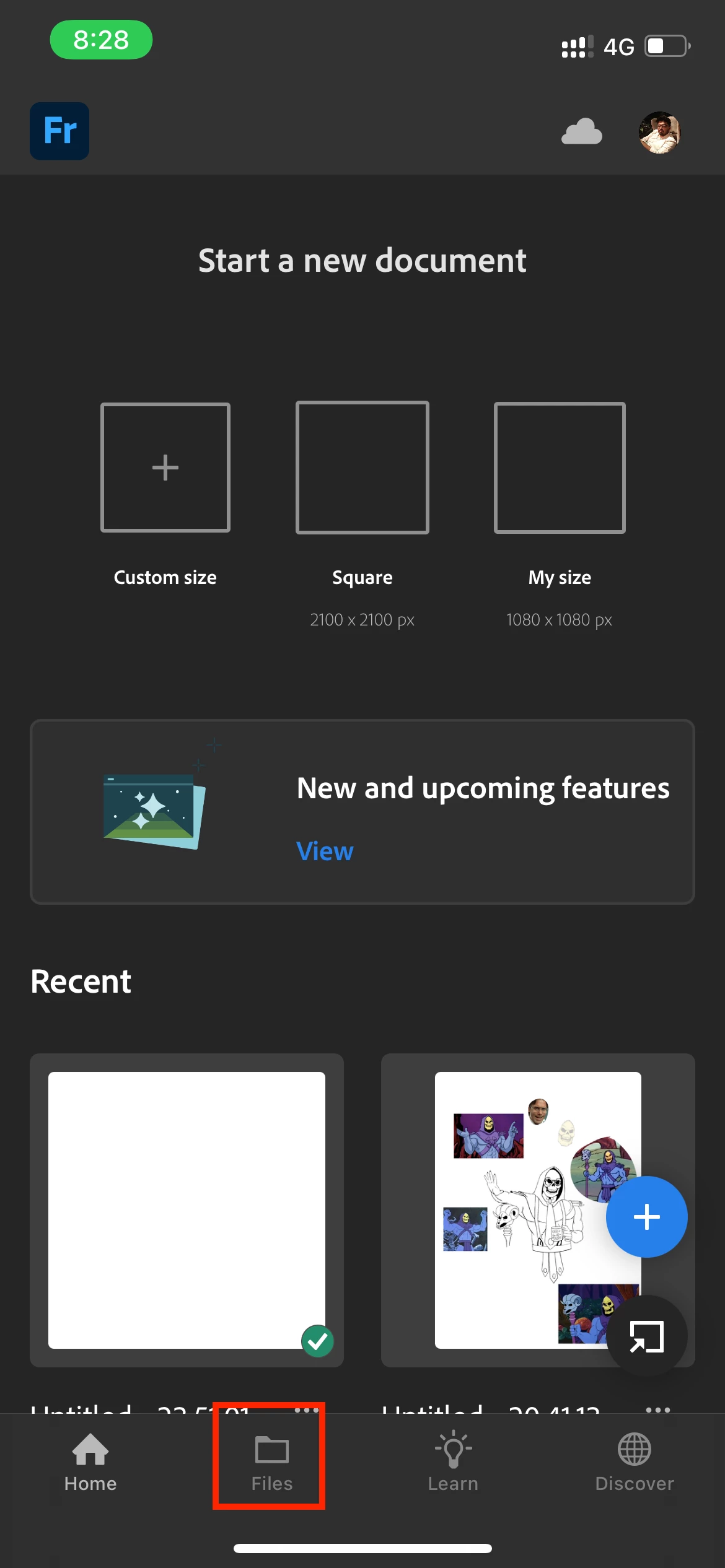
    3.  In Fresco, go to Files to locate your missing files


    Please reach out to me via DM if all the Adobe/ Sketch Files are not imported or visible in the Fresco app.

    Thanks & Regards,

    Anshul Saini

    17 replies

    Participating Frequently
    January 20, 2022

    None of my Draw art has imported into Fresco on my desktop. 


    How am I supposed to access all my vector files now? I was in the middle of three big projects I have now seemingly lost all access to

    Anshul_Saini
    Community Manager
    Community Manager
    January 22, 2022

    Hi @jamhorne,


    Sorry to hear about this. I've sent a DM.

    Please check!


    Regards,
    Anshul Saini 

    Participant
    January 18, 2022

    I was working on an Draw drawing for a full 6 hours only to have the program close on me and when I tried to reopen it says it no longer worked and I needed to use Fresco. How could adobe shut down the program like that in the middle of working???


    Why shut down  good apps like this where you can no longer access it? I had gotten repeated messages that I could continue to use the app it just wouldn't be updated but that was a lie as now I cannot even open the app.


    I'm assuming there is absolutely no way to get that drawing back since the drawings are only backed up when you close the app? Adobe made me lose a full days work.


    Also the way fresco imports all my Draw files is in some randomized order so i also lost my organized Draw folder system.


    Also fresco keeps saying there is an error when it attempts to import files.


    Fresco is just another version of illustrator. What made Sketch and Draw unique were their simple pared down systems. 


    Lastly, why does fresco not have built in color libraries?? I saw messages from 2019 about this and apparently adobe was working on it then. At least allow the importing of the amazing color library from Draw! PLEASE!

    Anshul_Saini
    Community Manager
    Community Manager
    January 22, 2022

    Hi @LJOLJO


    Sorry to hear about your experience. This is not the experience we want you to have. We are constantly improving the performance and enhancing the features of the apps. I would request you to please share the screenshot of the error message you are getting while importing the files?


    I will be looking forward to your response.


    Regards,

    Anshul Saini

    Participant
    January 16, 2022

    WOW, ADOBE. DO BETTER. This is so disappointing to see the creative community effected like this. I, too, am unable to access my files because of the "Image Layer Too Large" error, despite the assurance that the transition will be seamless. I was mid-4 projects and am now SOL. Why not just implement the ability for large files in Fresco to start? Better yet- give us the apps back. Fresco is a POOR replacement in so many ways. I will not be continuing with Adobe projects after this is solved. It's far too risky. I was speaking with Adobe via email, but they stopped responding. Classy. 

    Anshul_Saini
    Community Manager
    Community Manager
    January 18, 2022

    Hi @ajh92789 & @Annieroseco,


    Sorry to hear about that. I've sent a DM. Please check!

    Regards,

    Anshul Saini

    ajh92789
    Participant
    January 15, 2022

    Thanks for adding size limitations on Fresco so that I can no longer continue the "seamless" work on my anniversary gift for my wife, or the current work I have, or just about everything I've sketched over the last 6 months. Really appreciate you guys constantly killing support on apps for years now with no option to resize the document to keep layers. I think I may finally look into new options after 15 years of strictly Adobe.

    Participant
    January 14, 2022

    My adobe draw files did not automatically migrate when i launched adobe fresco. Now fresco says I don't have any files. Where did all my files go? How do i retrieve them?

    Anshul_Saini
    Community Manager
    Community Manager
    January 14, 2022

    Hi @Elisa2264915049nh,


    Sorry to hear about this. Please try the steps I suggested above. If it doesn't help, I have sent a DM with further instructions. You may try those. Please Check!


    Regards,

    Anshul Saini 

    Anshul_Saini
    Community Manager
    Anshul_SainiCommunity ManagerCorrect answer
    Community Manager
    January 14, 2022

    Hi @David22639028dsit @e4art @Megha22636603x6ht @Elizabeth22623920znmt @SandraMKoehler @UnboxDisneyPinCo @Destiny Knot @EmutheEmu,


    I've sent a DM to all of you. Please Check!

    For new commenters/ users:

    Please try the following steps:

    1. Go to this website https://adobe.ly/3eoSI3p) and log in with a business/ personal Adobe account to locate your files.
    If you locate your files here, then I would suggest you check out this video (https://bit.ly/3qfAz0Q). In this video, there are four methods to save your artwork, the first method will not work now, but you may try the rest three methods.

    2. Manually import Sketch/ Draw files by clicking the import button in Fresco.

    3.  In Fresco, go to Files to locate your missing files


    Please reach out to me via DM if all the Adobe/ Sketch Files are not imported or visible in the Fresco app.

    Thanks & Regards,

    Anshul Saini

    lynneb88209176
    Participating Frequently
    January 18, 2022

    I'm getting the message that my files are too large to import from Sketch to Fresco. I've tried the methods suggested above but no luck. Can you help please. I'm somewhat broken by the loss of so many hundreds of hours of work.

    Participant
    January 13, 2022

    My sketch account was associated with an email that expired several years ago, when I was forced today to open fresco I was also forced to use a new email, now I cannot find my sketch files anywhere since they were associated with an email that no longer exists. Literally thousands of drawings and dozens of accounts cannot be accessed. The stress caused by this forest migration is absurd and my business will suffer greatly with deadlines that certainly will not be met now, considering I can't even access the history of these ideas in images

    Participant
    January 13, 2022

    What an absolute Gong Show!

    I didn't want Frisco I didn't ask for fresco I was happy with sketch and had thousands of documents on it, I am now under the gun to supply drawings that I can no longer access, time to go back to a sketchbook an ink pen what a disgrace

    Participant
    January 11, 2022

    I have files that say they're too big to open, open in sketch and reduce size to open in fresco. But sketch will not open anything because the app is discontinued as of a few hours ago. What the heck!? I can't get my files, open my files, nothing is showing up except my KID'S art work, not my own for clients.... this is 1000% not ok, I'm not OK!!

    Participant
    January 11, 2022

    My adobe draw projects have not migrated to the fresco app!! The items still apear in my assests adobe account, but are not able to be easily moved to the new fresco account. When I try to import them individually, they put them into a new project folder for each item, and it won't let me move items more than one at a time, so they all are getting put into individual folders that I can't condense into one folder! 

    Participant
    January 11, 2022

    Same here- I hope this is just a TEMPORARY glitch because I'm about to loose my MIND 

    Participant
    January 11, 2022

    I'm freaking out too! Everything that is gone is important designs for my business including some that I just made and need for current projects so things are really not good.