
Participant
October 25, 2021
Question

clipping mask

  • October 25, 2021
  • 1 reply
  • 421 views


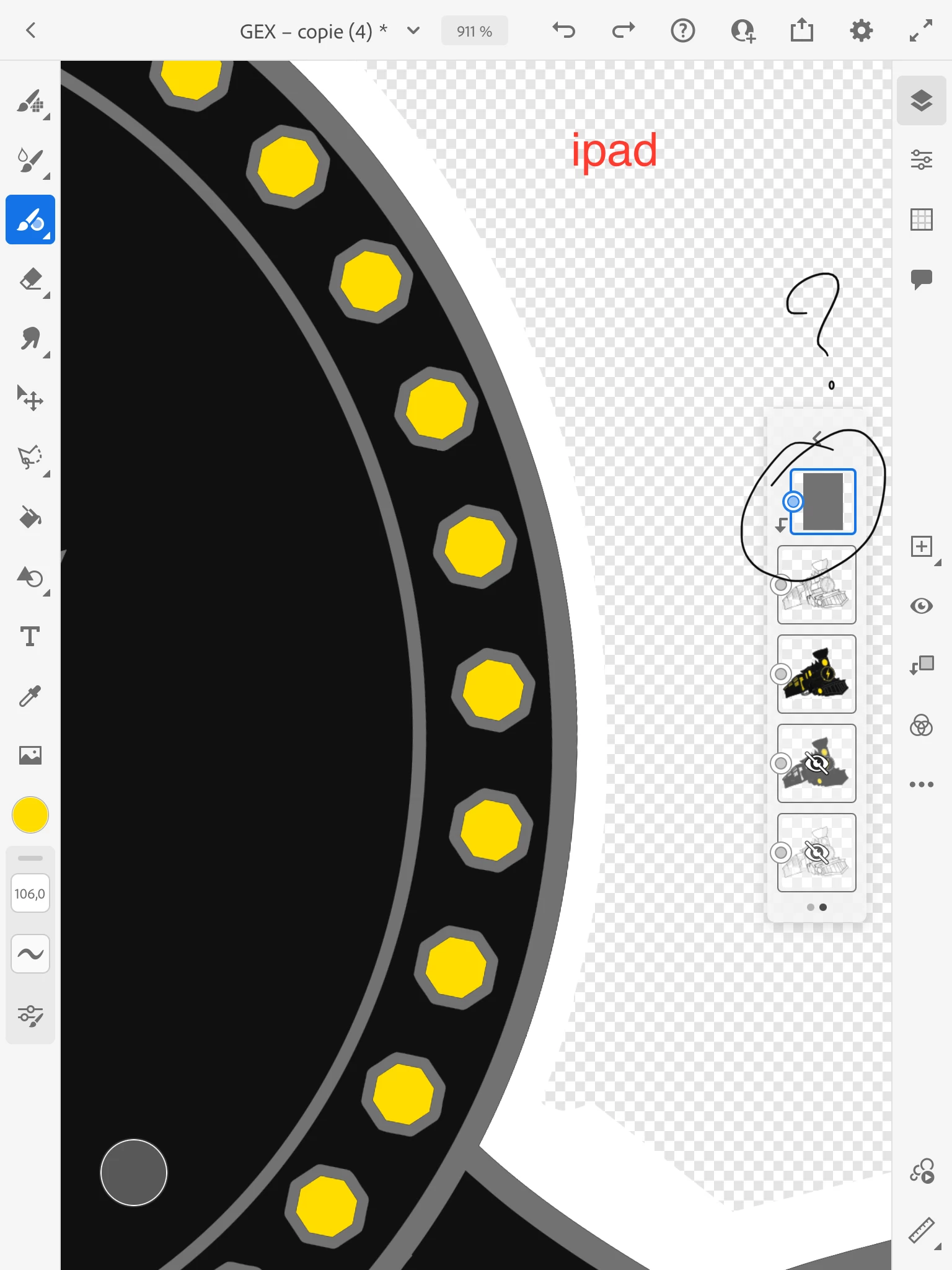
Hello, I have a problem with Adobe Fresco. This is a problem with a tool called the clipping mask.

To summarize, I created an all-vector logo, with a good twenty layers, all in vector.
With some layers I used the "clipping mask" function to change the color of the path of the lower layer, which is very practical when, for example, you just want to change the color of a path without having to redo it. .
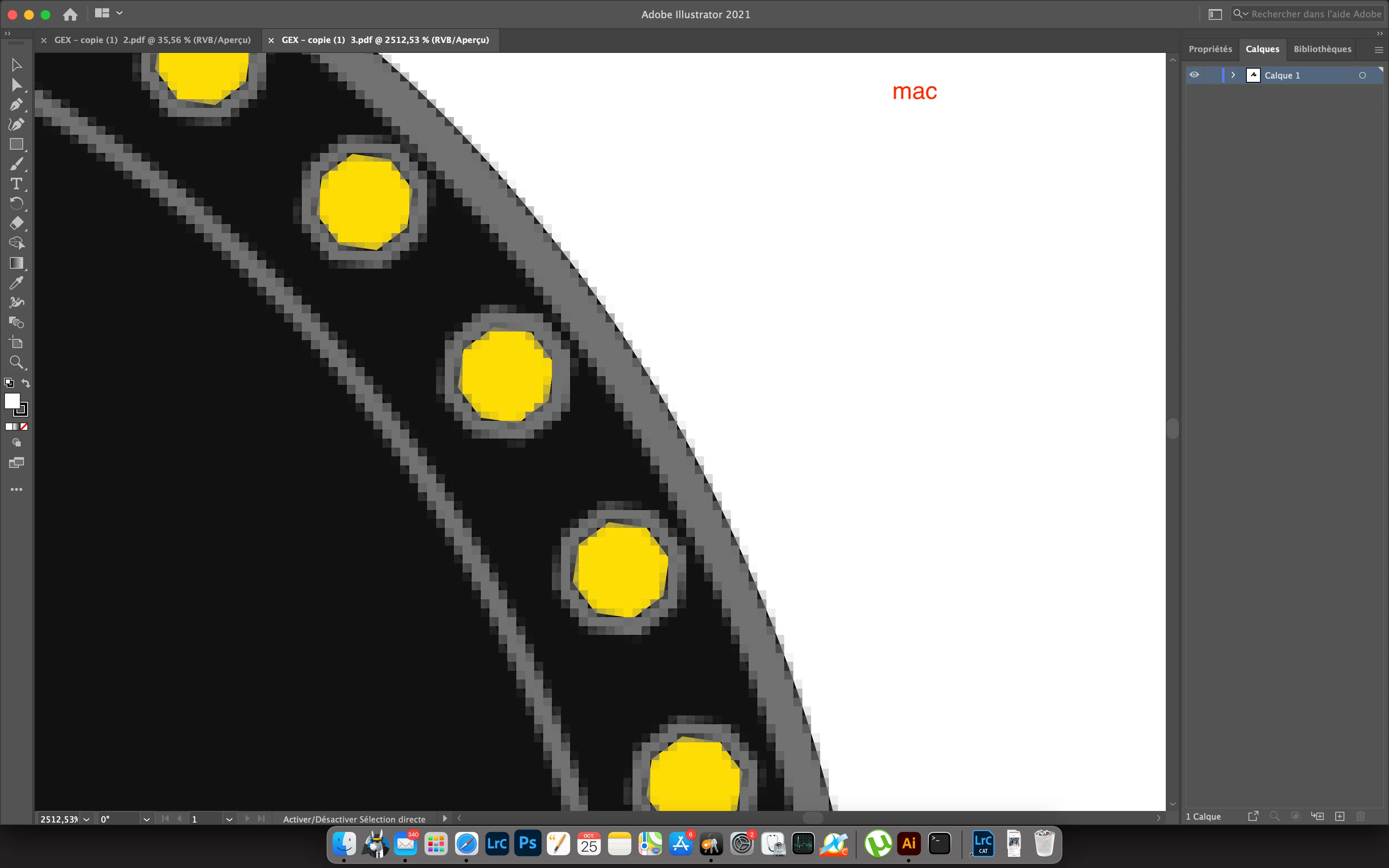
Except that when I export to illustrator on my mac I find myself with pixels in the area where I just used the clipping mask, I tried with other software and even an e-reader simple vector, I come to the same verdict.

So I tell myself that this clipping mask function has maybe a beug? maybe i am using it the right way?


This topic has been closed for replies.

1 reply

Michael J. Hoffman
Community Expert
Community Expert
October 25, 2021

See my answer in this thread:

https://community.adobe.com/t5/fresco-discussions/vector-image-under-clipping-mask-in-fresco-become-pixel-in-illustrator/m-p/12020888#M5005


Creating a clipping mask in Fresco rasterizes the layer, and changes it to a pixel layer when you create the mask. There's a warning dialog that you click through when you create the mask.


Participant
October 25, 2021

Hello thank you for your answer so I have to reset the parameters to see if the dialog box did not open or not and it does not open we are talking about this tool there?

Michael J. Hoffman
Community Expert
Community Expert
October 25, 2021

Yes, we are talking about creating a clipping mask on top of a vector layer. It rasterizes the layer immediately.