Answered
Converting Files
How can I convert a file to a EPS file?

How can I convert a file to a EPS file?
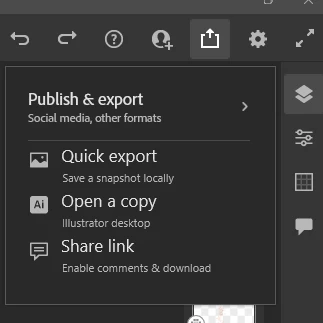
You will need to open the file in Illustrator (either Mobile or desktop, if you have Fresco on desktop you will be shown only the desktop option, on the Ipad, you will see both option)
click on the "share" icon and choose "open a copy"
you can also do by opening the .psdc file in Photoshop and choose save as
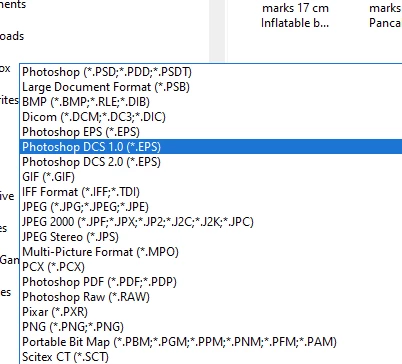
Fresco saves as .psdc files, and can export as .png, .jpeg, .psd and .pdf. You'll need another software for the .eps...
Already have an account? Login
Enter your E-mail address. We'll send you an e-mail with instructions to reset your password.


 AdChoices