Participant
March 18, 2022
Answered

Custom Color Swatches?

  • March 18, 2022
  • 2 replies
  • 221 views

Was wondering if it was possible to create a custom palette that I can use between projects, it's a very basic feature to me and it is quite inconvenient having to use the RGB sliders every time for a certain color I like.

This topic has been closed for replies.
Correct answer Michael J. Hoffman

Hi Wes,


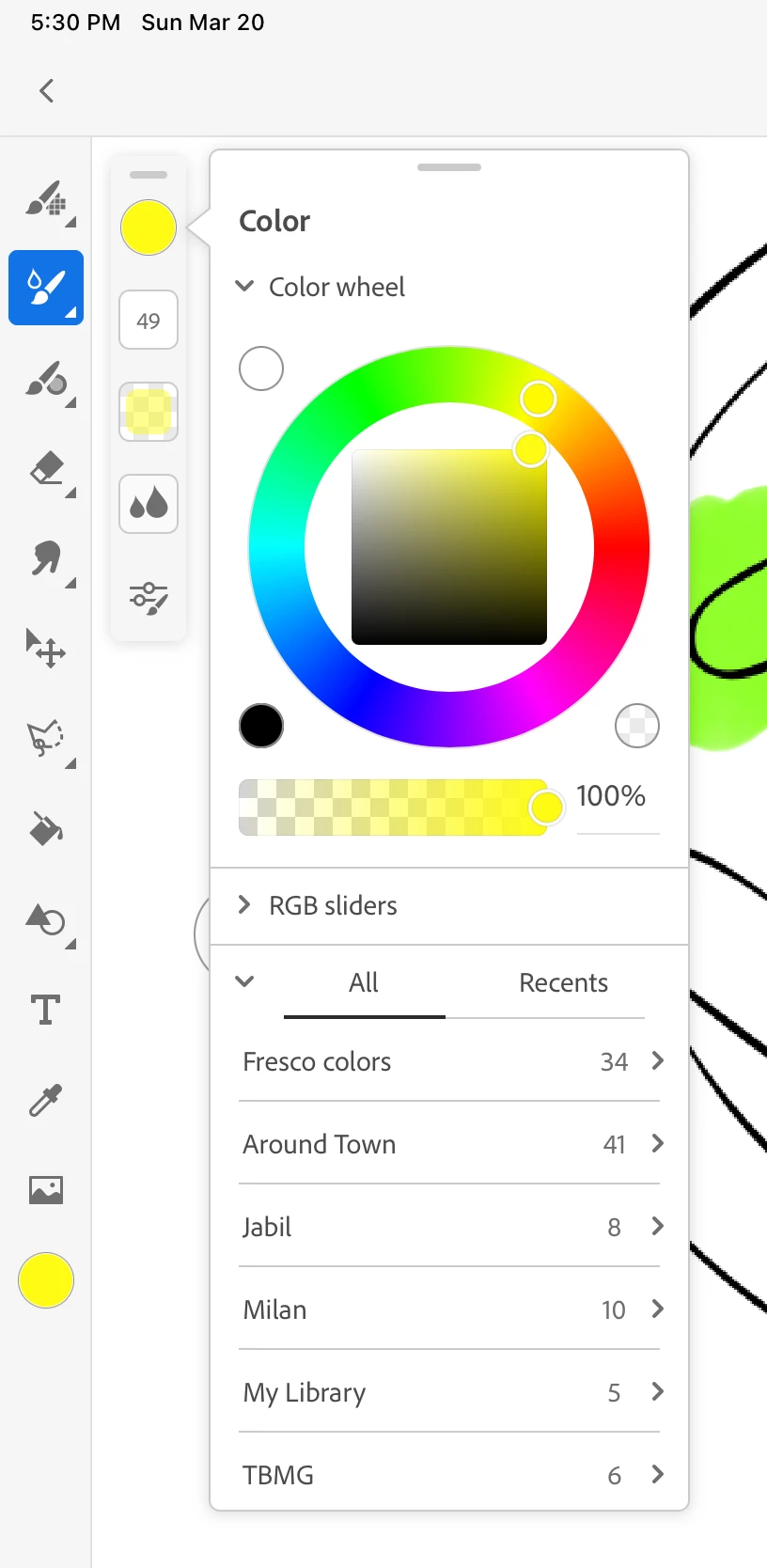
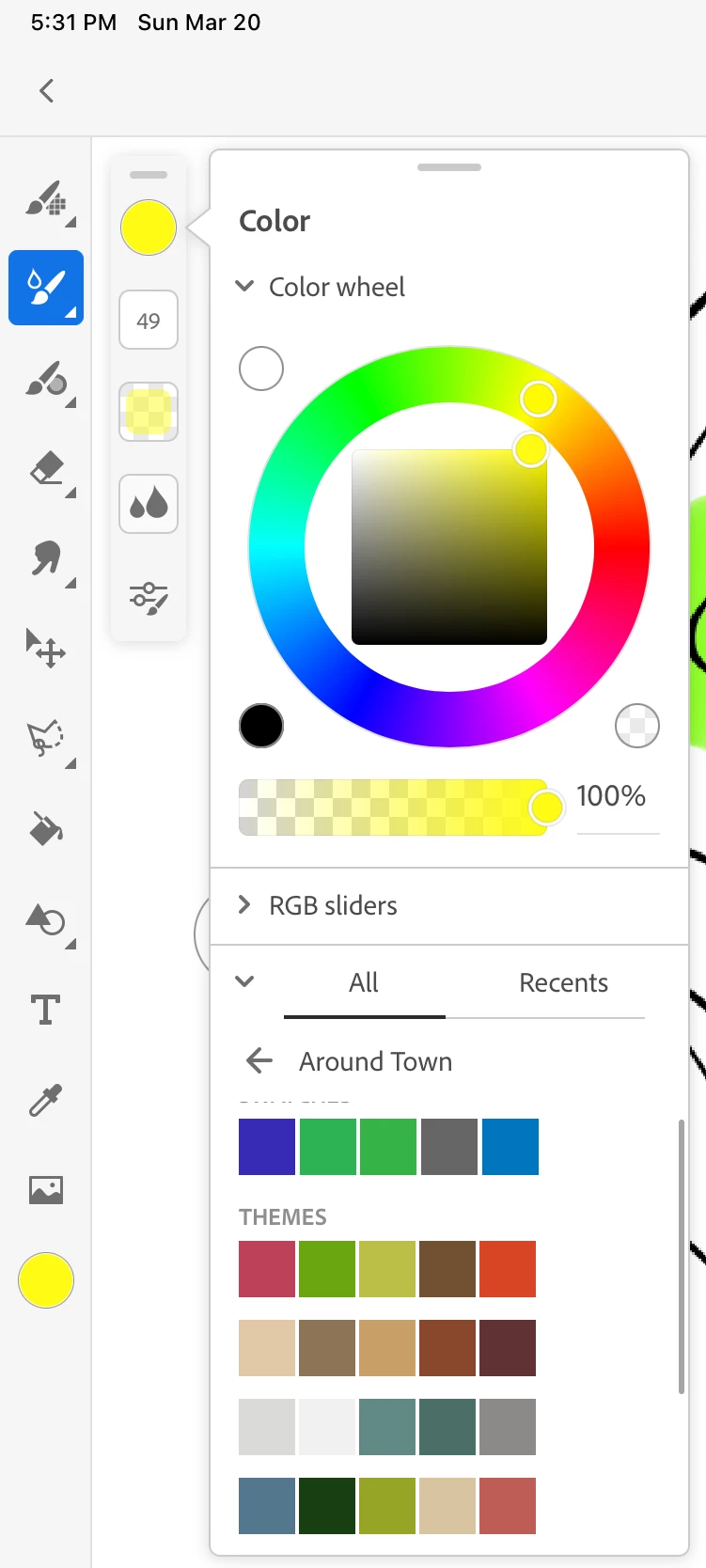
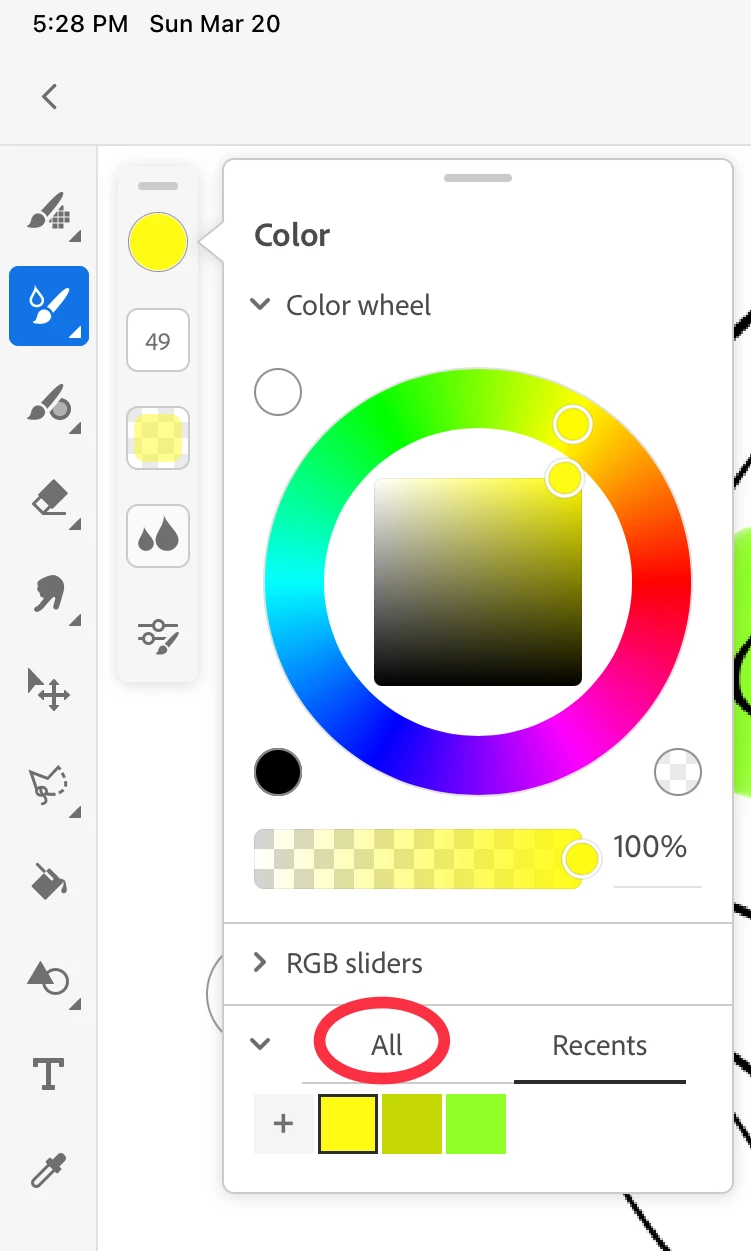
Just to elaborate on the previous answer, once you've created custom swatches and themes (which you can also easily do in Adobe Capture), you then will need to open the color picker, and:

  1. Look below the RGB sliders, and choose "All" next to "Recents"
  2. Choose the Library where you stored your theme or swatches
  3. Choose the swatch you want to use. The panel will remain in the Library you've chosen, so you can continue to choose between swatches as you work.


screen shots for the three steps are below:


2 replies

Michael J. Hoffman
Community Expert
Michael J. HoffmanCommunity ExpertCorrect answer
Community Expert
March 20, 2022

Hi Wes,


Just to elaborate on the previous answer, once you've created custom swatches and themes (which you can also easily do in Adobe Capture), you then will need to open the color picker, and:

  1. Look below the RGB sliders, and choose "All" next to "Recents"
  2. Choose the Library where you stored your theme or swatches
  3. Choose the swatch you want to use. The panel will remain in the Library you've chosen, so you can continue to choose between swatches as you work.


screen shots for the three steps are below:


Participant
March 19, 2022

Hi! It is possible create custom color palettes in Adobe Color and save it in your CC library to use between your softwares/projects 😊


Adobe Color


I hope this tip may help you! 🤝🏻