
trinityh24621106
Participant
October 30, 2022
Answered

Fill with vector

  • October 30, 2022
  • 4 replies
  • 1410 views

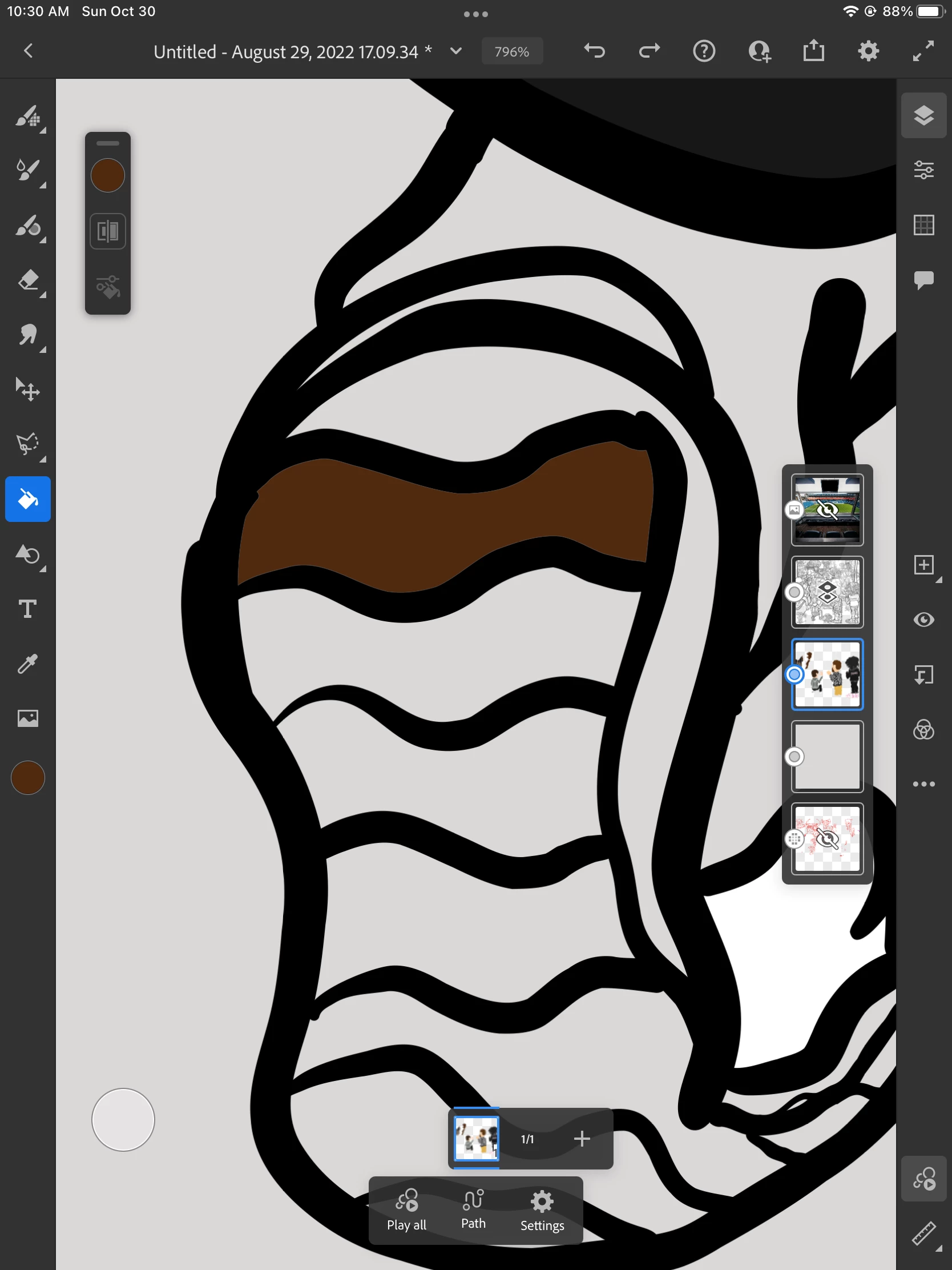
I'm using vector layers and did all the line work on one layer and set it as a reference so I can fill the layer below it. It worked for a while then it stopped filling all they way. There's a gap where there's no color. I know you can change it in the fill setting by adjusting the color margin but it won't even let me open the fill settings. Anyone know a fix to this?
Correct answer Anshul_Saini

Hi @trinityh24621106,


Thanks for your time & patience. I checked and confirmed with the team the color margin exclusively works with pixel & live brushes only.


With vector brushes, the color margin option will be disabled.


Please feel free to reach out if you run into any other queries or issues in the future. We'd be happy to help.


Thanks,

Anshul Saini

4 replies

Known Participant
March 9, 2026

It’s awesome to see how much adobe suck. not even an answer after 1 year. 
I truly hope the new generation of designer learn different platforms because this is no more acceptable. your product suck, your help center is a joke. 

Anubhav M
Community Manager
Community Manager
March 26, 2026

Hello ​@alexemanuelli 


Because these two separate vector objects align very closely with each other, you are running up against a limitation with antialiasing. It is most noticeable when the two vector objects have colors that are very similar.
 

This is a general limitation with Fresco’s antialiasing algorithm, which is optimized for the more common case of overlapping vectors, and not for the less common case of vectors with similar colors that abut each other.
 

Manually painting on top of that artifact is one workaround. Another is to select the filled area and transform it, making it a little bigger so that the vector objects overlap, which avoids the antialiasing artifact.

Please don’t hesitate to reach out if you have more questions or need assistance. We'd be happy to help.
Anubhav

Known Participant
March 26, 2026

Hello Anubhav,

after waiting this long for a response, this is honestly not acceptable, and nowhere near the level of support and competence one would expect here.

Calling this a “limitation” doesn’t reflect the reality of how the tool is used. Filling a shape cleanly is not an edge case, it’s a fundamental operation in any illustration workflow. Adjacent shapes with similar colors are extremely common, not rare scenarios.

The suggested “workarounds” make this even worse. Manually painting over artifacts or scaling shapes to force overlap are not real solutions, they are hacks that break a clean, non-destructive vector workflow. And asking users to fix rendering errors manually in a vector-based environment should already be a red flag.

This issue has been reported for years, reproduced by multiple users, and clearly explained step by step. After all this time, the answer is simply that it’s a limitation, not that it’s being investigated, not that it’s been escalated, not even that it’s considered a problem.

That’s not support, it’s deflection. This is simply not acceptable for a company who should provide professional tool! 

This is Adobe, a company that charges premium subscriptions, positions itself as an industry standard, and is embedded in professional workflows worldwide. At this level, this kind of response is totally unacceptable.

There are tools that cost a fraction of this subscription that handle this correctly without artifacts or workarounds (Procreate is years ahead, and so other). So this is not a technical limitation, it’s a prioritization issue.

At this point the problem is not just the bug, but the lack of accountability around it.

So a simple question: has this been escalated to engineering, or are users expected to accept broken vector fills as intended behavior?

Please, no more workarounds. Just a clear answer Anubhav. And I hope I don't have to wait another year for a response. 

Known Participant
June 27, 2025

Is anyone still alive in Adobe support? Is it possible to have some answers?? @Anshul_Saini  @Anubhav M 

Anshul_Saini
Community Manager
Anshul_SainiCommunity ManagerCorrect answer
Community Manager
November 21, 2022

Hi @trinityh24621106,


Thanks for your time & patience. I checked and confirmed with the team the color margin exclusively works with pixel & live brushes only.


With vector brushes, the color margin option will be disabled.


Please feel free to reach out if you run into any other queries or issues in the future. We'd be happy to help.


Thanks,

Anshul Saini

Known Participant
May 10, 2025

It's 2025 and Adobe Fresco still have the same problem: if you fill a vector shape it will create terrrible white edges. This is not acceptable from a professional app 

Anubhav M
Community Manager
Community Manager
May 16, 2025

Hello @alexemanuelli,

Could you share more details, like your device make/model, the version of the OS/Fresco installed, and a small screen recording of the problem, so I can better assist you?

Looking forward to hearing from you.

Anubhav

Anshul_Saini
Community Manager
Community Manager
November 4, 2022

Hi @trinityh24621106,


Thanks for reaching out. We are able to reproduce the same behavior with vector brushes. The color margin is not working as expected. Please allow me some time to check with the product team, and I will get back to you. Once I get a response from them.


Thanks,

Anshul Saini