
Inspiring
November 12, 2024
質問

Frame animations not supported

  • November 12, 2024
  • 返信数 1.
  • 353 ビュー

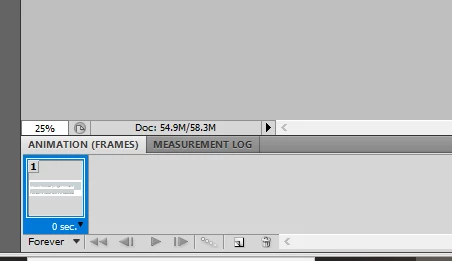
I am trying to upload a file to fresco, and I have had this problem if the file contains any style at all, but this file has no styling or opacity or any changes. I tried even flattening my fonts which has never been a problem before. I even ripped out all the folders. I have copied and pasted everything into new files. Nothing is working. I saw the fix to check the frames, but it is only this. Thank you for the help!
 

このトピックへの返信は締め切られました。

返信数 1

Anubhav M
Community Manager
Community Manager
November 12, 2024

Hello @Rosalie259487484tuz,

I'm sorry to hear about your experience. Would you mind sharing more details, like the OS/Fresco version and a sample file (https://adobe.ly/3ADnkPq), so I can better assist you?

Note: When sharing the file, please make the link public and enable the option to save a copy under the link settings.

Looking forward to hearing from you.


Anubhav

Inspiring
November 12, 2024

https://drive.google.com/file/d/1D2cHuRT9qI_o2qqaSD_Ce2zD1i4g9KIC/view?usp=sharing

https://drive.google.com/file/d/14VO90f8t98Bp9HX2jkuFAkqDv-2fVy_p/view?usp=sharing

https://drive.google.com/file/d/1_5g-gUnvcqoK5Qa5dxnOHPZc0YVJBLzf/view?usp=sharing

These are some of the versions with me taking out folders or rasterizing type.

I am using Fresco on iPad Pro 12.9 (5th gen) - version 17.6.1

Thank you so much for your help!

Inspiring
November 12, 2024