

Question
Fresco 1.9 (August 2020 update) is now available for download on App Store and Windows
-
Fresco 1.9 update brings to you Brush management, upgraded Windows support, and more!
Download the latest update now.
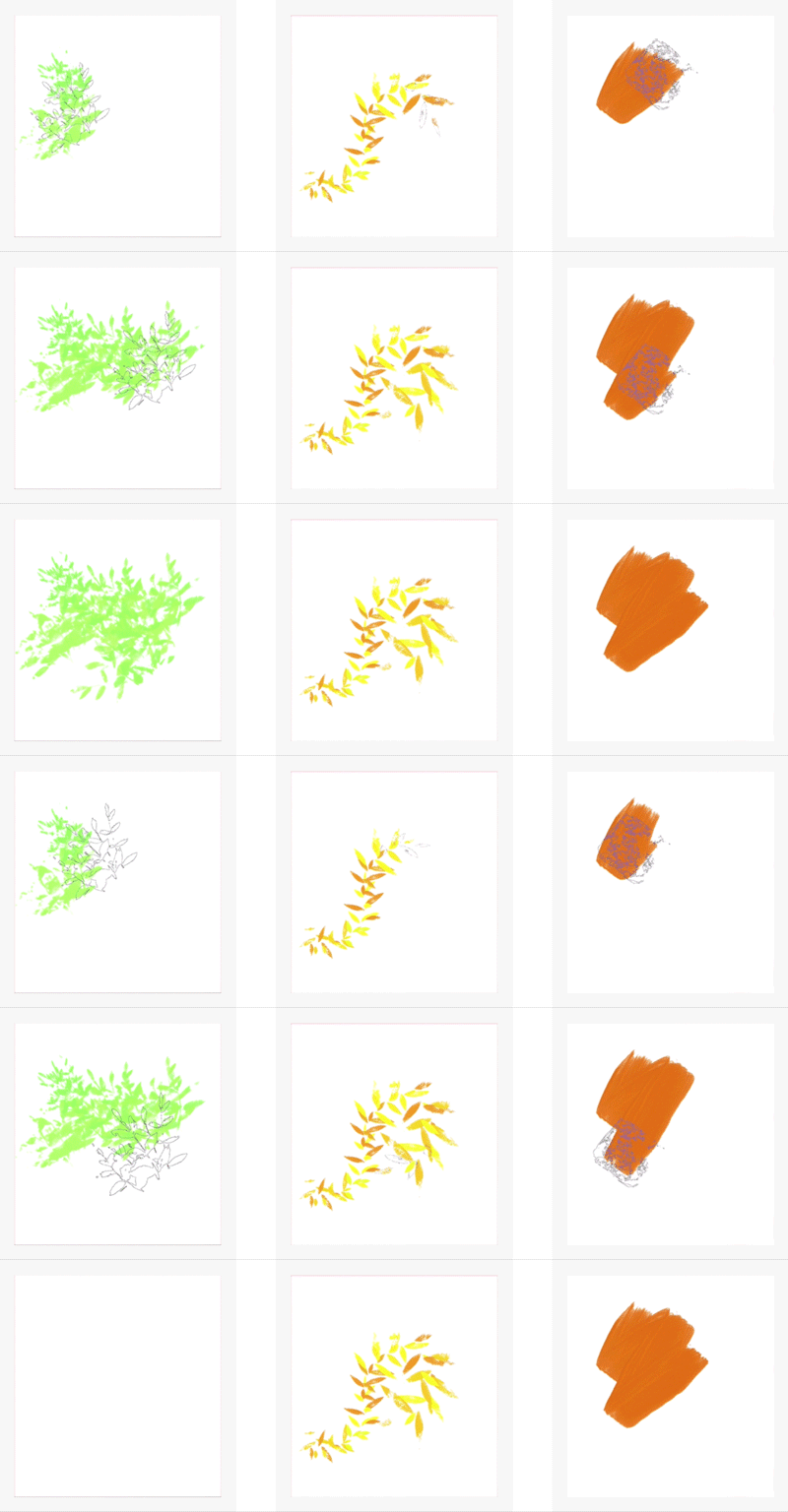
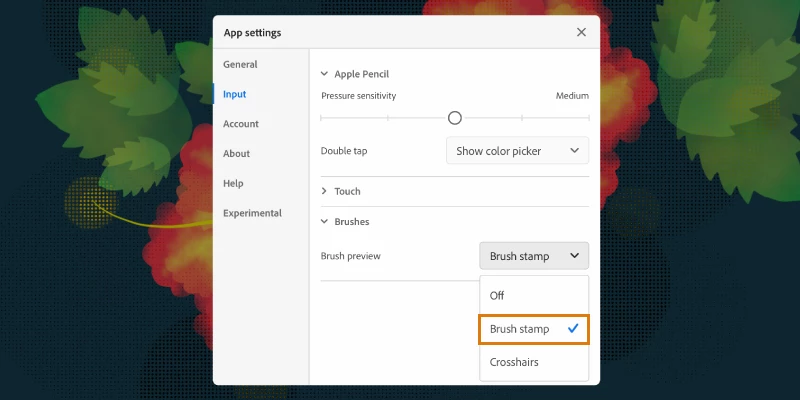
- Brush Stamp Preview: This size-and-shape indicator for Live, Pixel, and Eraser brushes shows as soon as a Pencil or finger touches the screen. This option helps you visualize the brush size (dependent on pen pressure) and precision drawing.
-
By default, this option will be turned off, check out Pixel brushes settings to turn on this option.
-
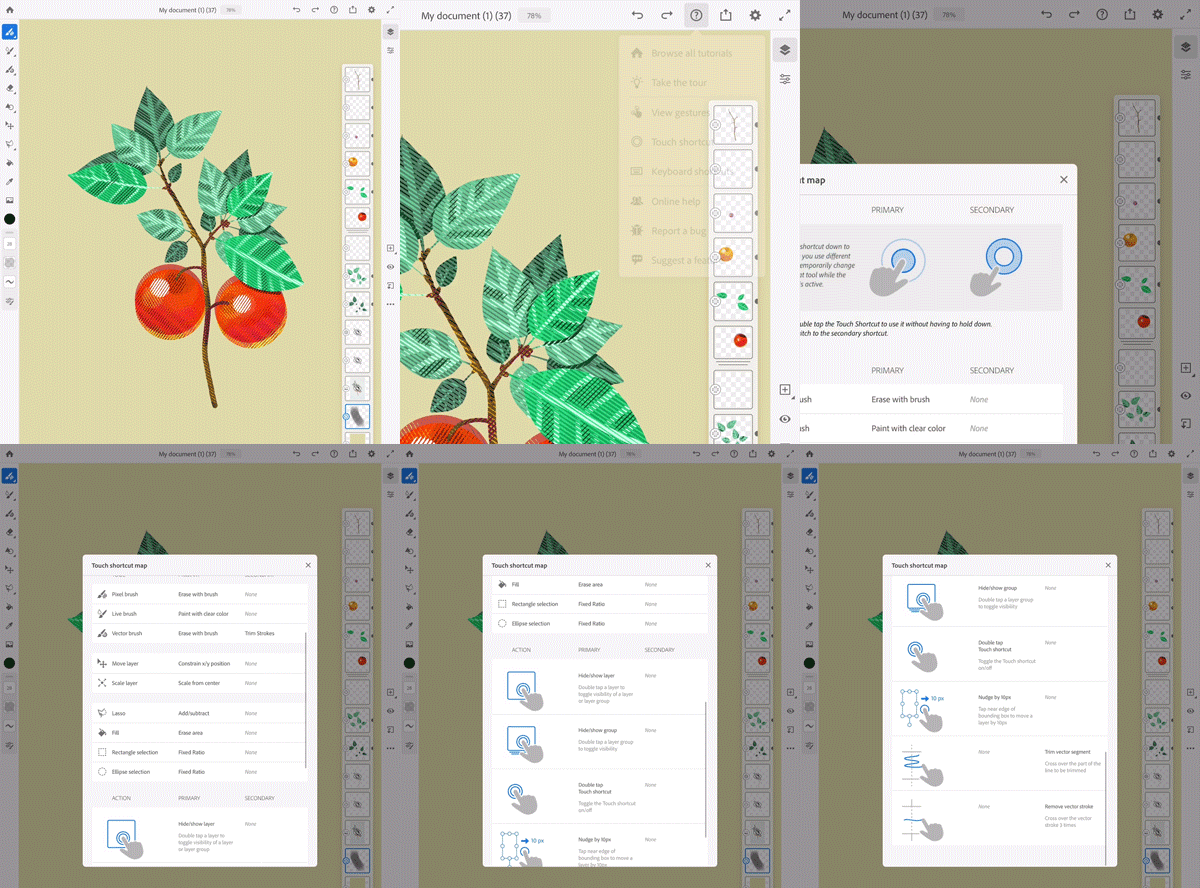
2. Updated Touch Shortcut Map: A helpful guide that provides info on the primary and secondary actions of the Touch Shortcut and the actions they map to. - a. Tap on the Help button while on the canvas and select the Touch Shortcut.
-
b. The Touch Shortcut map that is displayed has info about the different types of actions (and their corresponding shortcuts).
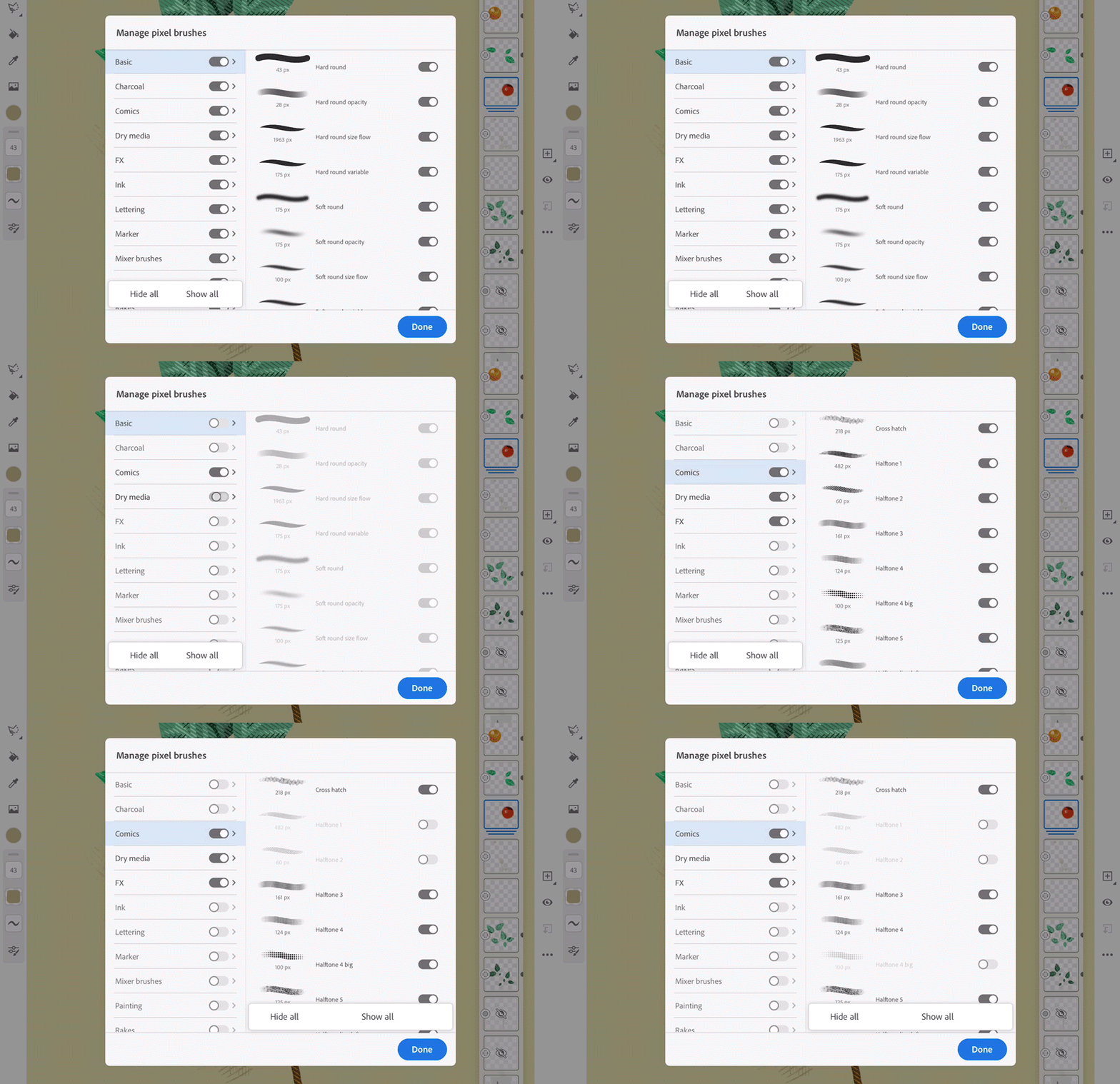
3. Brush Management: Personalize your list of Pixel brushes by toggling their visibility using the Hide/Show toggle button.- a. Tap on Pixel brushes from the toolbar.
- b. Tap on the ellipses icon (...) at the top of the Pixel brushes panel.
- c. Tap the Manage pixel brushes option.
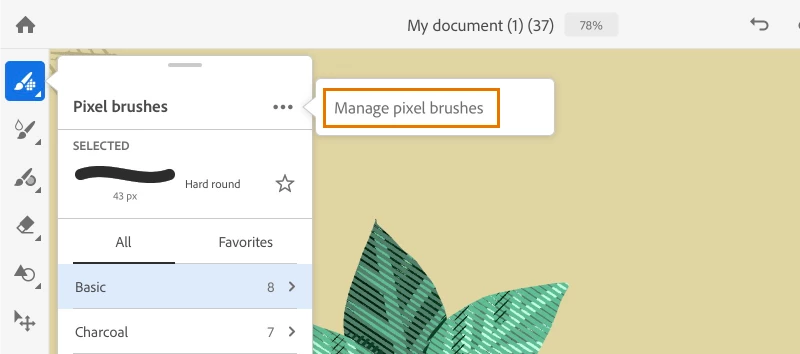
- d. Hide/show brushes based on your usage. This list also includes brushes imported from your CC libraries.
4. Compatible with more Windows PCs: Fresco is now supported on Windows 10 PCs with modern Intel and Nvidia graphics processors. Detailed system requirements are available at System Requirements.
For more info on the new features, see What's new.


 AdChoices