
Participant
April 2, 2023
Answered

Fresco 4.4 - Crash on launch on Windows 10

  • April 2, 2023
  • 7 replies
  • 2797 views

Hello! I did not find a solution to the problem in previous posts. So I'm writing about the problem again. The Fresco 4.4 shows the screen at startup and crashes. See screenshot. The new admin account does nothing. I have 450GB of free space and 32GB of RAM. Also I tried Ctrl+Alt+R in Creative Cloud app. 
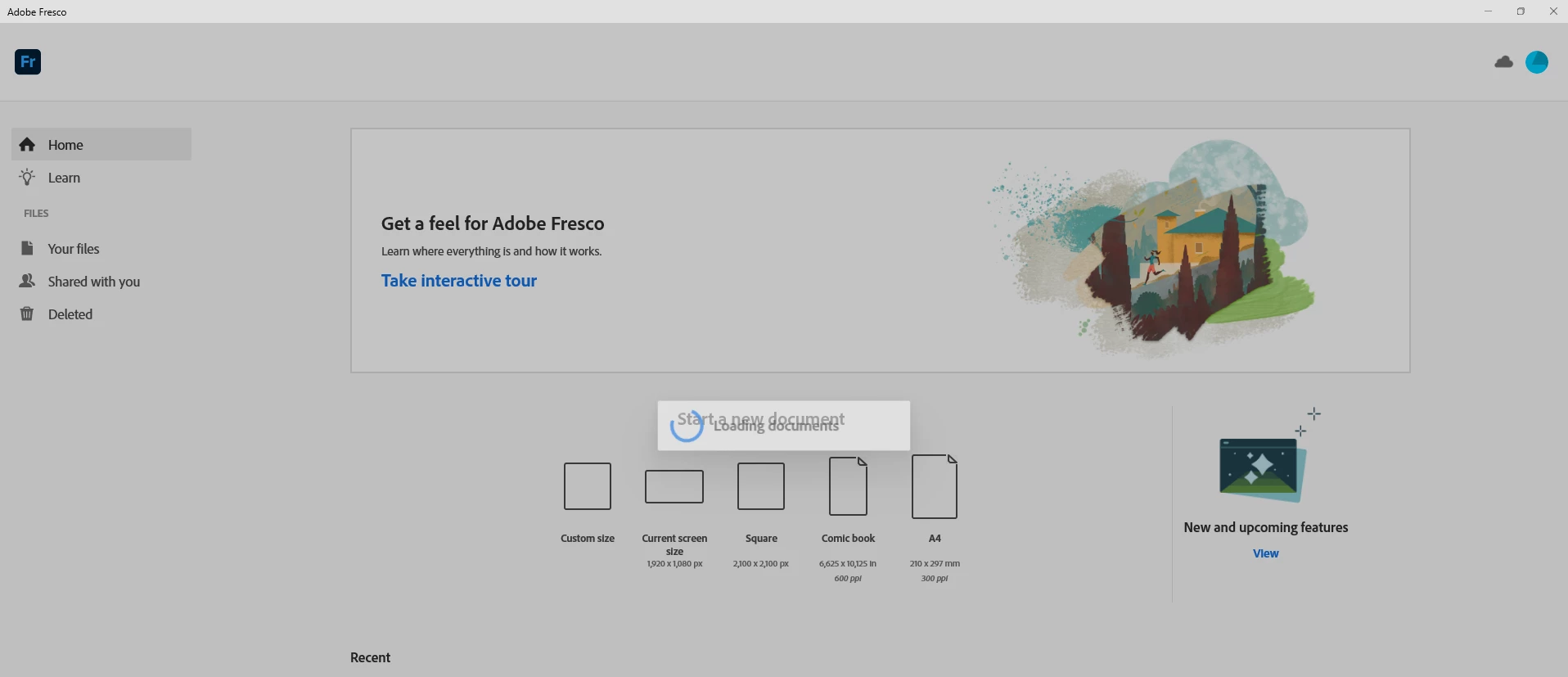
This topic has been closed for replies.
Correct answer Anubhav M

Hello @Олексій291373653kzu@kevinl62018888@John Eischen@Udmeber@Susi0101,


Thank you for your patience. Our team has recently released a newer version of Fresco 4.7 that may help solve the issues you're experiencing. Could you please try updating to the latest version and let us know if it improves your situation?


Looking forward to hearing from you.


Thanks,

Anubhav

7 replies

Anubhav M
Community Manager
Anubhav MCommunity ManagerCorrect answer
Community Manager
June 23, 2023

Hello @Олексій291373653kzu@kevinl62018888@John Eischen@Udmeber@Susi0101,


Thank you for your patience. Our team has recently released a newer version of Fresco 4.7 that may help solve the issues you're experiencing. Could you please try updating to the latest version and let us know if it improves your situation?


Looking forward to hearing from you.


Thanks,

Anubhav

kevinl62018888
Participating Frequently
June 29, 2023

Hi Anubhav. I can confirm that on loading and installing v4.7 I am able to now open Fresco with no issues. The document showing new functions loads correctly. So Fresco V4.7 fixes the crash on startup. 

Many thanks to the programmers!


Participant
May 3, 2023

Hello! I have the exact same problem! Also I see a pop up to write to Adobe about the problem, but it vanishes before I can do anything!

John Eischen
Participating Frequently
May 3, 2023

I had a problem a long while ago with Fresco and I disabled those pop ups after they got me now where with them. Eventually it got fixed but I think it was a problem with my video drivers. 

John Eischen
Participating Frequently
April 28, 2023

I have same problem

John Eischen
Participating Frequently
April 28, 2023

I  forgot to say that I have tried everything to fix the problem and the crash happens when opening a file or a new file

Participant
April 26, 2023

I'm having the exact same problem. I hoped that an update would fix the issue, but no, it still crashes.
I'm going to install an older version and see if it works.

kevinl62018888
Participating Frequently
April 26, 2023

Good Luck! 🙂 For me V4.3 worked...so I feel there is a programming issue with V4.4. I hope V4.3 works for you.

I guess we will have to wait until Adobe finds the bug and fixes it with an update. I have noted that the crashing is happening with Windows 10 and 11 OS!

Participant
May 3, 2023

It worked!!! Thanks for the advice.

And yes, we'll have to wait until they can fix the problem.

kevinl62018888
Participating Frequently
April 23, 2023

FYI I have the exact same issue. Was now with Adobre Support for about an hour trying all kinds of things. Bottom line: the app Version 4.4 just won't work on Windows 10! Currently running most up to date version of Windows 10. Also all drivers are up to date. More than enough Ram and SSD and HDD space (I have 2 drives). My laptop is top of the line so it ain't the laptop or specs. This is definitely coding in Version 4.4. All I can say to everyone experiencing this issue: roll back to version 4.3, make contact with Adobe support and have your log files sent to them so that dev team can see issue and reprogram accordingly. Only if lots of people having this issue send in their log files will the dev team see there is an issue with the app and fix!

Anubhav M
Community Manager
Community Manager
April 13, 2023

Hello @Олексій291373653kzu,


We understand how frustrating it can be to experience crashes. Would you mind trying the following steps and checking if it helps:

1. Go to Creative Cloud Desktop Application
2. Press Ctrl+Alt+R
3. It will show a dialog to Relaunch
4. Click Continue and wait for 2-3 minutes
5. Launch Fresco


Also, kindly check if all of your work is synced online (https://assets.adobe.com/cloud-documents). If yes, please try resetting Fresco (https://support.microsoft.com/en-us/windows/repair-apps-and-programs-in-windows-e90eefe4-d0a2-7c1b-d...) and share your observations.


If the issue persists, kindly share the logs by following the steps shared in this help article (https://helpx.adobe.com/creative-cloud/kb/cc-log-collector.html), so we can check it with the team.


Looking forward to your response.


Thanks,

Anubhav

Sjaani
Community Expert
Community Expert
April 2, 2023

Your best option is to keep writing about the same topic in existing threads. That way if an answer to this question is posted elsewhere you'll see that more comments are posted in that thread.

At this point I believe as started in other threads your best option will be to revert back to previous version until the current version works for us all.

Participant
April 3, 2023

version 4.3 works OK

Sjaani
Community Expert
Community Expert
April 4, 2023

Fantastic, stick with that until Adobe brings out another update, there's been a lot of posts regarding the V4.4 issue so hopefully it will be fixed in the next update.