
meganfrau
Participant
July 23, 2020
Answered

Fresco and Capture - Custom shapes never load

  • July 23, 2020
  • 1 reply
  • 1588 views

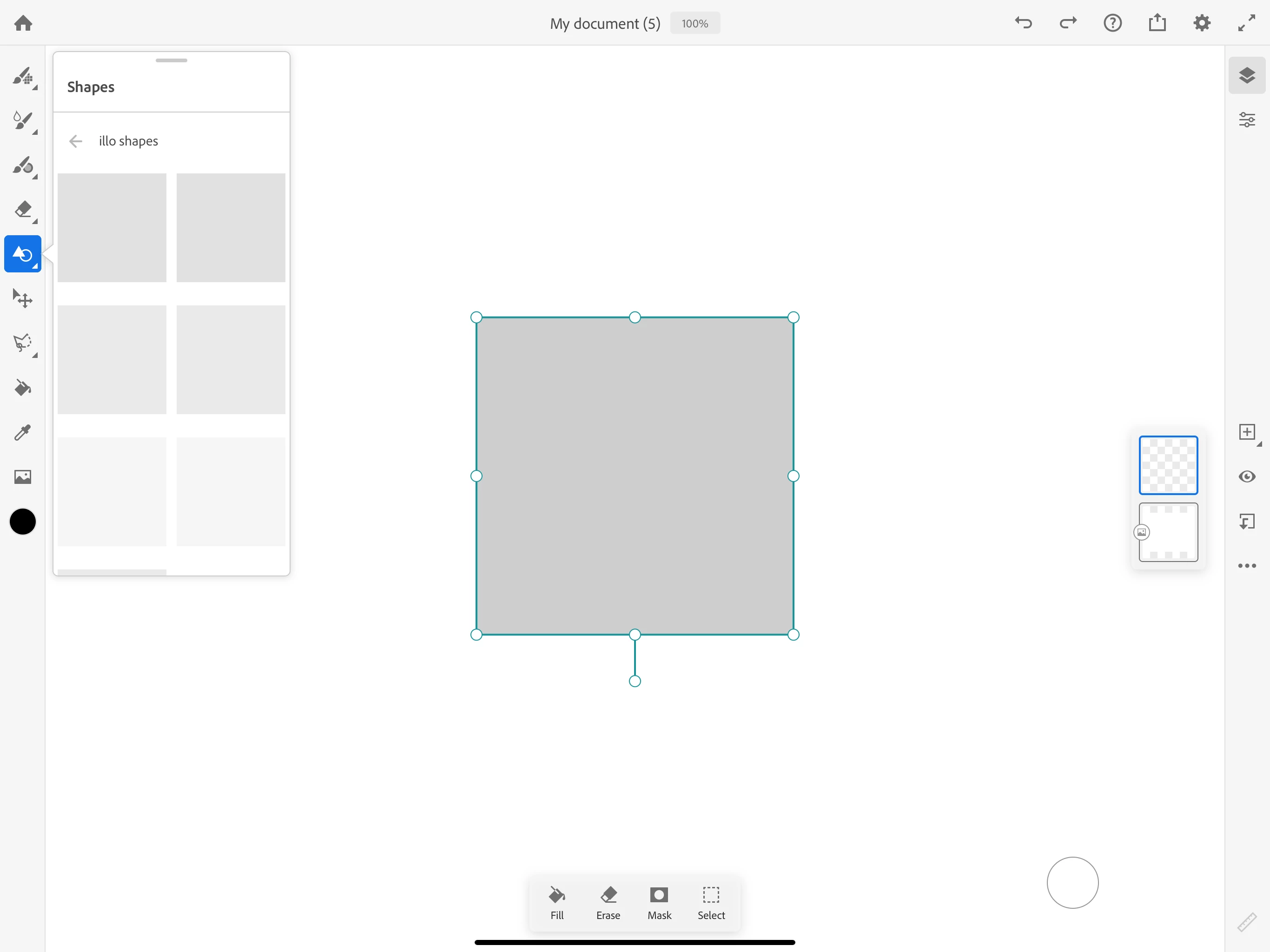
I've been having issues with this since the feature has been introduced and it's really frustrating. Any time I want to incorporate custom shapes that I've made in Adobe Capture, all I get are blank placeholders where the images never load (see attached). It's not that they don't link to the libraries, they just don't load once I open the library for the shapes to appear. 
This topic has been closed for replies.
Correct answer marmota.minima

alright, I have resolved the issue! Basically, if you have too many library brushes, they won't load. I used the pixel brush manager and turned off the less used brushes and now it works.


I have the exact same issue. I turned off most of my brushes from the manager and it worked once (thanks for the tip!), but after I added a new shape from Capture I'm back where I started.

1 reply

Sjaani
Community Expert
Community Expert
July 24, 2020

Which device are you using? Some of the images are a little slow to appear, but overall I think it's working for me as intended on an iPad.

meganfrau
meganfrauAuthor
Participant
July 31, 2020

I use an iPad Pro. Some of the capture brushes have loaded, but it's incredibly slow, maybe 20 minutes.