
Participant
April 25, 2022
Question

Fresco doesn't refresh after a few minutes

  • April 25, 2022
  • 1 reply
  • 248 views

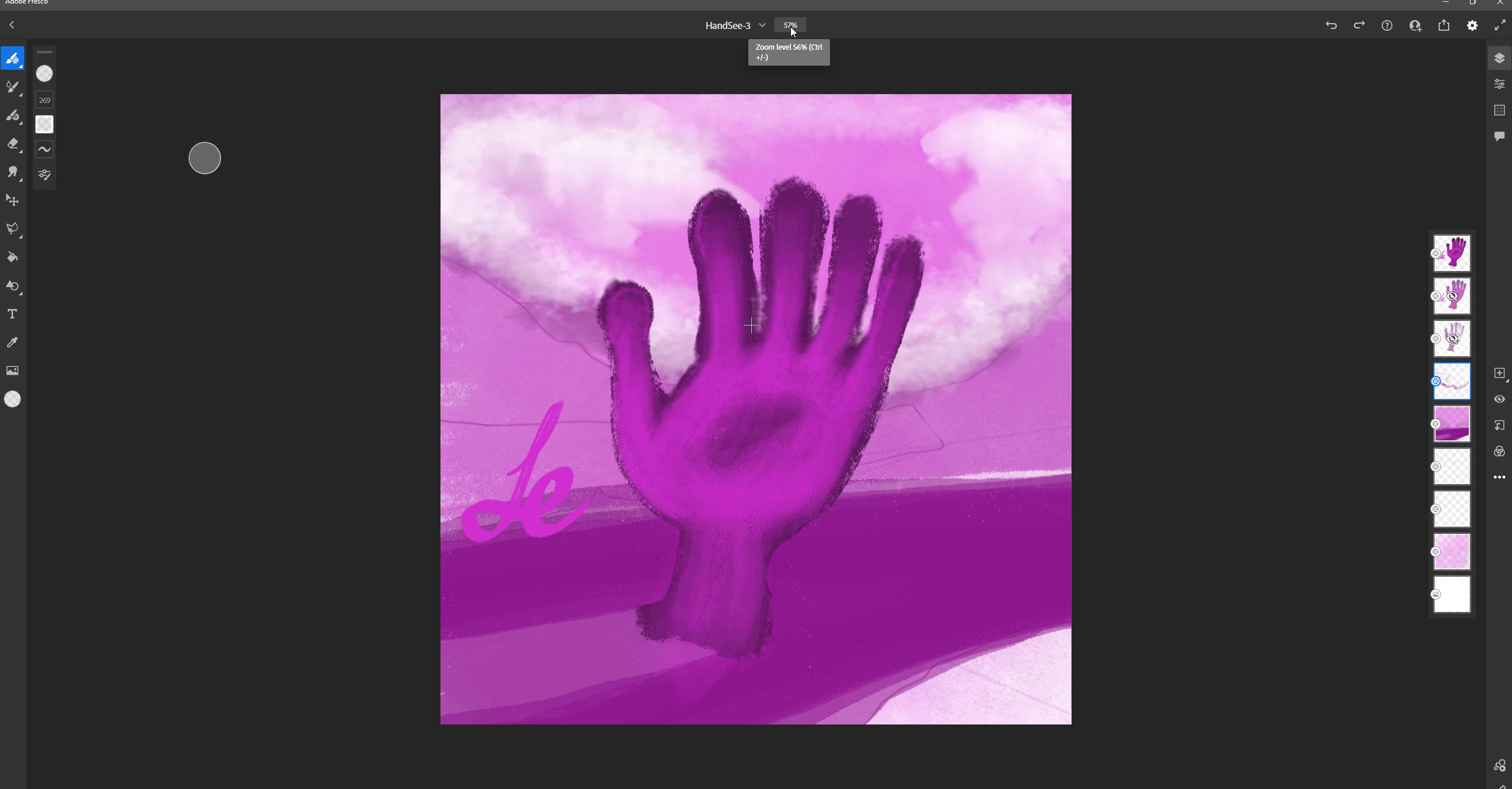
This has been bugging me like crazy. I have a good pc (2070 i7 64gb ram etc) and every 3-4 minutes, fresco will come to a full freeze VISUALLY. But as you can see in the preview, I can play with the zoom/save/settings but it will not affect the drawing itself. 


Notice my drawing tool in the middle ( the crosshair  - bottom of the index finger ) whilst my mouse is actually playing with the zoom (which does nothing visually)

It's as if Fresco suddently stops updating the visual but still is active behind. 
Yes, I tried disabling the gefore experience layover

Yes, I have a tablet (Wacom pro medium) that works in everything else flawlessly


The only way to get it working again is to save, close, reopen. And when I reopen, I can see all the things I've done since my cross hair "locked" in the middle of the app.

Please help?


This topic has been closed for replies.

1 reply

Community Expert
April 26, 2022

The only thing I can think of was the app was auto saving when it froze.  I know sometimes on the iPad, there's a very slight pause when that happens.  How big is that file? Just curious because depending on the size of the file, it could have caused a bigger pause

Participant
April 26, 2022

Yeah that was my guess too, but it's very bizare.

I've tried with tiny files and large one, size/upload status doesn't seem to be the factor. 

It takes about 5 minutes of me doodling (I tried on a single layer, with only 1 simple pencil) and it would kick in after a few minutes. Weirdest thing is if I close, it actually closes the app. When I reopen the same file, I can see all the stokes I couldn't see before opening the file.

It's really weird 😕😕