
Inspiring
May 23, 2024
Question

Fresco Doesn't Work in Split Screen Mode
  • May 23, 2024
  • 1 reply
  • 415 views

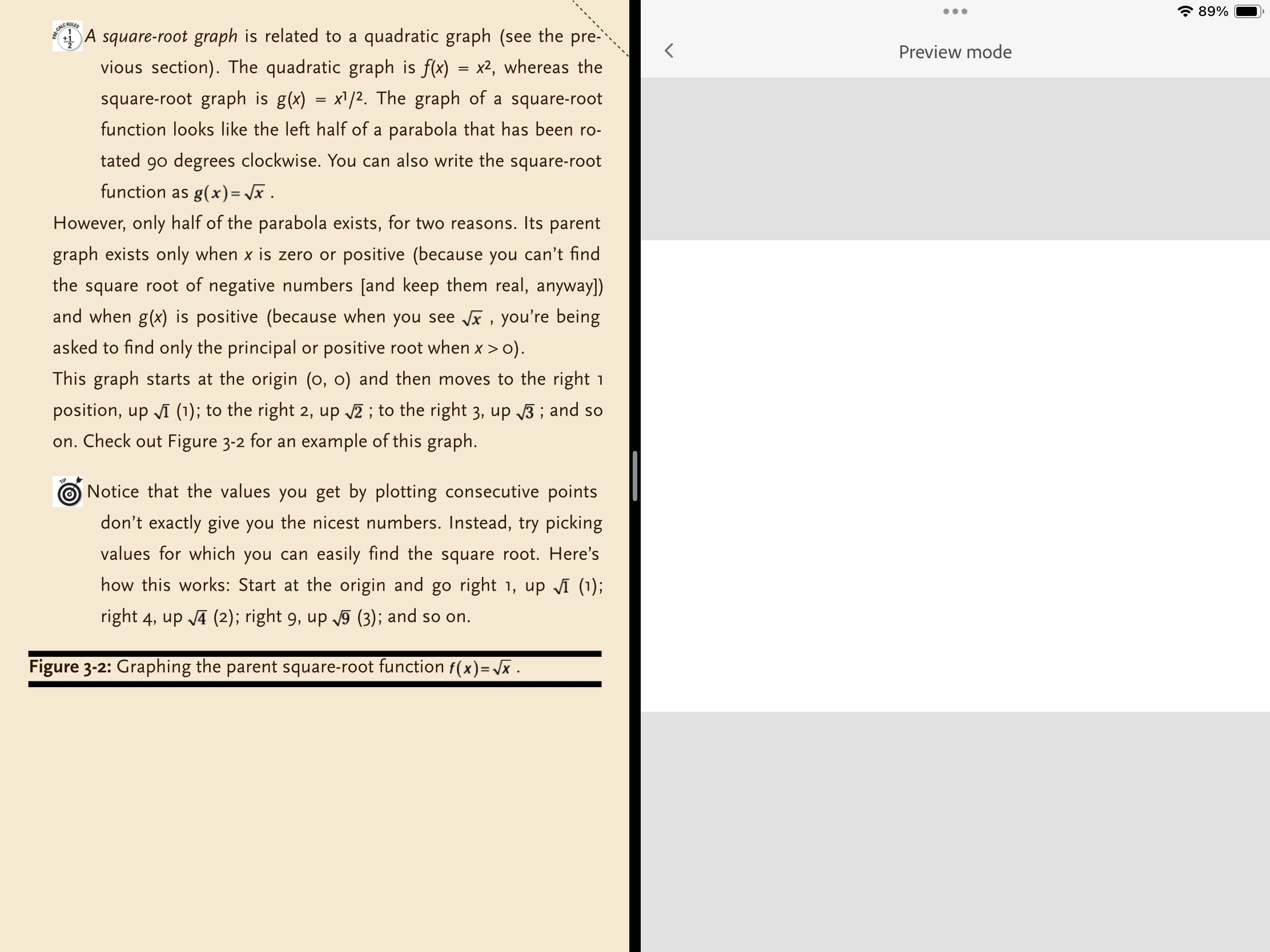
I have set up split view on my iPad as shown. Ideally, I would like to be able to read from the math book on the L and scribble my thoughts on a blank Fresco page on the R with the Apple Pencil. But the Fresco side is only something called a Preview Mode which is not functional at all. Is there a way to make the Fresco side of the split work properly?

This topic has been closed for replies.

1 reply

ttibsenAuthor
Inspiring
May 24, 2024

OK - as you can see from the attachment, I have figured out that the way to get a functioning Fresco on the iPad in the split screen mode, is to drag the divider line to the L until the Fresco tools show. Now the problem is - why is my working area in Fresco so small? How can I get the use of the maximum area shown in the window?

Community Manager
June 19, 2024

Hello @ttibsen,

Thanks for reaching out, and sorry for the delayed response. I hope the problem is resolved by now. If not, kindly share more details, like the Fresco/iPadOS version, device model, and a screen recording of the problem (https://adobe.ly/3VN7f1g), so we can better assist you.

Looking forward to hearing from you.


Thanks,

Anubhav