Known Participant
October 18, 2021
Answered

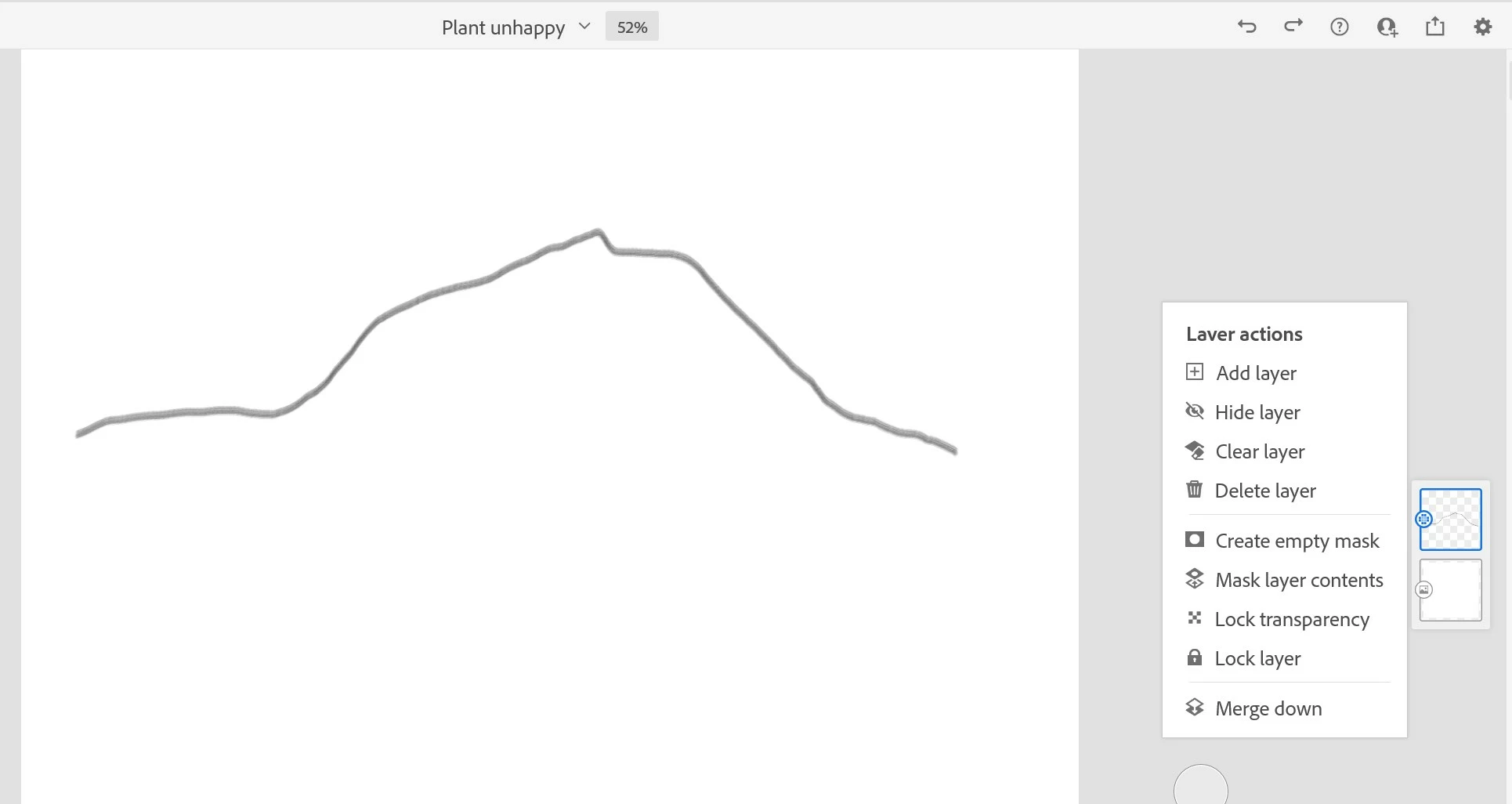
Fresco - Duplicating layer option vanishes

  • October 18, 2021
  • 6 replies
  • 1826 views

Under what conditions does Fresco remove the duplicating layer option. I have had two experiences one on ipad then on PC. Please help.
This topic has been closed for replies.
Correct answer travisa51447614

VERSION 3.2.0  - updated last night and just restarted my computer and I now have those functions.

6 replies

Claude Cere
Participating Frequently
June 7, 2024

Version 5.50 June 7, 2024

This problem persist. Annoying!

I have to close the drawing and restart the computer to get the option of DUPLICATE.

Please help.

Anubhav M
Community Manager
Community Manager
June 7, 2024

Hello @Claude Cere,

I'm sorry to hear about your experience. Would you mind sharing some more details, like the exact version of the OS/Fresco, device make/model, whether Fresco behaves this way with all files, and a screen recording of the problem (https://adobe.ly/3RkRk82) so we can investigate this further?


Looking forward to hearing from you.


Thanks,

Anubhav

Claude Cere
Participating Frequently
June 7, 2024

Still have the problem today June 7, 2024. ???

This software is not stable on Window's version . Please improve.


Participant
May 18, 2022

I am having the same issue. I have not duplicate or copy layer option available. Have updated my Fresco to the newest version today, the optiones appeared for about an hour (yay), but then disappeared again. Anybody can help?


Michael J. Hoffman
Community Expert
Community Expert
December 20, 2021

I also cannot duplicate what you're seeing. Can you confirm what kind of Adobe subscription plan you have? I wonder if certain tiers have limited features. 

Agha5DF0Author
Known Participant
December 20, 2021

I am on the fremium plan.

Participant
December 20, 2021

Does anyone have a solution for this? I am having the same issue. I have no duplicate layer function and no copy paste function!

Rohit Guglani
Adobe Employee
Adobe Employee
December 20, 2021

Which version of application you are using @travisa51447614? You can check from Settings>About. 


Thanks,

Rohit

travisa51447614Correct answer
Participant
December 20, 2021

VERSION 3.2.0  - updated last night and just restarted my computer and I now have those functions.

Sjaani
Community Expert
Community Expert
October 20, 2021

None! I haven't been able to reproduce what you are seeing. Do you recall if you were tapping anything extra while selecting this panel? Does it happen every time for you now or is it a little bit random?

Agha5DF0Author
Known Participant
October 20, 2021
Same here, have not been able to reproduce. Nothing special, only tapping the layer icon.
