New Participant
September 21, 2021
Question

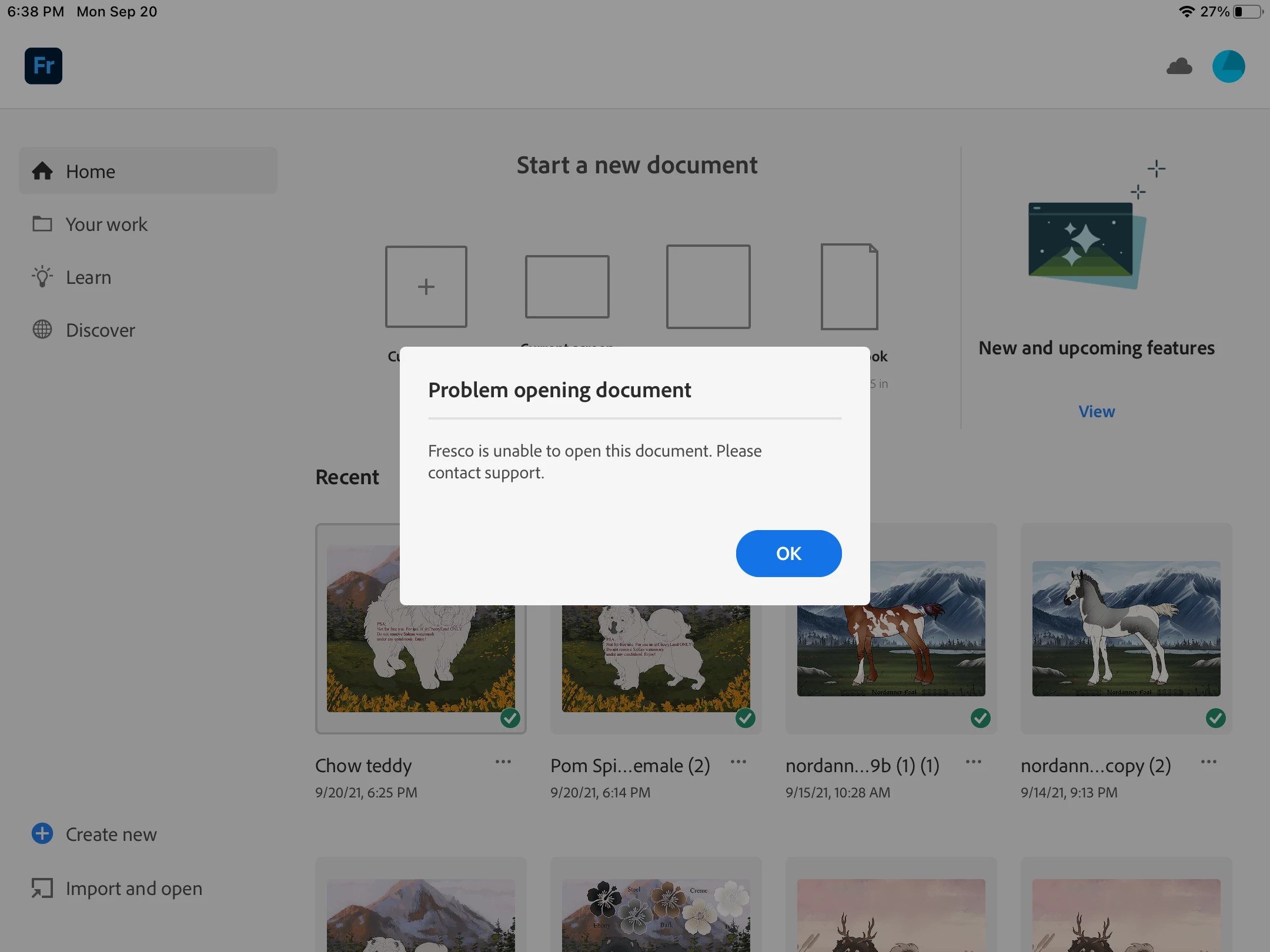
Fresco is unable to open this document. Please contact support.

  • September 21, 2021
  • 9 replies
  • 3870 views

I keep getting this error message when trying to open Photoshop files in Fresco. Any ideas on the the problem or solution might be?

9 replies

New Participant
July 24, 2025

I am also having this issue. I am unable to open any old files or even create new ones. Sometimes the app takes some time to load when I try to open a file, but then it just ends up crashing and quitting. I've tried reinstalling it, and then I also tried restarting my computer, but I am still having the same issue.

Community Manager
July 24, 2025

Hello @sara_6118,

I'm sorry to hear about your experience. Could you share more details, like the version of the OS/Fresco installed, and if Fresco behaves this way with all files, so I can better assist you?

Looking forward to hearing from you.

Anubhav

New Participant
April 10, 2025

Even I'm having ghr same trouble... Can someone please help me to solve this... Neither can I open a new file nor can I open old files.... I need my works!  Please, can someone tell me what to do? I tried uninstalling it and reinstalled it... Kept on trying but no use... 


Community Manager
April 10, 2025

Hello @Sandra_Rajesh1813,

Could you share more details, like the version of the OS/Fresco installed, your device make/model and a small screen recording of the problem, so I can better assist you?

Looking forward to hearing from you.
Anubhav

New Participant
April 9, 2024

Hello Adobe. I've got a very important file i created with Fresco. Here is the problem, opened it out of the cloud in photoshop, and then went to reopen it again Fresco afterward, and now it's unable to open in Fresco. That's where the promlem is. Something is happening to the file once you open it in photoshop. This is super, super frustrating

Community Manager
April 9, 2024

Hello @PURKEY,

We understand that encountering technical issues can be frustrating. Would you mind sharing more details, like the exact version of Fresco/Photoshop/OS installed on your computer, details about your exact workflow, and a link to the cloud document you're having trouble with (https://adobe.ly/3x2LaSM), so we can better assist you?


Looking forward to hearing from you.


Thanks,

Anubhav

New Participant
March 17, 2024

Fresco sucks an y'all need to fix this cuz I just had the same problem an I can't access the one drawing I'm on but can access all the others it's bs an frustrating ah ! Like I said if adobe don't fix it ! There's gonna be negative stuff said constantly w this problem .... I'd like my art piece I've spent a week working on ! Feels like I wasted my time atleast w pen an paper you can always have your artwork and come back to it w no problems ! 

Community Manager
March 18, 2024

Hello @ClixsPen,

We understand that encountering technical issues can be frustrating. Would you mind sharing more details, like the exact version of Fresco/OS installed on your computer and a link to the cloud document you're having trouble with (https://adobe.ly/3x2LaSM), so we can better assist you?


Looking forward to hearing from you.


Thanks,

Anubhav

New Participant
November 10, 2023

I had the same issue but I found a solution that worked for me. 

1. export file as PSD

2. open on the file on your Mac or desktop 

3. re-save file as PSD

4. Export file to google drive 

5. reopen in fresco 

Community Expert
November 11, 2023

That's what works for me,or sometimes I have to tweak things because the colorspace isn't supported or the DPI is too high 

New Participant
August 23, 2023

This is happening to me on a document I made in Fresco. This app is really annoying for many reasons and is not capable of transferring/preserving documents without issues. I feel better off with a pen and paper than this.

Anshul_Saini
Community Manager
Community Manager
August 23, 2023

Hello @Shelby3183406831rc,


I'm sorry to hear that you're facing difficulties with opening a document in Fresco and that you're feeling frustrated with the app. I understand that encountering errors and issues can be very discouraging, especially when it comes to your creative work.


To better assist you, could you provide more details about the document you're trying to open? If you're comfortable with it, sharing the file could potentially help us investigate the issue more effectively. If yes, please go to the assets website https://assets.adobe.com/cloud-documents, select the file for sharing, and ensure that "anyone with the link can view" & "Save a copy" are selected. Then copy & paste the link here or share it with me via DM.


Additionally, have you opened this file in Photoshop?


I will be looking forward to your response.


Best regards,

Anshul Saini

Chocolateberry
New Participant
February 24, 2023

Ugh, I have the exact same error message. And it's only with the one file. I have contacted support via chat, and we were trying to figure out the problem for like 3 hours. At the end they couldn't help. They told me that they are aible to open the file and they tried to "fix" the file - I could open it on my macbook in photoshop or on creative cloud but not in my Fresco App. I imported a picture into the file and I'm not sure if that might have damaged the file. Super frustrating! 

Community Expert
August 29, 2023

Hmmm... I haven't had this issue. Try uninstalling the app and reinstalling it.

New Participant
November 6, 2022

I can't open a document, 

Sjaani
Community Expert
Community Expert
September 23, 2021

There are some Photoshop files which have features that Fresco doesn't like, as far as I can tell.

Best option would be to contact Support via the Report a bug feature and get direct assistance from the developers. 

It's best to use the report feature within Fresco as this will add details regarding your system as well. However the direct email is (frescohelp at adobe dot com)