Participant
April 21, 2023
Answered

Fresco multicolor eyedropper not visible?

  • April 21, 2023
  • 2 replies
  • 325 views

I am working on an iPad with Fresco 4.4.2


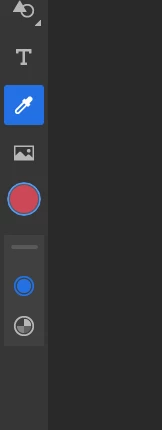
When selecting the eyedropper tool, I can only see it for a single color 

In various tutorials I also see people having a few other tools below the eye dropper tool (which I don't have, and can't seem to figure out how to turn this on) 


What am I missing here?


Thanks
This topic has been closed for replies.
Correct answer Imaginerie

Are you on Windows or Ipad?


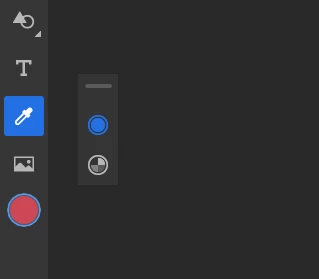
For example on windows, you need to make a VERY LONG press on the eyedropper to show the tool panel


(here I got my extra panels beside the main ones but you can sometimes see it docked at the bottom)

Sometimes you cannot see it because the window's too small, particularly on a smaller Ipad, when in lansdcape (that's why I never have my alternate tools docked). If that's the case, rotate the Ipad to a portrait mode and with the pen or the finger, drag the little panel by the little bar at the top to position it where it's more convenient. To put it back, drag it again inplace where it will snap). It's the same on windows.

2 replies

Imaginerie
Community Expert
ImaginerieCommunity ExpertCorrect answer
Community Expert
May 6, 2023

Are you on Windows or Ipad?


For example on windows, you need to make a VERY LONG press on the eyedropper to show the tool panel


(here I got my extra panels beside the main ones but you can sometimes see it docked at the bottom)

Sometimes you cannot see it because the window's too small, particularly on a smaller Ipad, when in lansdcape (that's why I never have my alternate tools docked). If that's the case, rotate the Ipad to a portrait mode and with the pen or the finger, drag the little panel by the little bar at the top to position it where it's more convenient. To put it back, drag it again inplace where it will snap). It's the same on windows.

Anubhav M
Community Manager
Community Manager
April 29, 2023

Hello @Alex29527843mf4o,


Thanks for reaching out. Would you mind selecting multiple colors by using the Eyedropper tool in combination with the Touch Shortcut and then choosing any of Fresco’s Pixel or Watercolor brushes to paint using the multicolor swatch and checking if it helps? Steps are shared here: (https://helpx.adobe.com/fresco/how-to/eyedropper-multicolor-swatch.html).


Looking forward to hearing from you.


Thanks,

Anubhav