drewa6618761
Participating Frequently
November 15, 2019
Answered

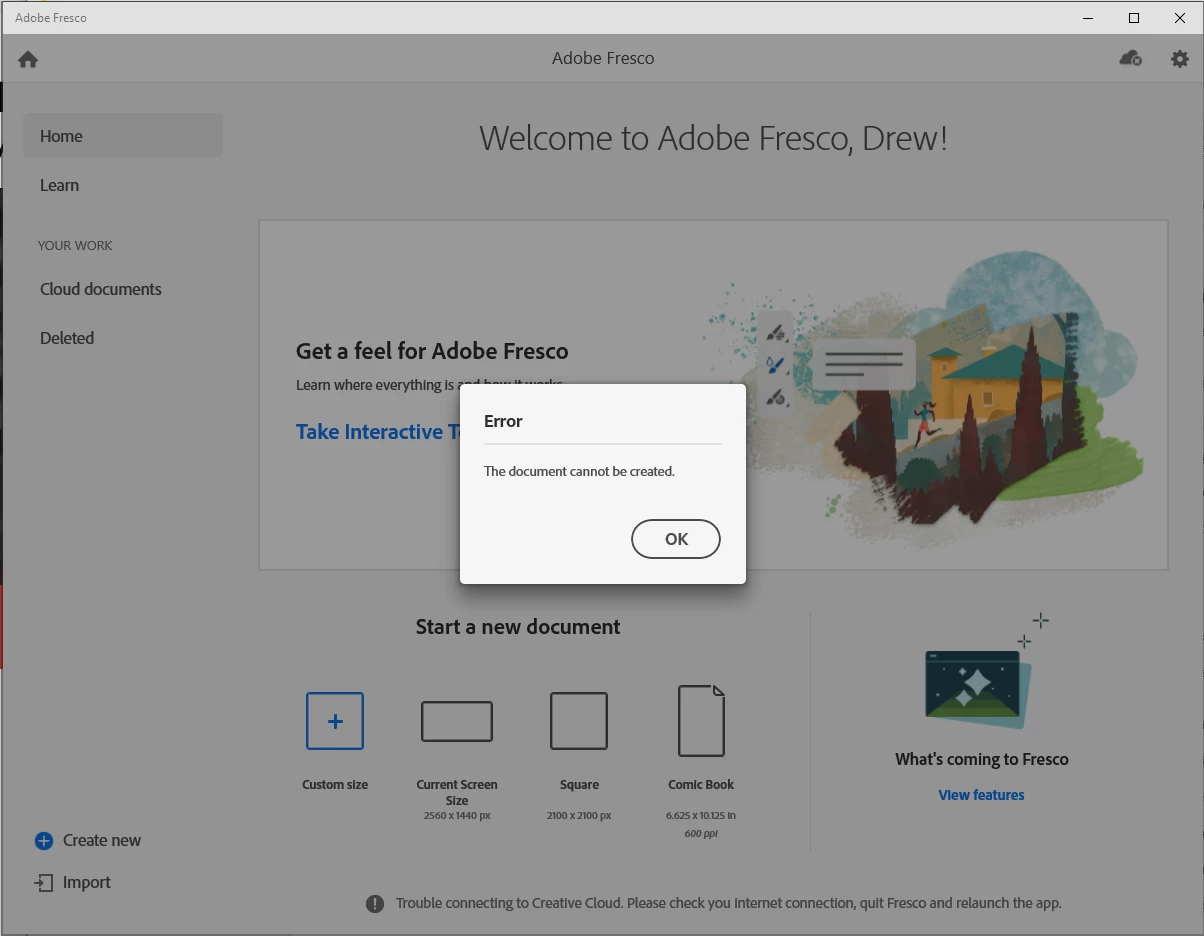
Fresco not opening any document with my Surface Book 2

  • November 15, 2019
  • 1 reply
  • 3323 views

Nothing seems to be opening for me. I have tried to uninstall and re-install this twice now and still having the same issue. 

Are there any known issues with running this on a Surface Book 2 that I am unaware of?

Attaching a screenshot of the error I am getting.
 

This topic has been closed for replies.
Correct answer Rohit Guglani

Hi Rohit,


Not sure what happened now... I disconnected from all wifi then reconnected and now it seems to be working! so it must have been a combo of the issue you found and a network issue with my computer.


Thank you for your help!


Glad it is fixed for you Drew. Thanks for your patience. 


Keep sharing your feedback here and vote for your feature ideas at: http://adobefresco.uservoice.com.


Regards,
Rohit

1 reply

Rohit Guglani
Adobe Employee
Adobe Employee
November 18, 2019

Hello Drew,


Thanks for reaching out to us. We would need some logs from your system for looking into this issue further, request you to follow the steps here: https://helpx.adobe.com/in/creative-cloud/kb/cc-log-collector.html and share the log files. 


Also, can you check if restarting the system and launch Fresco. Is the issue reproducible after that as well. 


Thanks,

Rohit

drewa6618761
Participating Frequently
November 19, 2019

Hi Tohit, 


Sorry for the delay in my response. I have tried everything... restart, shutdown. I have uninstalled the app and re-installed the app twice now and still the same thing.

Now at the bottom of the screen that I had shared last week, it says at the bottom that it is having trouble connecting to the Creative Cloud. not sure if this has anything to do with it. But at the top right corner of the app, it says that I am in fact connected. 


How do I share the log file that I have downloaded from the link that you shared with me?


Thank you,

Drew


Sheena Kaul
Legend
November 19, 2019

Hi there,


I believe you're on the windows version of Fresco.

Can you please confirm if you're you behind any firewall or corporate network that might block creative cloud to connect to the internet? Also, is this network error coming up with other apps as well?


Regards,

Sheena