

Fresco plante à l'ouverture d'un fichier - Windows 11 - v.5.7.0
Malgré la désinstallation et réinstallation, le problème ne change pas.
Ce qui est bizarre c’est que ça marchait très bien avant (en 2024) et du jour au lendemain l’application s’est mise à planter lorsque je créer un nouveau document ou veux en ouvrir un ancien.
Toutes les autres appli adobe fonctionnent très bien.
Détails sur mon installation : ordinateur de 2023- fonctionne très bien.
[ Windows 11. x64
16,0 Go- NVIDIA GeForce RTX 3070-
GPU (8 Go) - Intel(R) UHD Graphics (128 Mo)
Stockage : 332 GB sur 477 GB utilisé ]
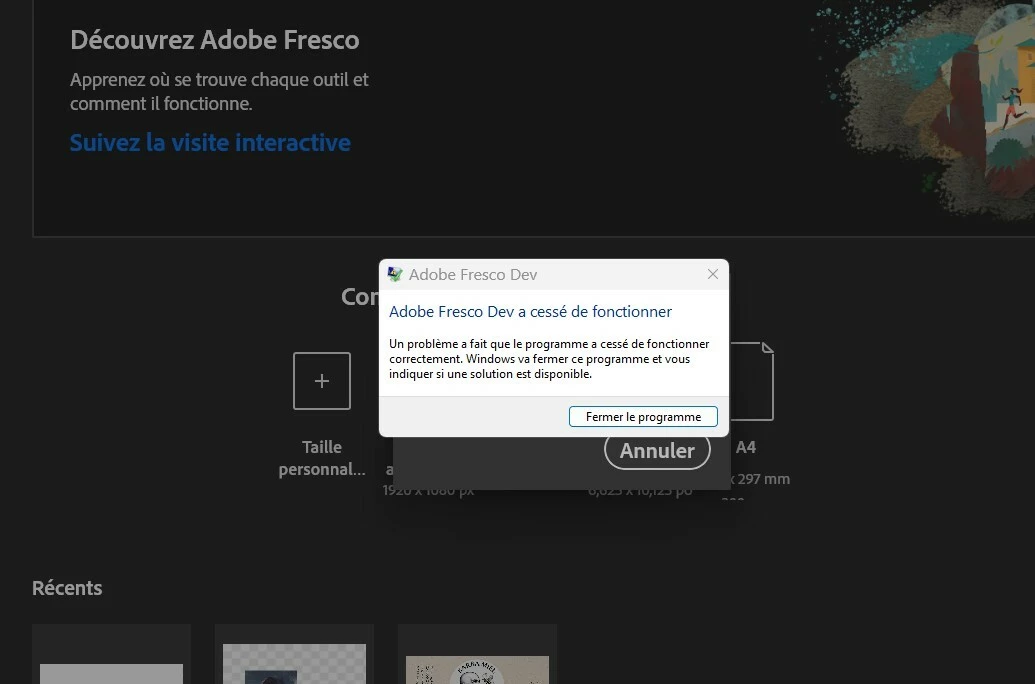
Merci d’avance pour votre aide, j’aimerais tellement pouvoir dessiné.
PS : ça m’arrive de l’utiliser plutôt avec ma tablette Gaomon brancher en externe dessus mais je ne penses pas que ça change quoi que ce soit.
-----------------------------------------------------------------------------------------------------------------
English version :
Subject: Adobe App Crashes on New/Open Document – Worked Fine Until Recently
Despite uninstalling and reinstalling, the issue persists.
The strange thing is that everything worked perfectly before (in 2024), and then suddenly, the app started crashing whenever I try to create a new document or open an existing one. All other Adobe apps are running smoothly.
System details:
- PC: 2023 model, running well
- OS: Windows 11 (x64)
- RAM: 16GB
- GPU: NVIDIA GeForce RTX 3070 (8GB) + Intel UHD Graphics (128MB)
- Storage: 332GB used out of 477GB
I’d really appreciate any help—I miss being able to draw!
Note: I sometimes use the app with my external Gaomon tablet, but I don’t think that’s related.


 AdChoices