Participant
September 29, 2019
Answered

Fresco to Google Drive

  • September 29, 2019
  • 1 reply
  • 1623 views

How do I upload my file from Fresco to Google Drive?

This topic has been closed for replies.
Correct answer Michael J. Hoffman

You can save a copy by exporting as PNG, JPG, PSD or PDF. 


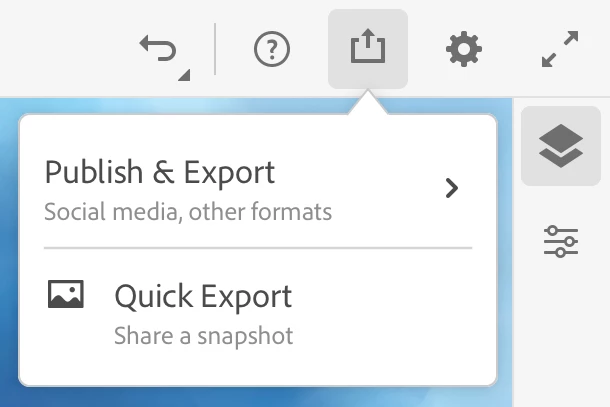
First, tap the share icon, and choose Publish & Export:


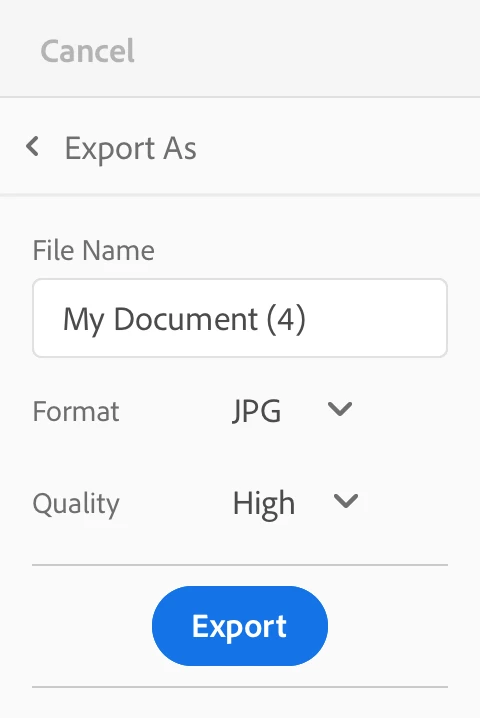
Them, choose your format and tap "Export:"


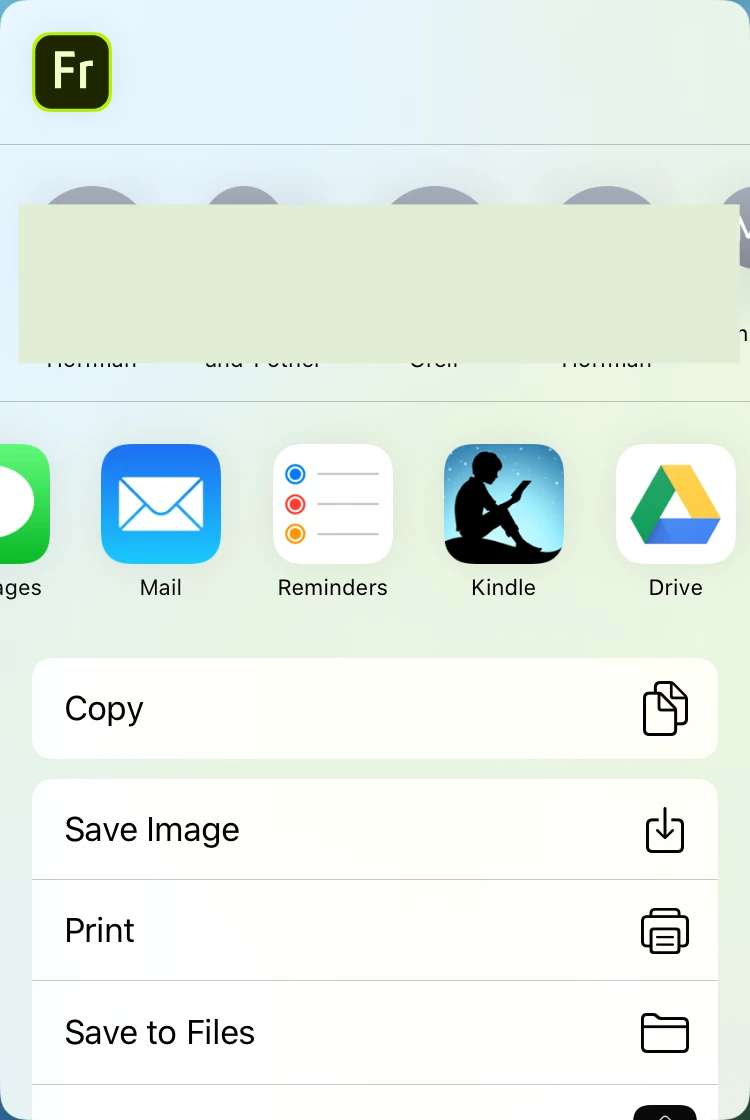
In the share sheet, you can choose Google Drive as the destination:

1 reply

Michael J. Hoffman
Community Expert
Michael J. HoffmanCommunity ExpertCorrect answer
Community Expert
September 29, 2019

You can save a copy by exporting as PNG, JPG, PSD or PDF. 


First, tap the share icon, and choose Publish & Export:


Them, choose your format and tap "Export:"


In the share sheet, you can choose Google Drive as the destination: