
Participant
November 9, 2021
Question

fresco won’t launch

  • November 9, 2021
  • 1 reply
  • 368 views

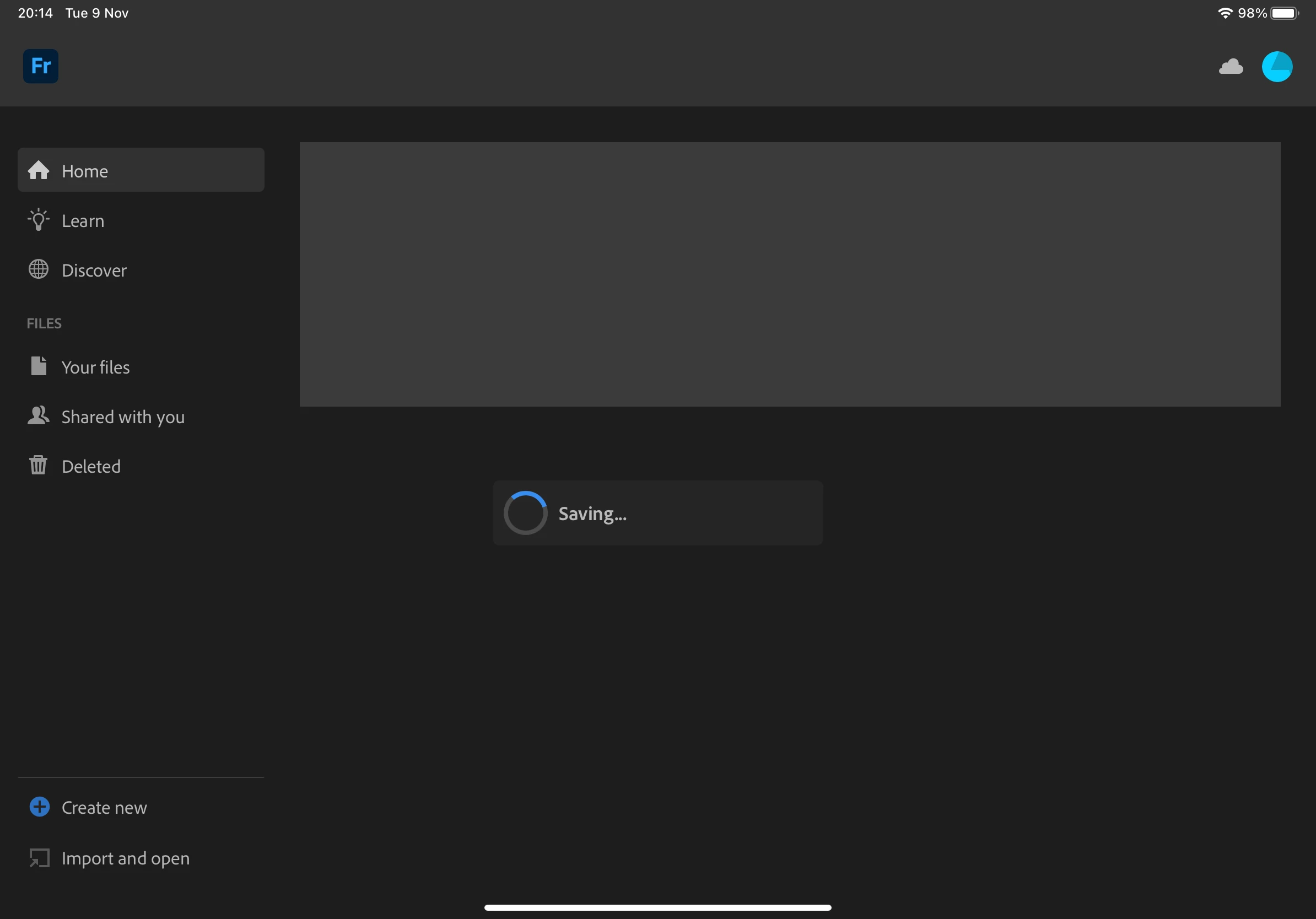
Hi I’m having issues with Fresco on iPad. Every time I open it it shows the saving symbol and won't load!

it has been doing this since yesterday, every once in a while i can access it and the drawings will open but then it crashes and when I open again it shows the saving label!


would love the help!
 

This topic has been closed for replies.

1 reply

Anshul_Saini
Community Manager
Community Manager
November 9, 2021

Hi there,


Sorry about the trouble. Could you please share a few more details like:

  • The exact version of iPadOS & Fresco
  • Which iPad model is this?
  • When did this start happening? Are there any recent changes made to your iPad? For example, system/ app updates installed or any new app installed recently.
  • How much free space do you have in your Creative Cloud account & iPad?
  • Have you tried restarting the iPad or re-installing the app?
  • Have you tried using a different Internet connection?
  • Share the crash logs when it crashes next time:
    1. Go to iPad Settings > Privacy > Analytics & Improvements > Analytics Data
    2. Locate the log for your app. The log name starts with JetsamEvent_<DateTime>.
    3. Select the log with the latest date & time.
    4. Tap the Share icon and tap Save to Files.
    5. Select Creative Cloud and Save.
    6. Go to this website (https://assets.adobe.com/files) and share the download link here.


We will be looking forward to your response.


Regards,

Anshul Saini

Community Expert
November 9, 2021

every once in a while, I'll have an issue like that with Photoshop on my M1 iPad Pro,  but generally,  I'll force quit the app and reopen it and it works fine