Participant
August 24, 2023
Question

Grid lines showing when using live brush

  • August 24, 2023
  • 2 replies
  • 430 views

Hello All,

I am recently new to Adobe Fresco and need some help. When using the live brushes I get grid lines and I am unable to remove them. Can someone please help me out with this issue?
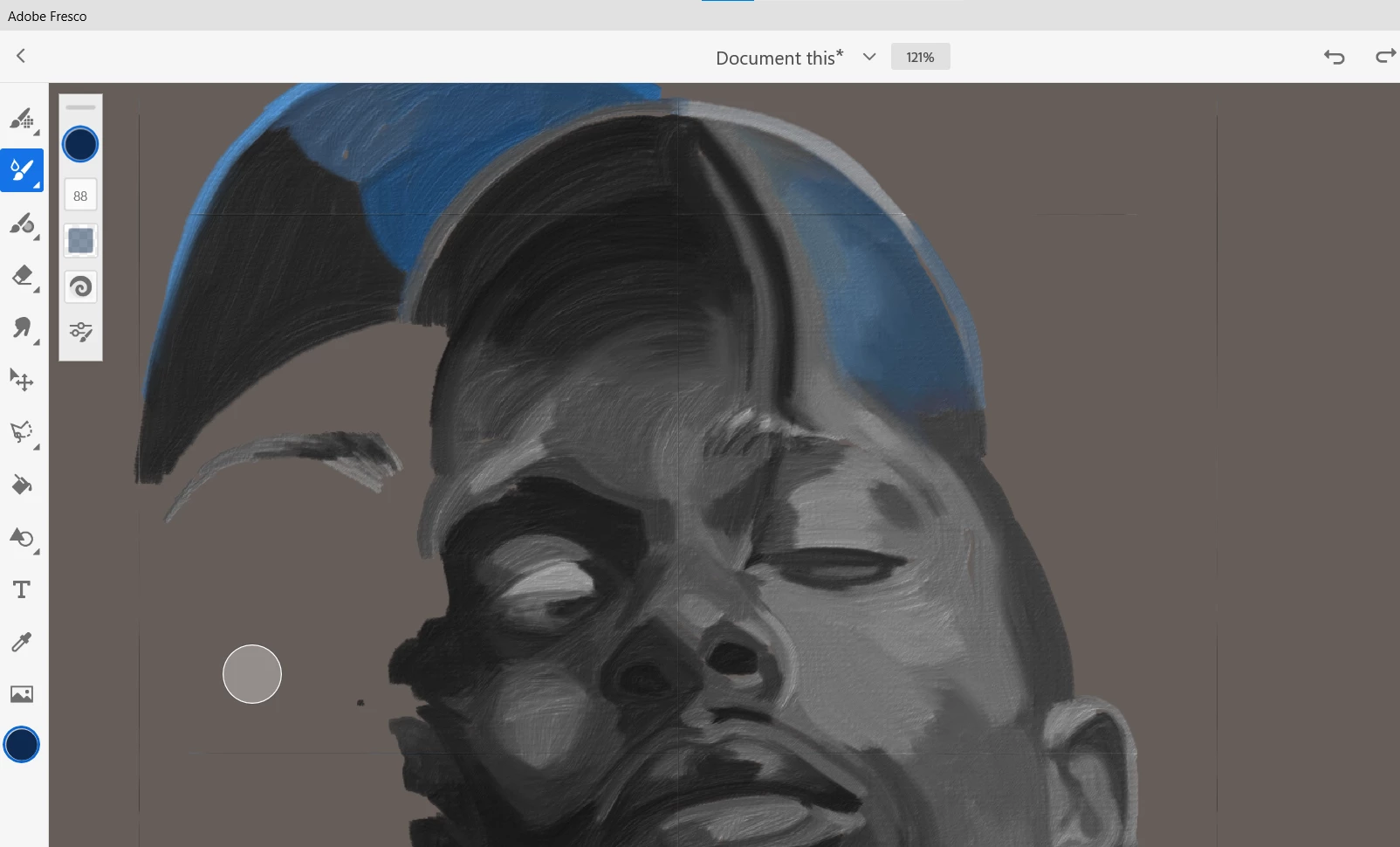

 

This topic has been closed for replies.

2 replies

Imaginerie
Community Expert
Community Expert
August 26, 2023

Is it only with the live brushes?
Is it on a windows machine or an Ipad?
If the grid is showing on all types of brushes then that means you got the grid active. If it only happens with the live brushes, then it could be a bug.
Have you tried different type of live brushes as well? (Oils, watercolours, different types within each section)
BTW I love your painting there 🙂

Participant
August 28, 2023
It's strictly live brushes.
I am a dell Laptop Inspirion 7500 i7. Windows 10.

Thank you so much for replying back. If it's a bug I hope a new software
update will clear this up.
Imaginerie
Community Expert
Community Expert
August 29, 2023

The latest version is 4.8.0, check in the app settings if it's a right and if you are not due an update.
(click on the cog wheel at the top right of the Fresco windows, go to app settings, then help)
If you need to update, the easiest is to go through the CC app

and "updates"

You'll see an indicator if an update for any software you have is available.

Community Expert
August 25, 2023