
Participant
August 22, 2023
Question

Grid ppi not accurate to canvas

  • August 22, 2023
  • 1 reply
  • 164 views

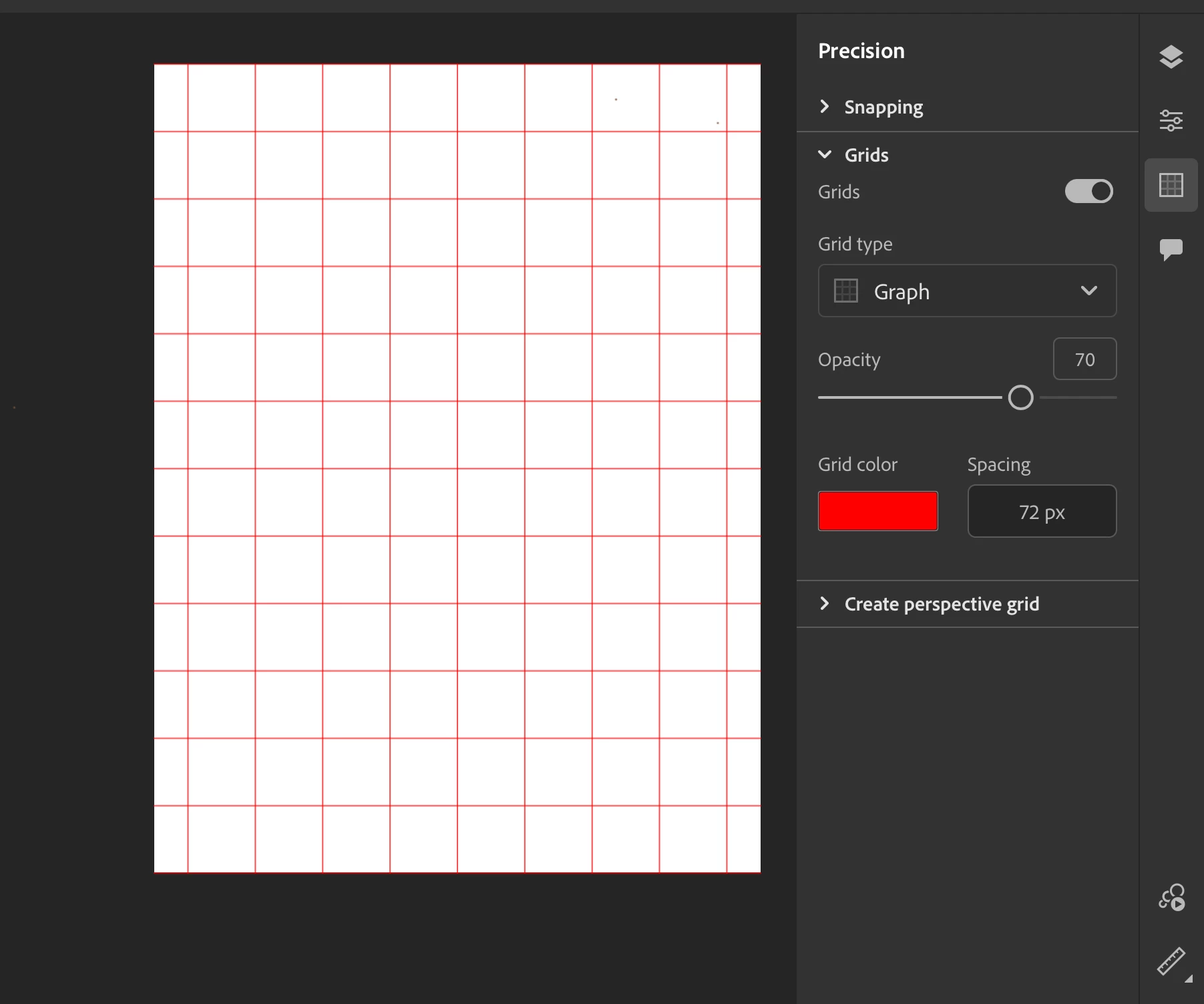
I have been trying to set a grid for my image but the grid is constantly a half inch or so too wide or small. My image is 12" x 9" and says it's at 72 ppi, which should mean when I set the grid to 72 pixels I should get perfect one inch squares, but when I turn on the grid and set it to 72 it's not right? I don't know if maybe I need to change the pixels per inch  or the pixels the grid is set too or if I've measured wrong but I would appreciate help. 
 

This topic has been closed for replies.

1 reply

Anshul_Saini
Community Manager
Community Manager
September 7, 2023

Hi @Jessica31808893jl1f,


It sounds like you're encountering an issue with the grid setup in Adobe Fresco. It's essential not to confuse print size (PPI) with grid spacing. If your image is set to 72 PPI, that relates to the resolution when you print or export your artwork.


However, the grid spacing can be set independently in pixels.

For example, if you want one-inch squares on your canvas, you should set the grid spacing to 100 pixels (assuming a standard screen resolution of 72 PPI). If the grid doesn't align correctly, you can try adjusting the grid spacing value until it matches your desired layout.


If you continue to encounter issues, please share the file and image, and I'll check with the product team.


To share the file, please follow these steps:

  • Go to the assets website:  https://assets.adobe.com/cloud-documents, and select the file you want to share. Change the link access setting. 
  • Ensure "Anyone with the link can view" & "Save a copy is selected."
  • Copy the file link and share it here or via DM with me.


Best,

Anshul Saini