Participant
September 9, 2024
Question

Help!

  • September 9, 2024
  • 1 reply
  • 498 views

.
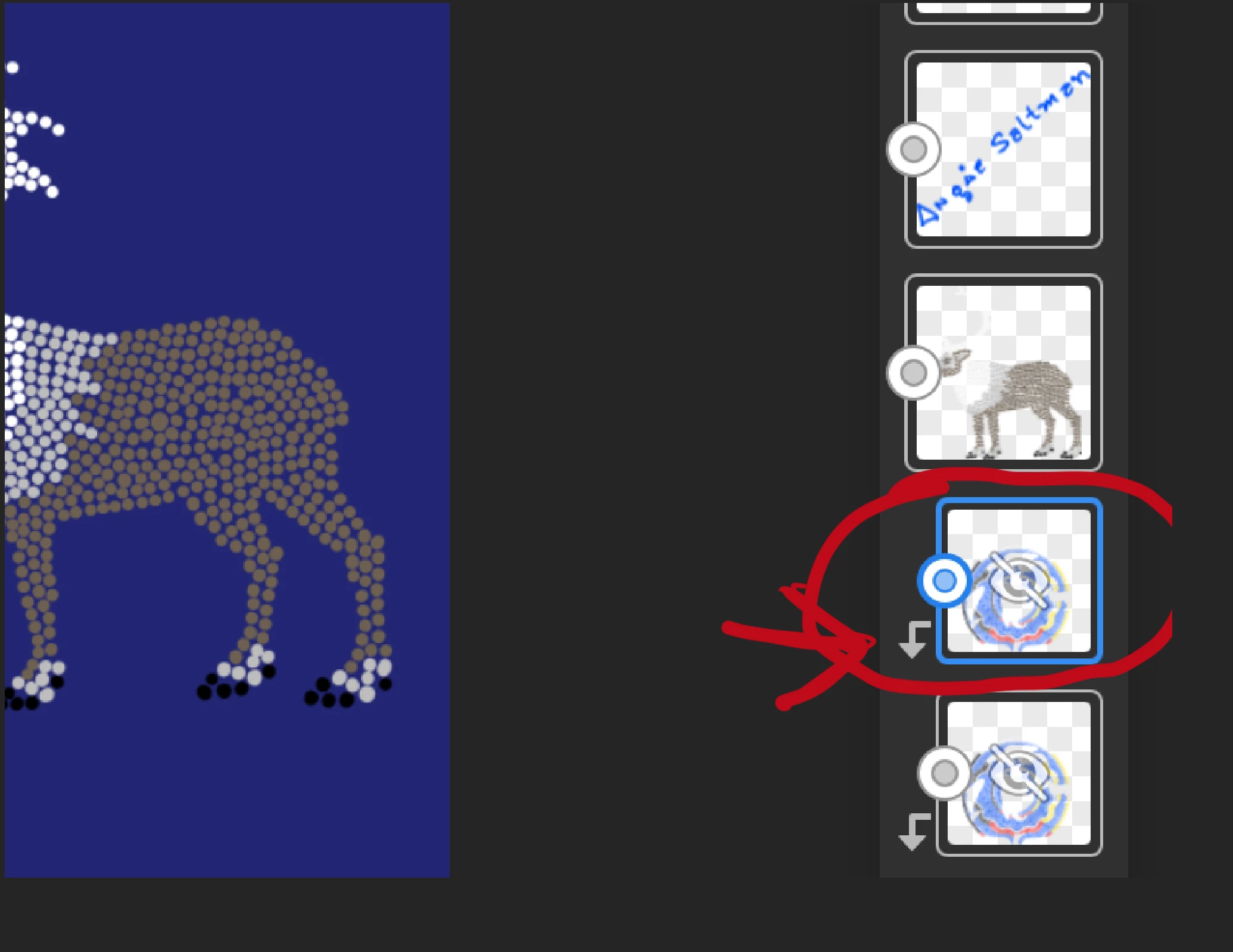
Please help me figure out how to turn this red circled arrow layer into a normal layer. I have no idea how this happened

This topic has been closed for replies.

1 reply

Anubhav M
Community Manager
Community Manager
September 9, 2024

Hello @saltmedia,

Thanks for reaching out. The down arrow on the vector layer in Adobe Fresco indicates that it is a clipping mask. In Fresco, a clipping mask controls the visibility of a layer based on the content of the layer below it.

To convert this layer back to a normal layer:
Unclip the Layer: Tap on the layer with the down arrow to select it.
Click on the option for Clip Layer.

This will remove the clipping mask, turning the layer back into a regular vector layer.

Feel free to reach out if you have more questions or need assistance. We'd be happy to help.


Thanks,
Anubhav