Participant
October 1, 2023
Question

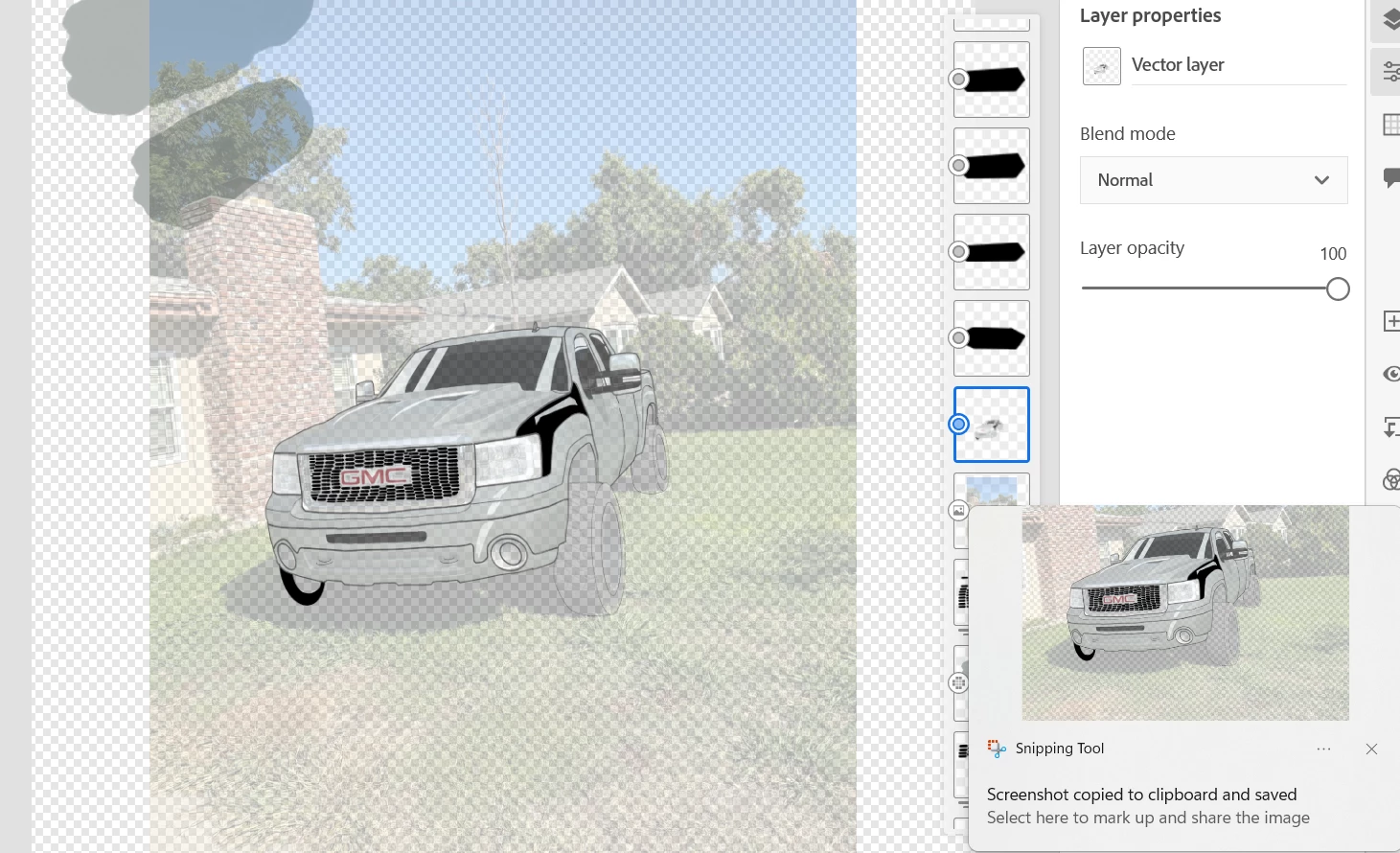
HELP!! My opacity all of a sudden is stuck on my layer

  • October 1, 2023
  • 4 replies
  • 414 views

It says my layer opacity is at 100 percent buts its very light AND SEE THRU i cant change it back causing me to revert to a later version a losing work please help for a fix

 

4 replies

Community Expert
June 4, 2025

From what I'm looking at, it looks like you merged your layers and if the layer was at a certain opacity when you merged it, it's gonna stay that way. so unless you can still undo it you're kind of stuck. If you have the same photo you can bring the photo back in And size it to fit so that it's no longer at the opacity that you don't want. That's pretty much the only way I think you can fix your problem.

Participant
June 3, 2025

Were you able to fix this? I'm having the same problem

Anubhav M
Community Manager
Community Manager
June 4, 2025

Hello @Lauren.Hark,

Could you share more details, like the version of the OS/Fresco installed on your device, along with screenshots of the layer panel, and a small screen recording of the problem (if possible), so we can better assist you?

Looking forward to hearing from you.

Anubhav

Community Expert
October 4, 2023

Take another screenshot so we can see all your layers.


Sjaani
Community Expert
Community Expert
October 3, 2023

Do you have a mask set up somewhere?
Looking at the two scribbles at the top left, it makes me think there is a mask which might be making the rest look see through.
Could not replicate a similar result so this is just a thought.