Answered
Hi all! Help?
I am stuck in swtraight line mode on all pens and brushes. How do I access a free form line?
Thank you,
Bradley Sanders

I am stuck in swtraight line mode on all pens and brushes. How do I access a free form line?
Thank you,
Bradley Sanders
On the iPad, there is a setting under "Input" in the "Touch" section, for "snapline" = this setting snaps a line to straight line if you hold at the end of a stroke. Is this what you're seeing?
Do you have the ruler tool turned on?
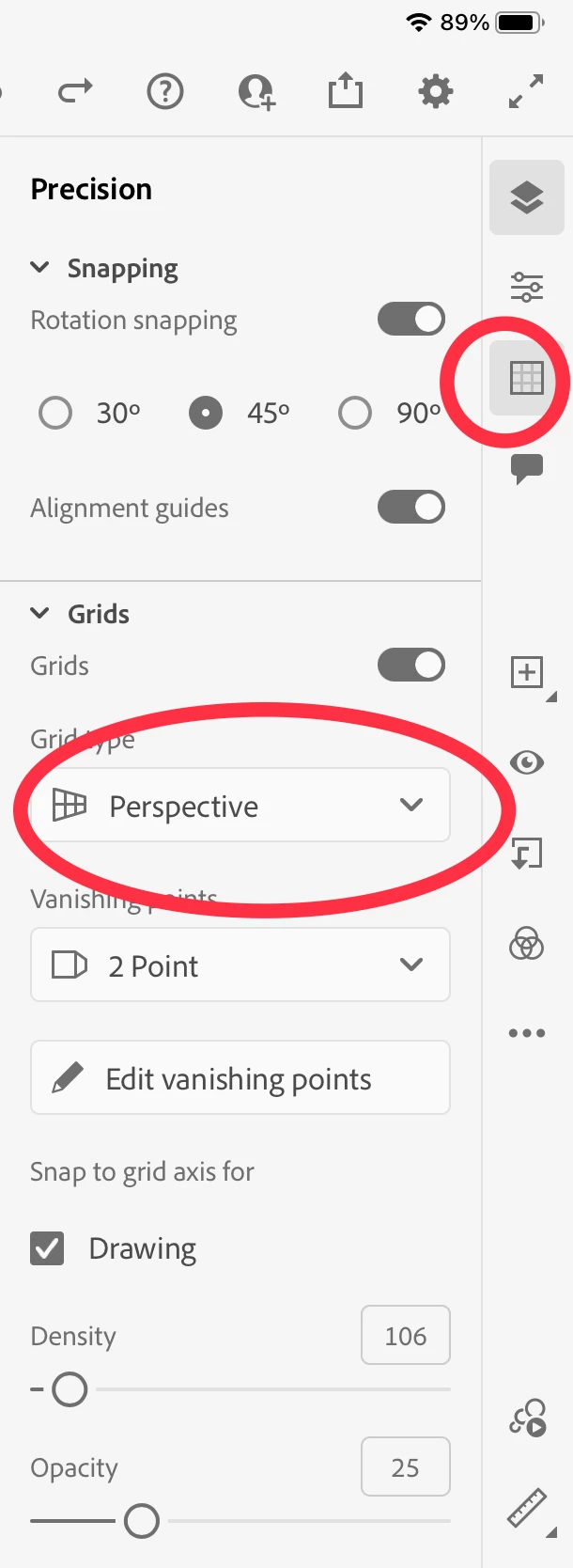
Another way to force straight lines is to enable perspective grid from the toolpar on the right.
Already have an account? Login
Enter your E-mail address. We'll send you an e-mail with instructions to reset your password.


 AdChoices