
bobtem
Inspiring
May 18, 2021
Question

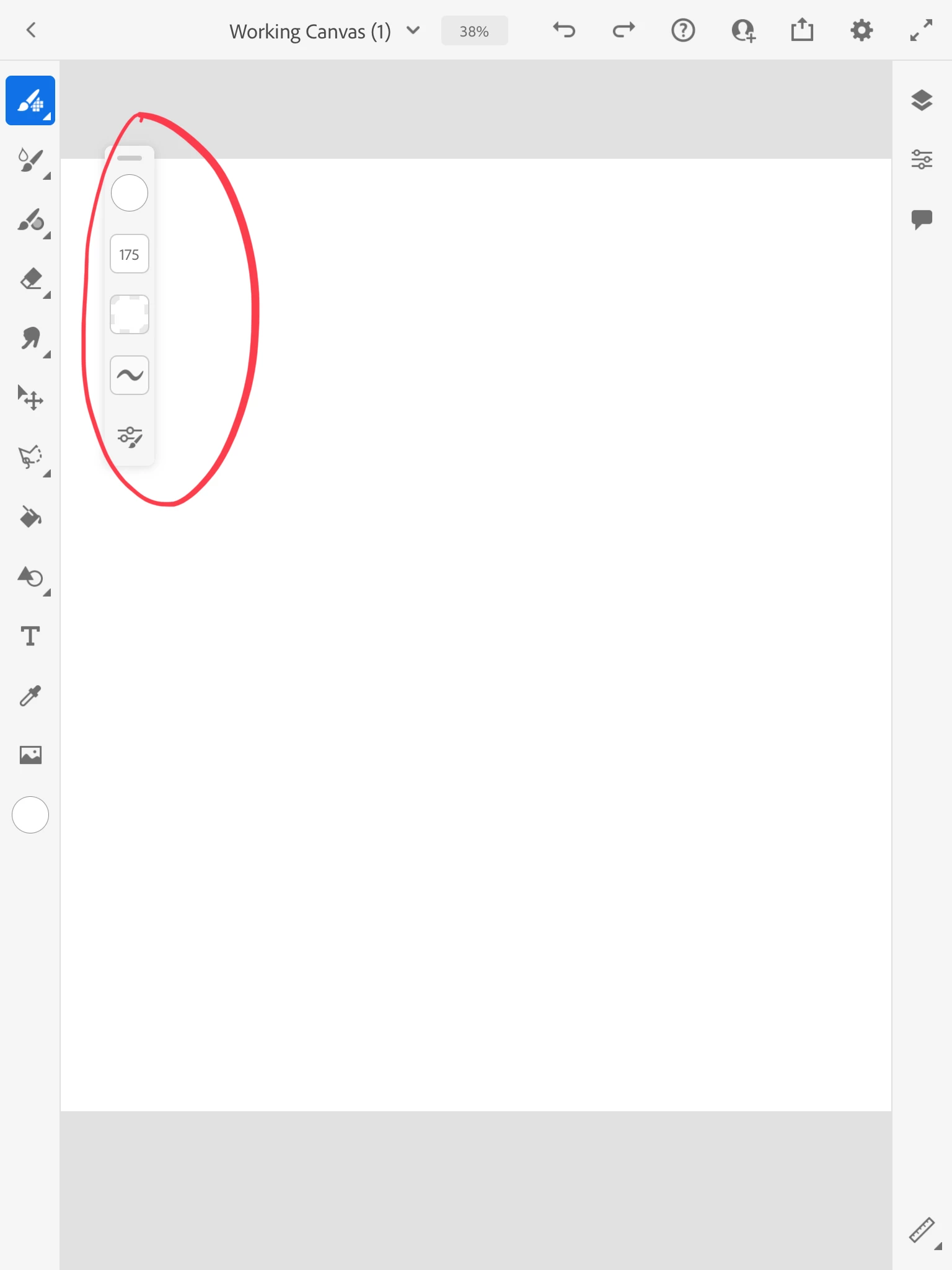
How do I get rid of auxiliary tool bar?

  • May 18, 2021
  • 1 reply
  • 280 views

See screen shot. How do I get rid of the extra tool bar? /

This topic has been closed for replies.

1 reply

Michael J. Hoffman
Community Expert
Community Expert
May 18, 2021

If you have enough real estate, in portrait screen mode, you can drag and drop it below the color swatch in the left tool bar, and it will dock into the existing bar. However, if you then rotate the screen to landscape orientation, the bar will come undocked, since there isn't enough room for it then.


This extra bar only appears with certain tools, and can be moved anywhere  on the screen. It has all the options for the active tool, so there's no way to hide it.