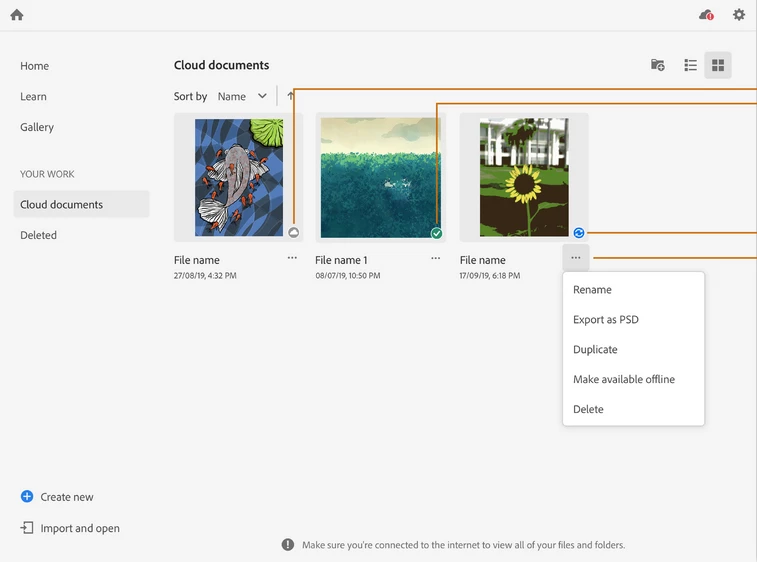
Thanks for reaching out. You may delete an Illustration from the Home Screen of Adobe Fresco. Your work gets saved to the cloud automatically. You need to go to Cloud Documents section in order to delete the file. I am also attaching a screenshot for your reference:
Thanks for reaching out. You may delete an Illustration from the Home Screen of Adobe Fresco. Your work gets saved to the cloud automatically. You need to go to Cloud Documents section in order to delete the file. I am also attaching a screenshot for your reference:




 AdChoices