
Question
How to actually turn off ruler snapping?
Even after turning off rotation snapping in the precision settings, the ruler still snaps to 90 degree increments. This makes it really hard to do very subtle angles that are close to 90 degree increments.
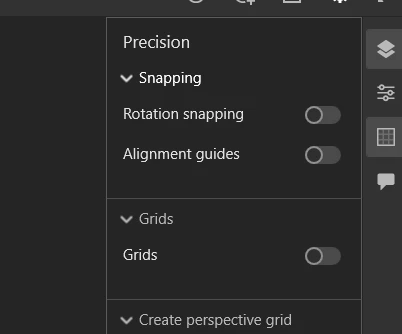
Does anyone know if there is another setting specific to the ruler?
Side note, is there a way to visualize the ruler's rotation point? I'm using a wacom tablet so I can't use 2 fingers to more accurately rotate the ruler. Would be nice if there was a way to lock the rotation point so you can more accurately/easily line up 2 points.


 AdChoices