Participant
January 6, 2023
Answered

[How To] Color/Hue slider without clipping

  • January 6, 2023
  • 1 reply
  • 262 views

Is there a layer color/hue shifter in Fresco on the Ipad? I want to change an already clipped layer's hue and color, but it's clipped to a clipped layer. So if I clip the Adjustment layer and use the sliders, it changes everything else below, even the base layer. It's a very simple tool on the desktop version of Photoshop with CTRL + U. Am I just dumb or it's just not there?

Please add it to Fresco too if it's not, as it's easy to use yet very strong and effective.


[Renamed by Mod]
 

This topic has been closed for replies.
Correct answer Imaginerie

Hello!

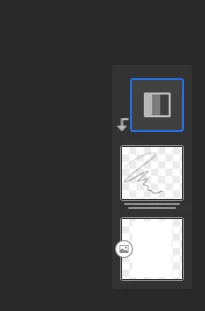
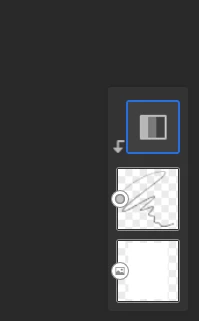
Not sure I understand so forgive me if I miss the point, but You could clip a new H/S adjustment to a group that contains your clipped layer. Grouping your layers and clipping the new HSL adjustment layer there will ensure the new clipped layer will only affect what's in the group.


Let me know if that was your question!

If not, maybe it's best to include a screenshot so we can have a better idea.


clipped HSL on a layer


same two layers grouped and a HSL adjustment clipped on the group


Note that the base layer isn't grouped so not affected by the second HSL adjustment

1 reply

Imaginerie
Community Expert
ImaginerieCommunity ExpertCorrect answer
Community Expert
January 6, 2023

Hello!

Not sure I understand so forgive me if I miss the point, but You could clip a new H/S adjustment to a group that contains your clipped layer. Grouping your layers and clipping the new HSL adjustment layer there will ensure the new clipped layer will only affect what's in the group.


Let me know if that was your question!

If not, maybe it's best to include a screenshot so we can have a better idea.


clipped HSL on a layer


same two layers grouped and a HSL adjustment clipped on the group


Note that the base layer isn't grouped so not affected by the second HSL adjustment